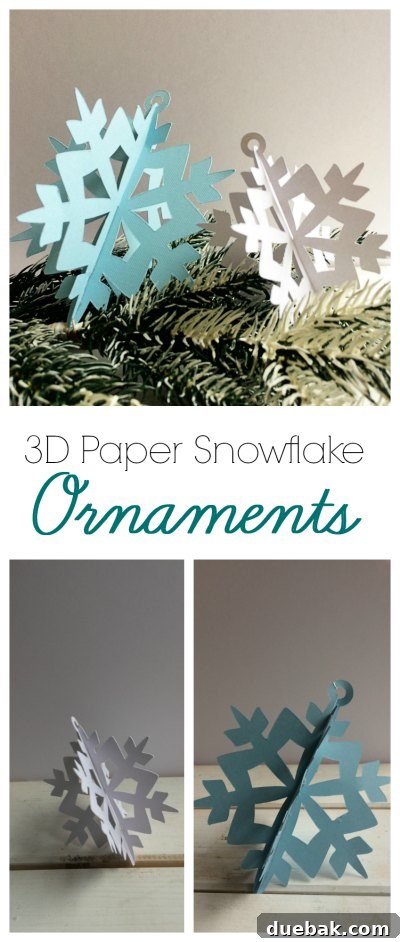
Crafting Joy: Easy DIY 3D Snowflake Ornaments with Your Cricut
The holiday season is a magical time, filled with warmth, cheer, and the joy of transforming our homes into festive havens. For many of us, part of that magic comes from refreshing our Christmas decor each year, bringing new colors and styles to our festive arrangements. However, staying on budget while achieving a fresh look can be a challenge. That’s where the wonderful world of DIY Christmas ornaments comes in, offering a creative and cost-effective solution to personalize your holiday setup.
As a passionate crafter, I understand the desire to infuse personal touches into every corner of my home, especially during Christmas. I often mix timeless, neutral glass bulbs in silver, gold, and grey with accents that reflect my chosen color scheme for the year, typically through ribbons and affordable handmade pieces. This year, with a curious one-year-old exploring every nook and cranny, my decorating strategy took a practical turn. I needed ornaments that were not only beautiful but also durable—pieces that wouldn’t shatter if dropped and wouldn’t cause a pang of devastation if they met an accidental fate. The solution? These enchanting 3D snowflake ornaments.
Unlocking Creativity with Cricut Design Space’s “Make It Now” Projects
One of the greatest joys of owning a smart cutting machine like a Cricut is the endless possibility it offers for crafting, especially when it comes to projects that look complex but are incredibly simple to execute. The beautiful design for these 3D snowflake ornaments comes directly from the extensive library of images within Cricut Design Space. What’s even better? It’s featured as a “Make It Now” project!
If you’re new to Cricut or looking for quick, satisfying projects, “Make It Now” is a game-changer. These pre-designed projects are a dream come true because all the hard work of designing and formatting is already done for you. The template is perfectly prepared, ensuring precise cuts and seamless assembly. It’s as straightforward as browsing the options, finding a project that sparks your interest, and hitting the “Make It” button. Cricut Design Space guides you through the process, from selecting your materials to loading your mat, making it an ideal feature for both beginners and experienced crafters alike.
While the “Make It Now” feature streamlines the process, Cricut also empowers you with customization options. Should you wish to personalize your project, perhaps by altering the size of your snowflakes or experimenting with different layers, you can easily do so by selecting the ‘Customize’ button. This opens the design within the canvas, allowing you to unlock elements, resize, duplicate, or even add your own creative flair. This flexibility means you can adapt any “Make It Now” project to perfectly suit your vision and decorative needs, ensuring your finished piece is truly unique.
Gather Your Supplies: Materials for Your Snowflake Masterpiece
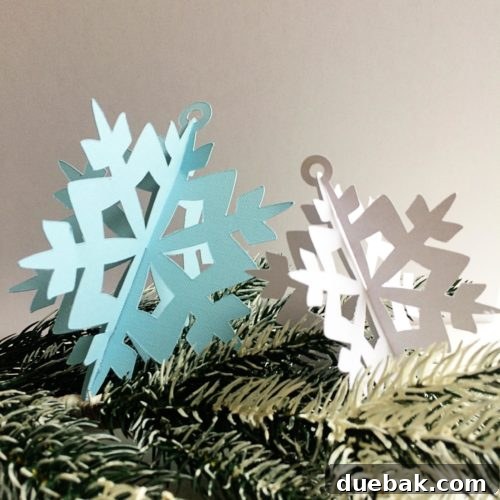
To embark on this delightful crafting journey, you’ll need just a few essential supplies. The beauty of these 3D snowflakes lies in their simplicity and the stunning impact they create with minimal materials. For my particular project, I opted for crisp white and vibrant turquoise cardstock, which created a beautiful contrast and a classic winter feel. However, don’t limit your imagination! Consider experimenting with various shades of blue, silver, gold, icy pastels, or even glitter cardstock for an extra touch of sparkle. The weight of your cardstock (typically 65-100 lb) will influence the rigidity and durability of your finished ornaments, so choose wisely based on your desired outcome.
The star of the show for cutting these intricate designs is, of course, a reliable cutting machine. I used my Cricut Explore Air 2, which effortlessly handles the precise cuts required for these snowflake templates. Its accuracy ensures that each piece fits together perfectly, making the assembly process a breeze. If you have another Cricut model or a similar electronic cutting machine, it will likely work just as well.
I cut out various sizes, discovering that the 4-inch snowflakes were absolutely perfect for adorning my Christmas tree, offering a delicate yet noticeable presence. But why stop there? Imagine the dramatic impact of oversized snowflakes! I’m already envisioning cutting some colossal versions, perhaps 10 or 12 inches across, to create a stunning focal point on a mantlepiece or as part of a festive tablescape. The possibilities are truly endless, limited only by the size of your cutting mat and your imagination. This flexibility allows you to customize your decor to any space and aesthetic.
Beyond the cardstock and your cutting machine, you’ll also need a glue gun. A hot glue gun is my preferred adhesive for these ornaments because it provides a strong, instant bond, preventing the pieces from wiggling or flattening during assembly. Make sure to have extra glue sticks on hand!
Step-by-Step Assembly: Bringing Your Snowflakes to Life
Once your Cricut has worked its magic and precisely cut out all your snowflake templates, it’s time for the gratifying process of assembly. This is where the flat pieces transform into beautiful, dimensional ornaments. Each snowflake template is designed with specific cut-out notches that are crucial for creating the 3D effect. You’ll intuitively see what I mean as soon as you have the cut pieces in your hand.
- Prepare Your Pieces: Carefully remove the cut snowflake pieces from your cutting mat. If you’ve chosen multiple colors or sizes, keep them organized to make assembly smoother. Each 3D snowflake typically consists of two identical cutouts.
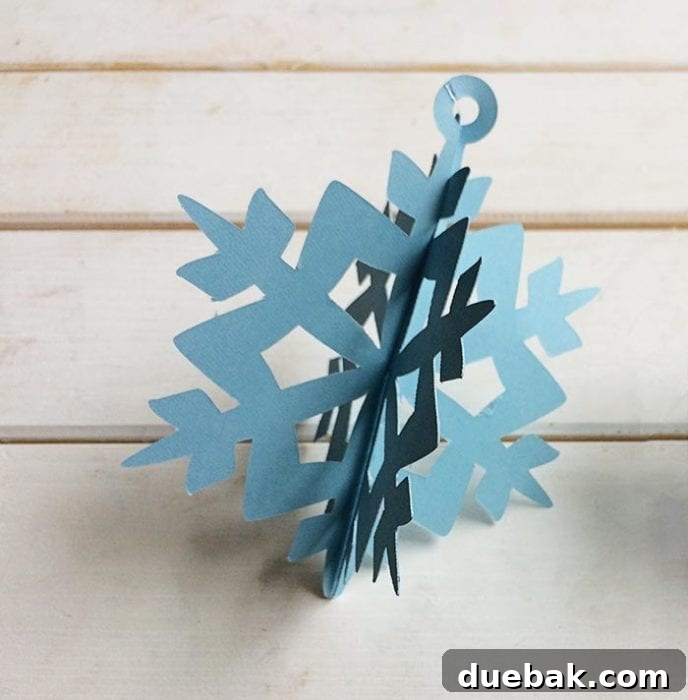
- Interlock the Notches: Take two identical snowflake pieces. You’ll notice that each piece has a slit cut from one edge towards the center. To create the 3D effect, gently slide one snowflake onto the other by interlocking these notches. One piece will slide down from the top, and the other will slide up from the bottom, meeting in the middle. This creates a cross shape and the initial dimension of your snowflake.
- Secure with Glue: While the interlocking notches provide a basic structure, the pieces can sometimes wiggle or become flat over time. To ensure your 3D snowflakes maintain their beautiful shape, I highly recommend using a glue gun. Apply a small bead of hot glue to the back of the interlocking connection points. Press firmly for a few seconds until the glue sets. The key is to apply the glue as discreetly as possible, aiming for the back or inner seams of the connection to keep your ornaments looking pristine. Work quickly as hot glue dries fast!
- Add a Hanging Loop: For tree ornaments, don’t forget the hanging mechanism! Once your snowflake is securely assembled, cut a piece of string, ribbon, or baker’s twine about 6-8 inches long. Form a loop and tie the ends together. Use a small dot of hot glue to attach the tied end to one of the top points or a central back point of your snowflake. This ensures it hangs beautifully on your tree.
- Optional Embellishments: To add an extra touch of sparkle, consider applying a thin layer of craft glue and sprinkling fine glitter onto the snowflake edges or points. You can also attach small self-adhesive rhinestones or use metallic markers to highlight certain details.
Beyond the Tree: Creative Display Ideas for Your 3D Snowflakes
While these 3D snowflake ornaments are undoubtedly stunning on a Christmas tree, their versatility extends far beyond that. Don’t limit your creativity! Here are some inspiring ways to incorporate your handmade snowflakes into your holiday decor:
- Mantlepiece Marvel: As mentioned, larger 10-12 inch snowflakes create a striking display on a mantle. Arrange them alongside twinkling fairy lights, pinecones, and evergreen garlands for a cozy, rustic, yet elegant look.
- Window Wonderland: Hang various sizes of snowflakes from curtain rods or directly onto windows with fishing line for a magical, floating effect. When light hits them, they cast beautiful shadows and add a serene winter ambiance.
- Garland Glamour: String multiple snowflakes together with ribbon or twine to create a captivating garland for stair banisters, doorways, or above a fireplace. Mix in some fairy lights for added enchantment.
- Gift Toppers with a Personal Touch: Attach a small 3D snowflake to the top of a wrapped gift instead of a traditional bow. It adds an extra layer of thoughtfulness and can double as a small keepsake for the recipient.
- Table Centerpieces: Arrange several snowflakes of different sizes around a candle or vase of winter greenery for an elegant holiday centerpiece.
- Party Decorations: If you’re hosting a winter-themed party, these snowflakes make fantastic ceiling decorations or wall hangings, transforming your space into a snowy wonderland.
- Mobile Magic: Create a delicate mobile by suspending snowflakes at varying heights from a hanger or branch, perfect for a nursery or a quiet corner.
The Unrivaled Convenience of the Cricut Explore Series for Crafters
If you’re a regular reader of my blog, you know my adoration for my Cricut Explore machine runs deep. It truly makes projects like these 3D snowflake ornaments not only incredibly easy to produce but also ensures they possess a professional, high-quality finish. The precision cutting capabilities mean every intricate detail of the snowflake design is perfectly rendered, something that would be incredibly challenging, if not impossible, to achieve by hand.
The Cricut Explore series revolutionizes home crafting, transforming ambitious projects into accessible endeavors. Its user-friendly interface and robust performance empower crafters of all skill levels to bring their creative visions to life with ease and confidence. From cutting paper and cardstock to vinyl, iron-on, and even some thicker materials, the Cricut Explore line is a versatile powerhouse for creating personalized decor, gifts, and so much more. It consistently delivers stunning results, making your handmade items look like they came straight from a boutique.
Explore a World of Creative Possibilities with Your Cricut!
(giveaway has ended)
Discover More Festive Inspiration: Check Out These Incredible Christmas Cricut Ornaments from My Canadian Blogging Friends!
Get inspired by the diverse and beautiful creations from a talented group of Canadian bloggers, many of whom I had the pleasure of meeting at Blog Podium’s Cricut class. We all came together to share our unique handmade Christmas ornaments, showcasing the incredible versatility of Cricut machines:
From top left, they are:
Christmas Garland from The Learner Observer3D Christmas Tree from Woman in Real LifeStar Ornament from The Inspired HomePenguin Ornament from A Boy and His MomHandlettered Ornaments from Teacups and ThingsPaper House Christmas Ornament from Fresh CrushEasy Christmas Ornaments from Sparkle Shiny Love3D Snowflake Ornament from Brooklyn Berry DesignsMini Deer Pallet Ornament from Love Create Celebrate3D Gingham Trees from Rambling RenovatorsGlitter Monogram Snow Globe Ornaments from Bawlers and CrawlersPaper Geometric Christmas Ornaments from Life is a PartyAtomic Starburst Ornaments from PMQ for Two
New to Cricut or Adding One to Your Wishlist? Dive Deeper into Your Crafting Journey!
If you’ve recently acquired a Cricut machine, or if one is at the top of your crafting wishlist, you’re in for a treat! To help you get started and make the most of your machine, I’ve compiled a comprehensive resource just for you. Be sure to check out my Cricut FAQ Guide, which answers many common questions and provides invaluable tips for beginners.
And if you’re hungry for more creative inspiration and project ideas, look no further! My curated list of Cricut projects offers a wide array of crafts you can tackle, from home decor to personalized gifts. Unleash your inner crafter and discover the joy of making something truly special with your Cricut. Happy crafting, and may your holidays be filled with handmade beauty!
Pin for later to save this magical DIY project: