Are you contemplating adding a Cricut Hat Press to your crafting arsenal? This comprehensive guide provides all the essential details you need to make an informed decision about whether this innovative tool is the right fit for your creative ventures.
Customized headwear, including trendy trucker hats, stylish baseball caps, and versatile bucket hats, has surged in popularity as a must-have fashion accessory. For anyone familiar with the creative power of a Cricut machine, the immediate thought upon seeing such personalized items is often, “I could absolutely make that!” Crafting custom hats using materials like iron-on vinyl, heat transfer vinyl (HTV), or embarking on sublimation projects has historically required crafters to employ clever workarounds. Many of us have resorted to using makeshift tools, such as hair straighteners, miniature irons, or even the compact but effective Cricut EasyPress Mini, to achieve our desired results.
While these creative hacks have served admirably for casual crafters or those producing items for personal use with standard heat transfer vinyl, they often fall short when pursuing more advanced techniques. If your goal is to venture into the world of sublimation products or work with Cricut Infusible Ink, you’ll quickly realize the need for significantly more precise heat settings and a specialized curved heat plate. These elements are paramount for achieving flawless, professional-grade results that are both vibrant and durable.
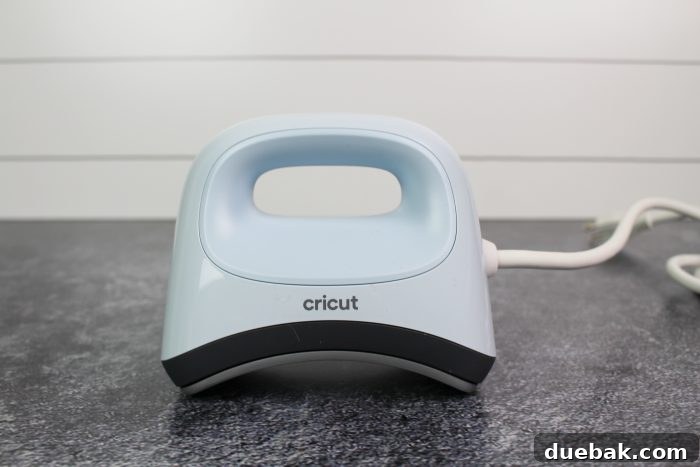
As a dedicated crafter who occasionally creates bespoke items for others or for sale, the prospect of owning a dedicated hat heat press is highly appealing. The primary deterrent for many has always been the significant investment and the considerable space a larger, multi-purpose heat press (often with a bulky hat press attachment) demands within a craft room. This is precisely where the groundbreaking Cricut Hat Press steps in, offering an exciting and much-needed solution that addresses these common concerns.
What Sets the Cricut Hat Press Apart from Other Hat Heat Presses?
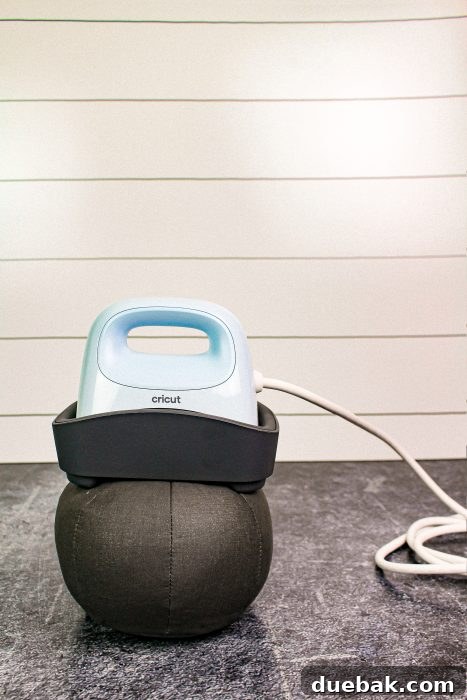
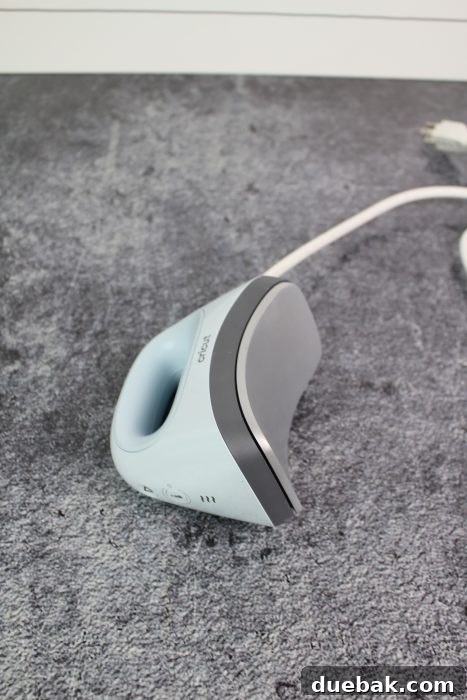
The Cricut Hat Press masterfully combines the renowned convenience and portability of the Cricut EasyPress Mini with specialized features tailored specifically for hat customization. Its distinguishing characteristics include a uniquely rounded ceramic heat plate and, crucially, a dedicated hat pressing form. This innovative curved surface heat press is engineered to seamlessly apply designs using a variety of popular crafting materials, including iron-on vinyl, Cricut Infusible Ink, and sublimation transfers, to an extensive range of hat styles and fabrics.
The included hat pressing form is a game-changer. Designed to be inserted inside the hat, it provides a firm, curved, and consistent pressing surface. This ergonomic design ensures that pressure is distributed evenly across the hat’s curved profile, eliminating common issues like creasing, uneven adherence, or distorted designs that often plague flat heat presses when used on hats. It effectively transforms an otherwise challenging project into a smooth and efficient process, guaranteeing professional-looking results every time.
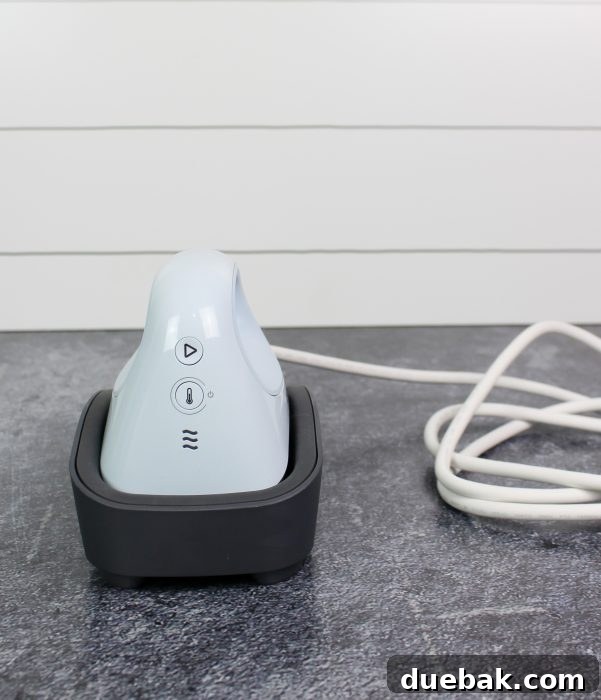
Intuitive Controls: Understanding the Hat Press Buttons
Simplicity and user-friendliness are at the core of the Cricut Hat Press’s design, evidenced by its minimalist control panel. The machine features just two primary buttons, making operation straightforward even for beginners. The “Play” button initiates the pressing timer, which is crucial for precise application. This button glows orange while the press is heating up, providing a clear visual cue that it’s in progress. Once the desired temperature is reached and the press is ready for use, the light seamlessly transitions to a vibrant green, indicating optimal readiness. The other essential control is the “Power” button, which simply turns the press on and off. Adjacent to these, three wavy lines serve as visual indicators for the selected heat levels, mirroring the intuitive design found on the Cricut EasyPress Mini, ensuring a consistent user experience across Cricut heat tools.
Precision Heat Settings for Diverse Crafting Materials
The Cricut Hat Press offers three distinct temperature settings, each carefully calibrated to accommodate a wide array of crafting materials and project requirements. This versatility is key to achieving optimal results without damaging delicate fabrics or compromising the integrity of your designs. The “Low” setting is ideal for materials that necessitate a gentler heat range, specifically between 255°F to 295°F. The “Medium” setting, covering temperatures from 300°F to 355°F, is perfectly suited for applying Cricut brand iron-on vinyl, as well as most other major brands of heat transfer vinyl (HTV). For those working with advanced materials like Infusible Ink or engaging in sublimation projects, the “High” temperature setting provides temperatures up to 400°F, delivering the intense, consistent heat required for these specialized applications. All these precise temperature controls, along with timing, are seamlessly managed and monitored via the innovative Cricut Heat app, offering unparalleled control and guidance.
Introducing the Revolutionary Cricut Heat App
The launch of the Cricut Hat Press is accompanied by the introduction of the brand-new Cricut Heat app, an indispensable companion designed to elevate your crafting experience. This free application, available for download on app stores, provides step-by-step guidance and connects effortlessly with your heat press via Bluetooth connectivity. Many crafters often wonder, “Do I need an internet connection to use the Cricut Heat app and the Hat Press?” The answer is both yes and no. An internet connection is required for the initial setup and activation of the press through the app. This ensures your device is properly registered and ready for use. However, once activated, you gain the flexibility to control the heat press either manually, using the on-device buttons, or through the intuitive interface of the app, even without a persistent internet connection (though some app features might require it). The app acts as your personal crafting assistant, eliminating guesswork by providing precise temperature and time settings tailored to your specific materials and project, streamlining your workflow and ensuring consistent, professional outcomes.
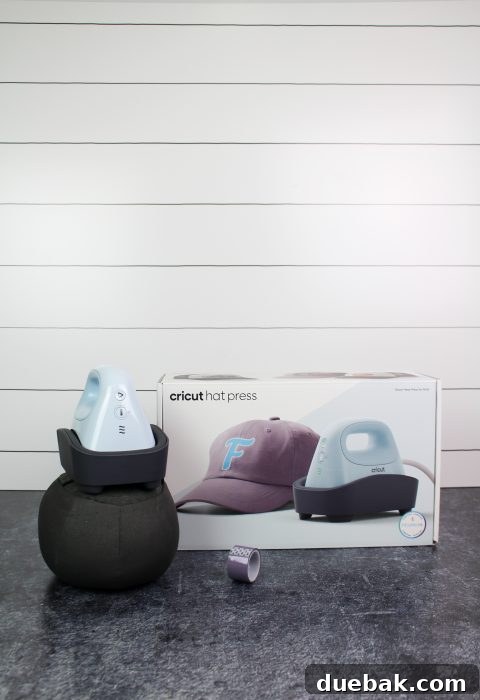
Cricut Hat Press: Cost and What’s Included in the Box
The Cricut Hat Press is competitively priced at $149 US, presenting an accessible option for crafters seeking a specialized tool without the hefty investment of a larger, commercial-grade heat press. Upon unboxing, you’ll find everything you need to begin your hat customization journey immediately. The package includes the Cricut Hat Press unit itself, a sturdy safety base designed to protect your workspace and prevent accidental burns, and the essential Cricut Hat Pressing Form. Additionally, a roll of strong heat-resistant tape is provided, crucial for securing your designs during the pressing process. You’ll also find a quick start guide to get you up and running swiftly, along with comprehensive warranty information for peace of mind. A vital detail for crafters: the hat pressing form contains walnut shells as filler. If you have a severe nut allergy, please take this critical information into consideration and exercise caution or seek alternative arrangements before using the product.
Thoughtful Safety-Conscious Features for Worry-Free Crafting
For crafters who might feel apprehensive about working with hot machinery, especially in a home environment where curious hands might be present, the Cricut Hat Press incorporates several advanced safety features designed to provide absolute comfort and peace of mind. Cricut believes that crafting should be an enjoyable, worry-free experience, and these features reflect that commitment.
The robust safety base is a cornerstone of this design philosophy. It securely houses the hot surface of the press when not in active use, effectively covering the heated plate. This intelligent design minimizes the risk of accidental burns from brushing against the hot surface and simultaneously protects your delicate work surfaces from high heat exposure. Furthermore, the Hat Press boasts an indispensable auto-off feature, which automatically powers down the machine after 13 minutes of detected inactivity. This intelligent function not only conserves energy but also acts as a crucial safety measure, preventing potential hazards. Before the automatic shutdown, the machine emits a clear warning beep, serving as a gentle reminder to pick up your press or finish your task, ensuring you’re always in control of your crafting environment.
Crafting Your Own Custom Hat: A Step-by-Step Guide
Creating personalized hats has never been easier or more enjoyable than with the Cricut Hat Press. Follow this detailed guide to bring your unique hat designs to life, whether for personal flair or as thoughtful gifts.
Essential Supplies Needed for Hat Customization
To embark on your hat-making adventure, gather the following supplies. Cricut offers a fantastic range of hat blanks, but you’re also free to use other compatible brands:
- Cricut Trucker Hat Blank (e.g., black and white)
- Blank Cricut Baseball Cap (e.g., gray)
- Any other brand of hat, visor, or compatible headwear that suits your project’s material and curvature
- Infusible Ink Transfer Sheets (for vibrant, seamless designs)
- Iron-On Vinyl or Heat Transfer Vinyl (HTV) for quick and easy application
- Strong Heat-Resistant Tape (essential for securing designs)
- Lint roller (to ensure a clean, debris-free surface for application)
For my demonstration, I opted to create a custom hat using one of the high-quality Cricut Trucker Hat blanks. The design I selected is readily available within Cricut Design Space, identifiable by image #M38DF0A52. I also considered, cut, and even weeded the mirrored version of the same image, #M38DF0A4E, demonstrating the versatility of design choices and preparation.
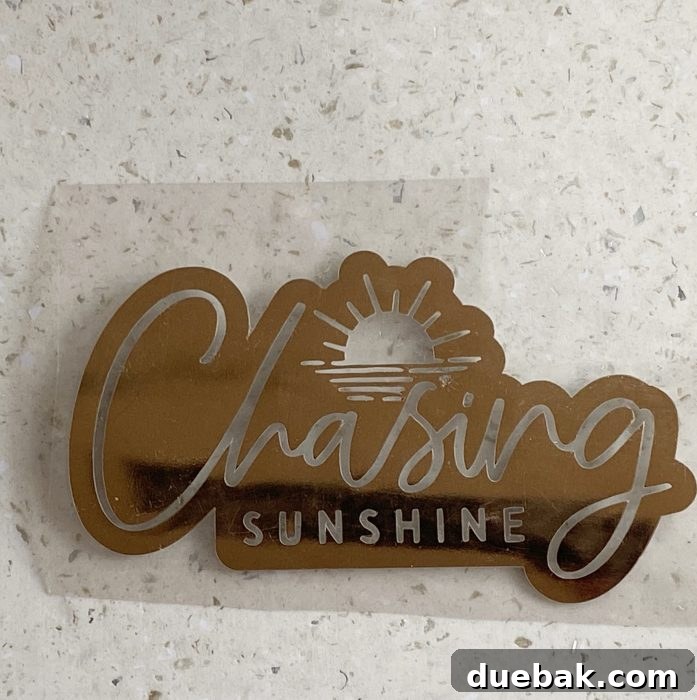
Once your chosen image has been precisely cut and meticulously weeded, ensuring all excess material is removed, your design is now ready for application. It’s at this stage that you should prepare your Cricut Hat Press for action!
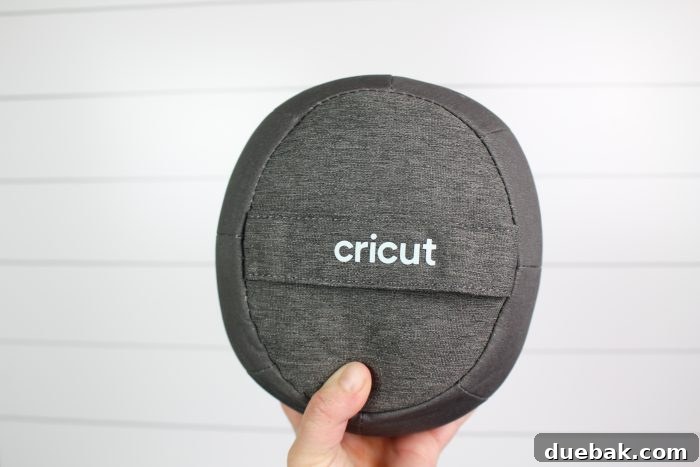
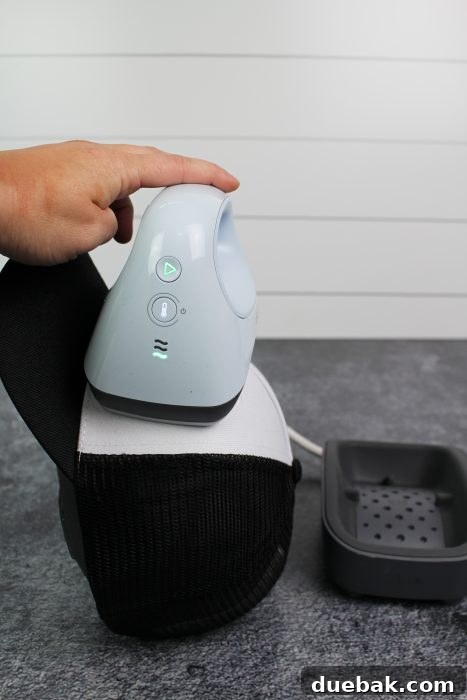
Carefully observe the back of the hat pressing form. You’ll notice a distinct strap running across it. It is paramount to ensure that this strap does not interfere with your design placement, as it could inadvertently create an undesirable seam or uneven pressure during the heat application process. Proper alignment is key to a smooth finish.
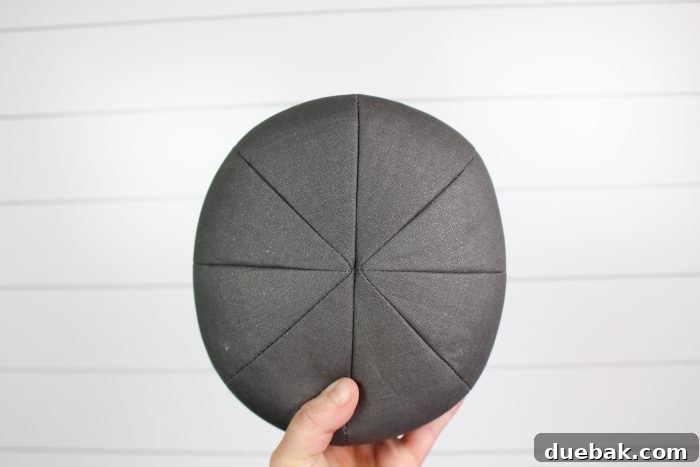
Now, shift your focus to the front of the pressing form. Notice the flat, continuous edges. These specific areas are precisely what you want positioned directly underneath the section of the hat where you intend to apply your design. This strategic placement guarantees consistent, even pressure across the entire design area, which is vital for perfect adherence and a professional outcome.
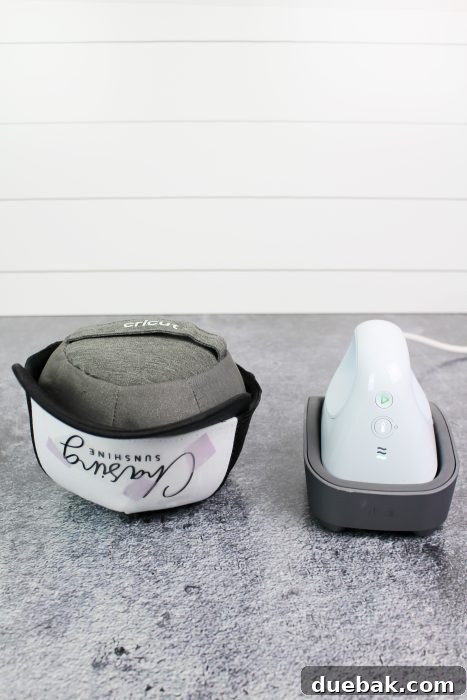
With your hat correctly positioned on the pressing form, carefully attach your design using the provided strong heat-resistant tape. This tape is crucial for holding your design firmly in place during the heating process, preventing any shifting or misalignment. Next, open the innovative Cricut Heat app on your smartphone and connect it to your Hat Press via Bluetooth. Within the app, you’ll be prompted to input the specific materials you are using for both your hat blank and your design (e.g., polyester trucker hat and Infusible Ink). I cannot overstate how much I appreciate this new app; it acts as a virtual guide, holding your hand through every single step. It meticulously ensures that you are using the correct temperature and time settings for your chosen materials, eliminating all guesswork. The days of having to manually look up heat settings on the Cricut website are over; simply open the app, and it provides all the precise information you need instantly!
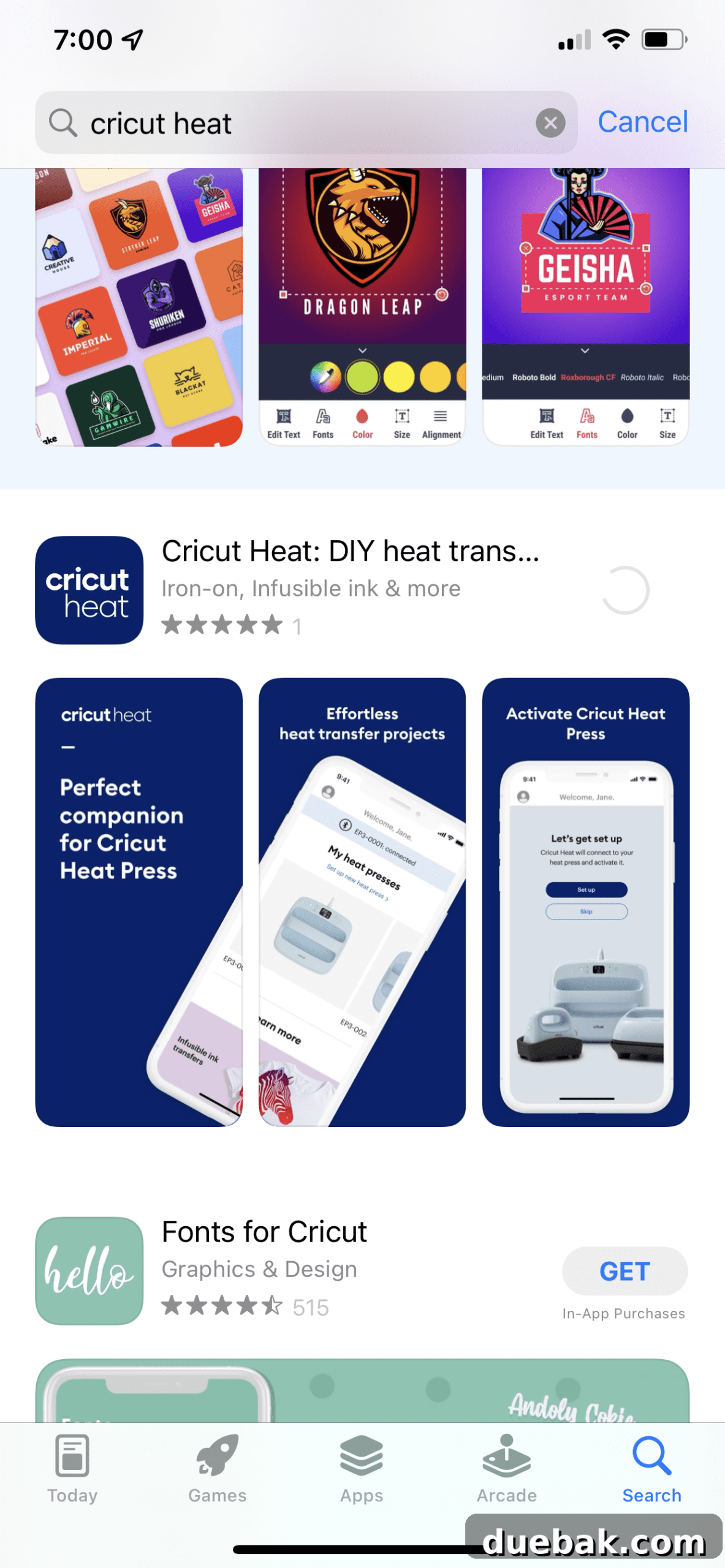
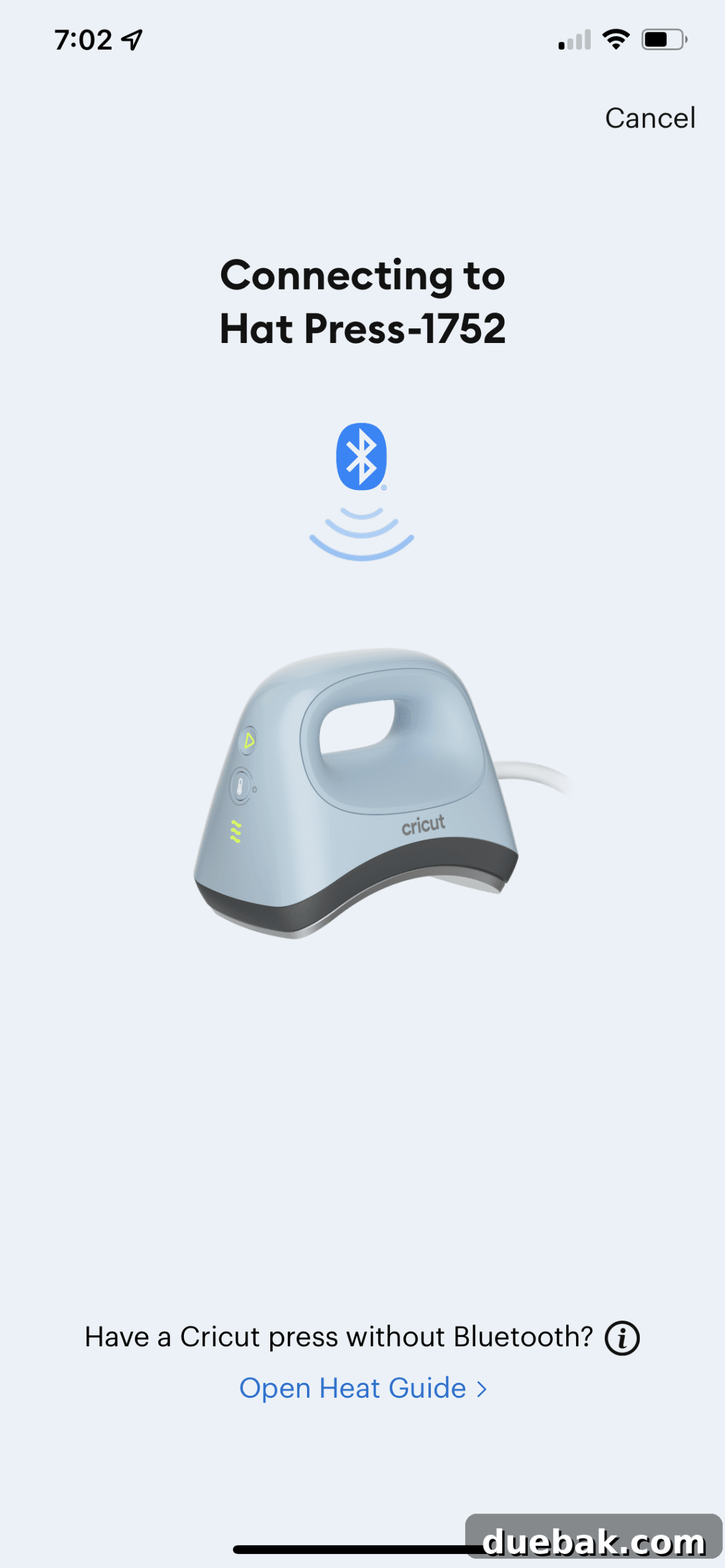
Proceed by following the exact steps recommended by the Cricut Heat app, which are tailored to your specific hat type and design materials. Once the guided pressing cycle is complete, carefully remove the hat from the press and allow it to cool completely before peeling off the transfer material (if applicable, following material-specific instructions). Congratulations! You can now proudly enjoy your newly customized, adorable hat, a testament to your creativity and the efficiency of the Cricut Hat Press.
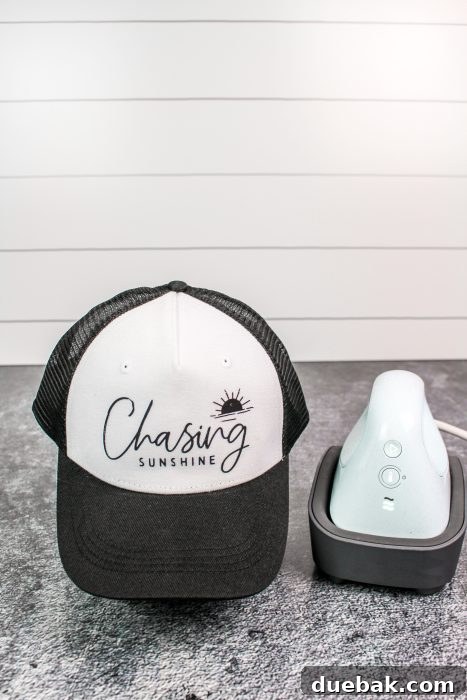
I am absolutely thrilled with my new “chasing sunshine” hat! It’s the perfect accessory for embracing those sunny days with effortless style. Summer hair, don’t care – because this hat adds just the right touch of personality and fun to any casual look. The Cricut Hat Press truly delivers on its promise of making professional-quality hat customization accessible and enjoyable for everyone.

Happy Crafting!