The Ultimate Glowforge Guide: Your Comprehensive Resource for Laser Cutting & Engraving
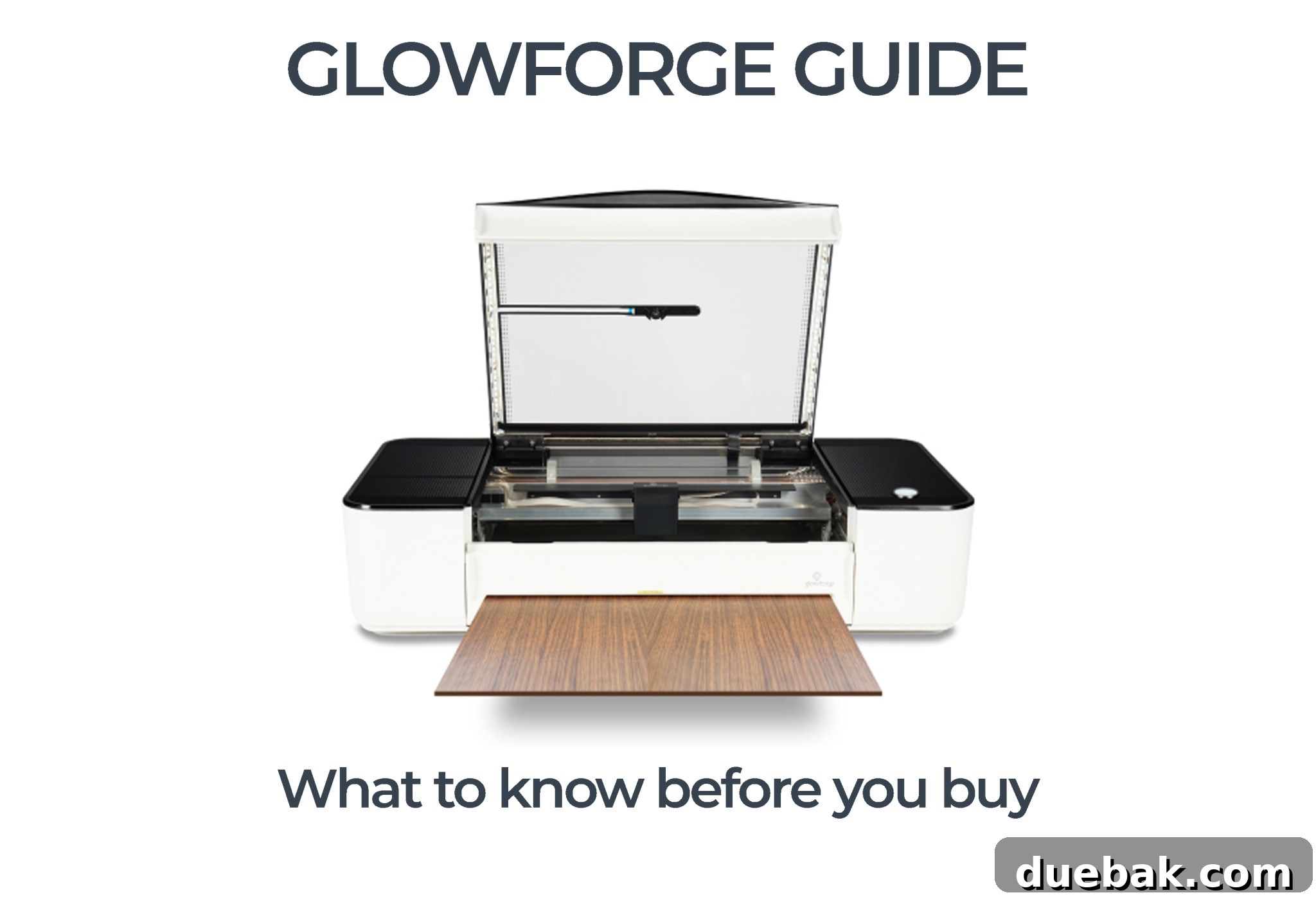
Are you contemplating the purchase of a laser cutter and have your sights set on a Glowforge? Look no further! This extensive guide provides all the essential information you need to make an informed decision before investing in a Glowforge or any other laser machine. While some topics warrant dedicated posts, consider this page your primary directory to navigate the world of Glowforge.
Why Consider a Glowforge? My Journey to Laser Cutting
My personal quest for a more powerful crafting tool began with the highly anticipated release of the knife blade for the Cricut Maker. In theory, the knife blade promised the ability to cut thicker materials like wood, which was incredibly appealing for expanding my creative projects. However, practical application quickly revealed its limitations. While effective for certain tasks, the process of cutting even moderately sized or intricately detailed wood pieces proved to be incredibly time-consuming and often left me yearning for greater precision and efficiency.
It was around this pivotal time that a friend introduced me to a revolutionary machine. She was crafting intricate tiny earrings and delicate necklaces from wood, showcasing an impressive level of detail and professional craftsmanship. I was immediately captivated and knew instantly that this was the advanced tool I had been searching for. Upon asking her about her creative process, I was introduced to the fascinating concept of a laser engraver and cutting machine – and I instantly knew I had to have one to elevate my own creations!
Understanding the Glowforge 3D Laser Printer: More Than Just a “Printer”
The official Glowforge website aptly describes the machine as a “3D laser printer.” This terminology, however, often causes initial confusion. When most people hear “printer,” they typically envision a traditional inkjet or toner printer for paper, or perhaps a 3D printer that extrudes plastic to build three-dimensional objects layer by layer. The Glowforge, while certainly operating in three dimensions (considering cutting depth, engraving depth, and surface area), operates on a fundamentally different principle.
At its core, the Glowforge utilizes a powerful and precisely focused laser beam to meticulously cut, score, and engrave a wide array of materials. Think of the “printer” aspect as its engraving capabilities. It can “print” or etch designs onto an existing surface by selectively removing or altering material with light. This allows for unparalleled personalization and intricate detailing on countless objects such as knife handles, cutting boards, wooden spoons, pencils, pet name tags, and an endless list of other items. It’s not about adding material, but rather meticulously transforming it with light and heat, opening up a world of creative possibilities.
Unleash Your Creativity: What You Can Make with a Glowforge
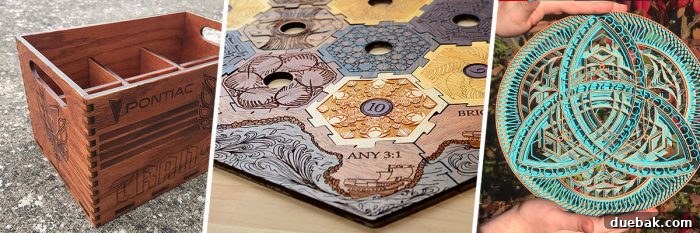
The creative possibilities with a Glowforge are truly boundless. It can precisely cut and engrave hundreds of laser-compatible materials, allowing you to bring virtually any design you can imagine to life with stunning accuracy. From crafting personalized gifts to intricate home decor, or even establishing and scaling a thriving small business, the Glowforge empowers creators to produce stunning, professional-quality items with ease. Here are just a few examples of the incredible things you can produce:
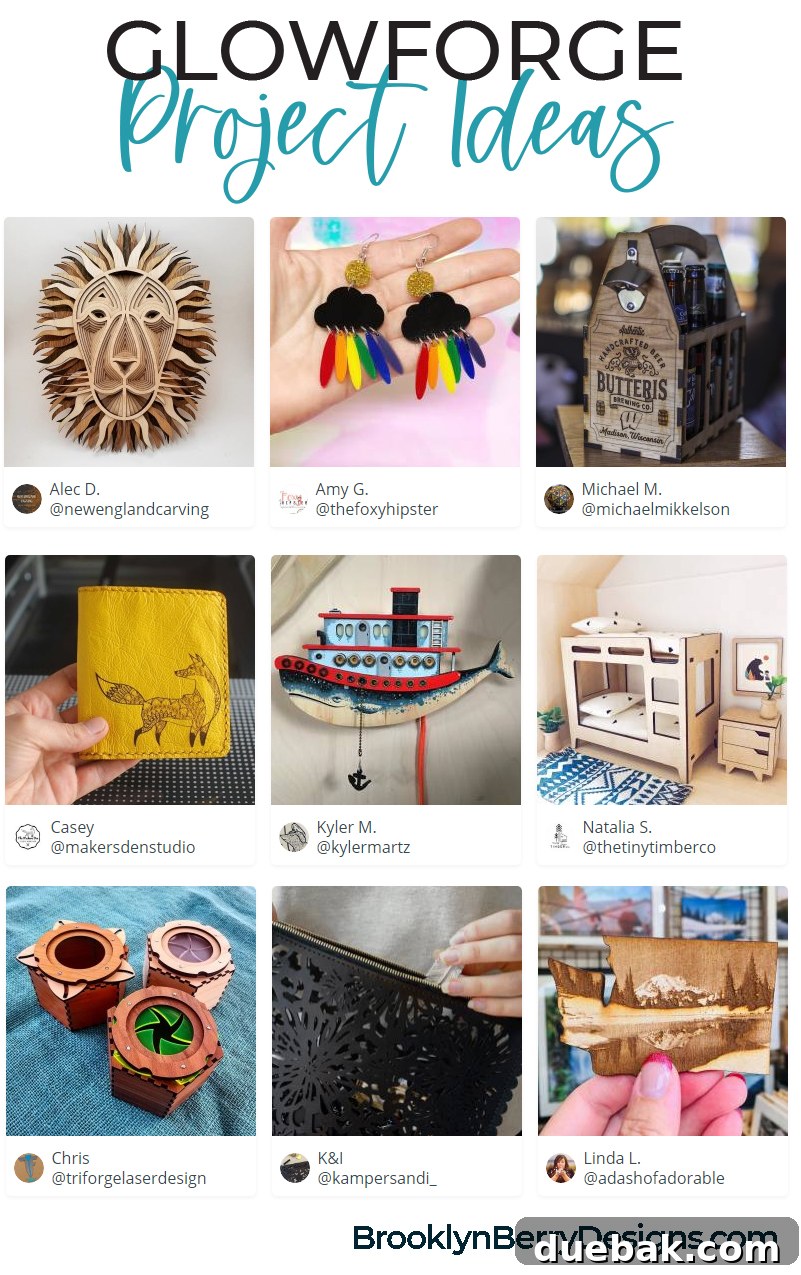
Popular Glowforge Project Ideas and Inspirations:
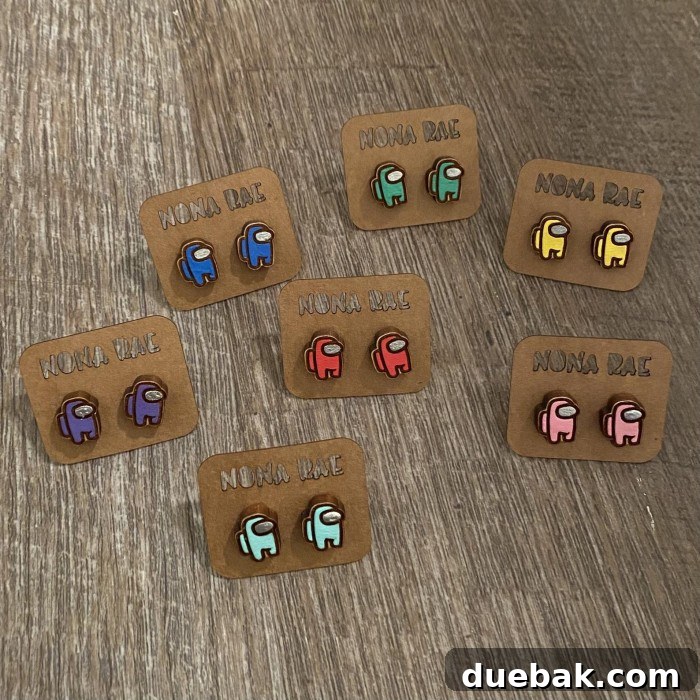
- Jewelry & Accessories: Craft unique and intricate earrings, necklaces, bracelets, and brooches from wood, acrylic, or leather. Design custom watch bands or personalized bag tags.
- Home Decor: Design and cut custom wall art, intricate lanterns, personalized coasters, decorative signs, photo frames, and even delicate ornaments.
- Personalized Gifts: Engrave heartfelt messages on cutting boards, create custom puzzles, produce bespoke phone cases, or design unique keepsakes for special occasions.
- Small Business Products: Produce professional signage, distinctive branding elements, custom packaging, merchandise, unique corporate gifts, and prototypes.
- Kids’ Crafts & Toys: Precisely cut out puzzle pieces, dollhouse furniture, educational aids, animal figures, or imaginative models.
- Fashion & Textiles: Design custom leather patches for garments, intricate fabric appliques, detailed textile art, or unique embellishments for clothing.
- Office & Organization: Create custom desk organizers, personalized notebooks, unique pen holders, or engraved awards and recognition plaques.
Glowforge Material Compatibility: Cutting, Engraving, and Beyond
One of the Glowforge’s most impressive and valuable features is its remarkable versatility with materials. It can process a vast range of objects, transforming raw sheets into intricate designs or personalizing existing items with exquisite detail. Understanding the distinction between materials that can be fully cut through and those that can only be engraved on the surface is crucial for unlocking the full creative potential of your machine and ensuring safe operation.
Materials the Glowforge Can Cut (and Engrave):
These materials are perfect for creating custom shapes, intricate patterns, and structural components for your projects. Importantly, all materials suitable for cutting can also be beautifully engraved, offering dual functionality.
- Plywood (up to 1/8″ thick): Excellent for lightweight structural projects, signs, decorative items, and layered designs. Offers a natural, rustic aesthetic.
- MDF (1/8”–1/4” thick): A versatile and cost-effective engineered wood material, ideal for prototypes, models, stencils, and projects that will be painted or finished.
- Felt: Perfect for soft crafts, appliques, intricate fabric designs, and children’s toys, as the laser cleanly seals the edges, preventing fraying.
- Leather: Superb for personalized wallets, bags, jewelry, keychains, patches, and other custom leather goods, allowing for fine detail in both cutting and engraving.
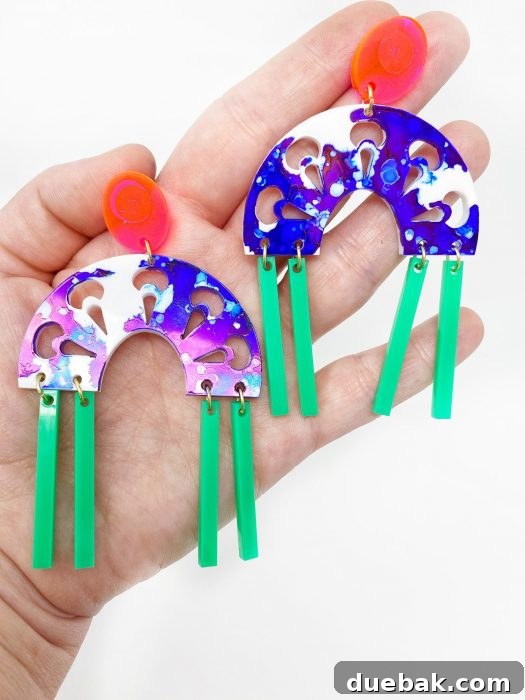
- Acrylic (Plexiglass): Available in a vast array of colors, opacities, and finishes, acrylic is fantastic for modern signs, vibrant jewelry, artistic pieces, and intricate layered designs.
- Fabric: Precisely cut patterns for quilting, apparel, intricate textile art, and appliqué, ensuring clean edges that are difficult to achieve with traditional methods.
- Paper & Cardboard: Create custom greeting cards, elaborate invitations, complex stencils, layered paper art, and packaging prototypes with unparalleled precision.
- Rubber (Laser-Safe Rubber): Specifically formulated to be laser-safe, this material is perfect for creating custom stamps, gaskets, and flexible components without producing harmful fumes.
- Mylar: Highly durable and flexible, Mylar is ideal for creating reusable stencils, templates, and intricate decorative elements.
- Delrin: A high-performance engineering thermoplastic often used for durable gears, bearings, and precision parts due to its excellent mechanical properties.
- Food Items (e.g., cookies, bread, fruit peels): Yes, you can even engrave food for unique culinary presentations, personalized treats, or decorative garnishes!
Materials the Glowforge Can Engrave Only:
For these materials, the laser beam doesn’t cut through the entire thickness but instead creates precise surface markings, patterns, or images. This allows you to add a deeply personal and professional touch to pre-existing objects, turning ordinary items into cherished keepsakes or unique merchandise.
- Glass: Engrave intricate designs, text, or logos onto glassware, mirrors, window panes, and decorative glass panels for elegant customization.
- Coated Metal: The laser precisely removes the top coating, revealing the metal underneath for high-contrast and durable designs on items like flasks, tools, or plaques.
- Marble & Stone: Create elegant and permanent etchings on natural stone for coasters, decorative tiles, memorial plaques, or sophisticated home decor accents.
- Anodized Aluminum: Engrave vibrant and precise designs by removing the anodized layer, exposing the underlying aluminum for a clean, contrasting finish.
- Titanium: Achieve stunning, permanent markings on this strong and lightweight metal, perfect for specialized parts or high-end personalized items.
- Selected Phones, Tablets, and Laptops: Personalize your electronic devices with custom engravings, adding a unique touch that stands out.
- Premade Items: Enhance everyday objects like watch bands, cutting boards, wooden spoons, pencils, tumblers, and even specific types of ceramic tiles with unique designs, turning them into bespoke items.
Understanding Proofgrade Materials for Optimal and Foolproof Results
Proofgrade materials are an exceptional starting point and a continuous convenience for any Glowforge owner. Designed and meticulously distributed by Glowforge itself, these materials are specifically formulated to integrate seamlessly with your machine, guaranteeing optimal performance and significantly simplifying the creative process. They are pre-cut to precise sizes to fit the Glowforge bed perfectly and feature a unique, scannable QR code embedded in the corner.
Upon scanning this QR code with the Glowforge’s onboard camera, your machine instantly recognizes the material type and automatically applies the perfect laser settings for foolproof cuts and engravings. This innovative feature eliminates guesswork, ensures consistent, high-quality results every single time, and significantly reduces material waste due to incorrect settings.
While Proofgrade materials are ideal for beginners due to their ease of use and for projects requiring guaranteed precision, it’s important to note that you are absolutely not limited to them. The Glowforge is compatible with materials from numerous other manufacturers as well, offering immense flexibility once you’re comfortable with your machine and its various settings. As an added bonus, your new Glowforge often comes with a generous amount of Proofgrade materials (e.g., $75 worth) to help you get acquainted and test its impressive capabilities right out of the box.
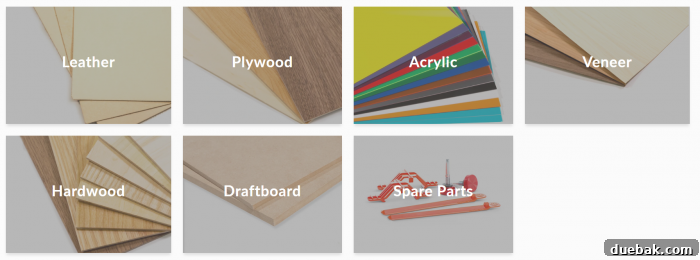
Proofgrade materials are available in a diverse and beautiful range, including various vibrant colorful acrylics, premium heirloom-grade hardwoods, durable plywoods, elegant veneers, and supple leathers, providing a professional and consistent finish to all your creations.
Glowforge Workspace & Technical Specifications: What Your Space Needs
Before purchasing your Glowforge, it’s crucial to carefully consider the physical space and technical requirements to ensure a smooth, efficient, and safe operation. Understanding these details upfront will help you prepare your ideal crafting environment and avoid any surprises.
Glowforge Physical Dimensions and Cutting Area:
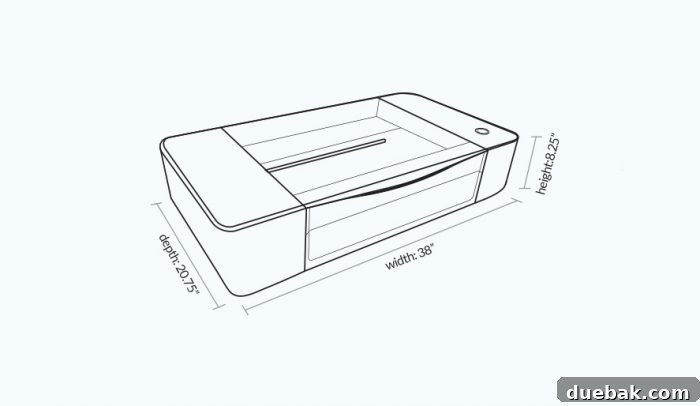
- Machine Size: The Glowforge unit is quite compact for a laser cutter, measuring approximately 38″ (965mm) wide x 20.75″ (527mm) deep x 8.25″ (210mm) high.
- Weight: It weighs a manageable 55 lbs (25 kg), making it relatively easy to place on a sturdy surface and move if necessary (though it’s best to find a permanent spot).
- Maximum Cutting Area: The workable cutting area on the Glowforge’s internal bed is 11″ deep by 19.5″ wide. This is the maximum size for a single, non-pass-through cut.
- Maximum Material Height: You can place materials up to 2″ thick directly inside the Glowforge. However, when using the essential crumb tray (which elevates the material to the optimal focal point for cutting and engraving), the maximum material height is reduced to 0.5″.
- Glowforge Pro Pass-Through Slot: For those with ambitions to create significantly larger projects, the Pro model features a unique pass-through slot. This innovative design allows you to feed longer materials (like a full sheet of plywood) through the front and back of the machine, enabling you to cut or engrave designs that exceed the standard bed size in multiple, seamlessly aligned sections.
Workspace Requirements and Essential Ventilation:
You will need a sturdy, level worksurface capable of safely supporting the Glowforge’s weight and dimensions. A crucial aspect of operating any laser cutter is proper ventilation, as the process generates smoke and fumes that must be safely removed from your workspace.
- External Venting (Recommended): The Glowforge comes standard with a 4″ exhaust hose, approximately 8 feet long. This hose is specifically designed to vent directly to the outside, ideally through a nearby window (using a simple dryer vent kit), a dedicated vent port in a wall, or a garage door opening. This is the most effective and recommended method for thoroughly extracting fumes.
- Glowforge Air Filter (Optional): If external venting is not a feasible option for your particular workspace (e.g., in an apartment or basement without window access), you have the option to purchase the Glowforge Compact Filter. This standalone unit, roughly the size of a recycle bin, sits conveniently on the ground near your machine. It effectively filters the smoke and odors, allowing you to operate your Glowforge safely indoors without the need for external ventilation.
Power Consumption:
The Glowforge is designed to be relatively energy-efficient for a laser machine, making it suitable for standard household use. While actively running a cutting or engraving job, the machine typically consumes around 300W, which is comparable to a standard desktop PC. Power consumption will be significantly lower when the machine is idle or in standby mode. If you opt for the Glowforge Air Filter, it will draw an additional 350W when active. Both the Glowforge machine and the filter conveniently plug into standard household electrical outlets, requiring no special wiring.
Glowforge Models: Choosing the Right Laser for Your Needs & Investment
The initial investment in a laser cutter like the Glowforge can seem significant, especially when comparing it to more common crafting tools like vinyl cutting machines. However, it’s essential to view it within the broader context of laser technology. The Glowforge offers an incredibly accessible entry point into this advanced creative field. Let’s delve into the three available models and their respective pricing (Updated January 20, 2021):
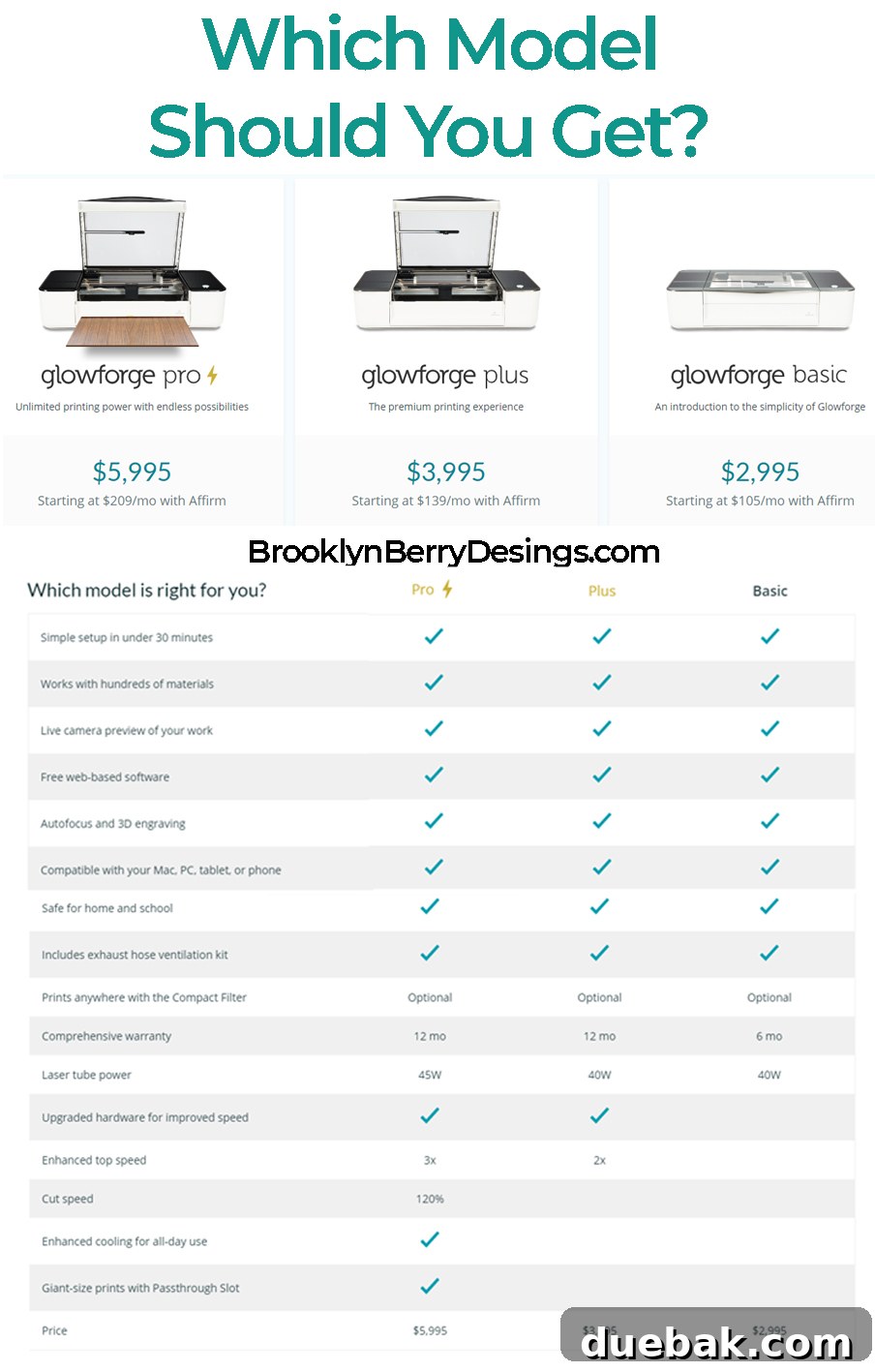
- Glowforge Basic: $2995
- Glowforge Plus: $3995
- Glowforge Pro: $5995
While a $3,000 starting price for the Glowforge Basic might initially seem steep compared to the $300 price range of vinyl cutters, it’s a remarkably affordable and powerful entry point into laser technology. Commercial-grade industrial laser machines often start at $30,000 and can have extensive lead times (e.g., 6 months for delivery and setup). The Glowforge effectively bridges this massive price gap, offering professional capabilities at a mere fraction of the cost, making it an incredibly attractive option for serious hobbyists and aspiring small businesses looking to sell crafted items.
Which Glowforge Model is Best For You? A Detailed Comparison
This is undeniably one of the most frequently asked questions in Glowforge communities and online forums. The “best” model truly depends on your specific needs, your allocated budget, and your intended usage patterns. A crucial and often reassuring takeaway is that all three Glowforge models (Basic, Plus, and Pro) are capable of cutting and engraving the exact same range of compatible materials. The primary differences lie in processing speed, machine durability for extended use, and specific advanced features designed for different user profiles.
Glowforge Pro: The Power User’s Ultimate Choice
The Glowforge Pro is the top-tier model, engineered for high-volume use, demanding projects, and offers significantly enhanced capabilities for professionals and thriving small businesses:
- Bigger Cuts with Pass-Through: Its signature and most significant feature is the integrated pass-through slot. This allows you to slide in materials that are longer than the standard 19.5″ bed (e.g., 20″ x 48″ plywood sheets), enabling you to cut or engrave larger designs in seamless, perfectly aligned sections. This is invaluable for large-scale projects or continuous production runs.
- Faster Cuts & Greater Power: Equipped with a more powerful 45-watt custom CO2 laser tube (compared to the 40-watt laser in the Basic and Plus models), the Pro boasts a remarkable 120% faster cutting speed. This translates to significantly reduced production times, drastically increasing efficiency for commercial operations and maximizing output.
- Enhanced Cooling for All-Day Use: The Pro model includes upgraded cooling systems and hardware, specifically designed for sustained, all-day, heavy-duty use without overheating. This makes it exceptionally reliable for continuous workloads in a professional setting.
- Extended Warranty: Typically comes with a longer manufacturer’s warranty, offering greater peace of mind and protection for intensive professional use.
Glowforge Plus: The Balanced Upgrade for Dedicated Hobbyists
The Glowforge Plus offers a compelling step up from the Basic model, providing a beneficial balance of improved performance and extended support for more dedicated hobbyists or budding entrepreneurs:
- Slightly Faster Processing: While it still houses a 40-watt laser, the Plus model features internal enhancements that allow for a marginal increase in cutting speed compared to the Basic model, offering a slight edge in project completion times.
- Extended Warranty: Perhaps its most significant advantage and value proposition over the Basic model is a substantially longer warranty period. Given that many user complaints often pertain to minor technical fixes or part replacements, an extended warranty can be a valuable asset, offering greater long-term security.
- Optimized for More Frequent Use: The Plus model is optimized for more frequent and consistent use than the Basic, offering greater reliability and consistency for hobbyists who regularly use their machine for diverse projects.
Glowforge Basic: The Ideal Entry-Level Enthusiast’s Machine
The Glowforge Basic is the most affordable and accessible entry point into the exciting world of laser cutting and engraving, perfect for hobbyists, educational settings, and those just beginning their creative journey:
- Exceptional Value & Affordable Price: Offers outstanding capabilities for its price point, making professional-grade laser technology accessible to a wider audience without a prohibitive initial investment.
- Standard, Robust Power: Features a powerful 40-watt laser, fully capable of handling all compatible materials effectively and producing high-quality cuts and engravings.
- Standard Warranty: Comes with a standard 6-month manufacturer’s warranty, covering initial operational stability.
- Ideal For: Casual users, educational institutions, individuals primarily focused on personal projects, occasional small-batch production, or those looking to learn laser crafting without a massive upfront commitment.
Based on extensive research, user reviews, and my own experience, the Basic model often provides the “most bang for your buck” for personal creative endeavors or for initiating a small crafting business. However, if your primary goal is extremely high-volume, lightning-fast production for a thriving commercial shop, you might eventually consider an industrial-grade laser machine like a Mira or Trotec. These machines, while significantly more expensive, offer substantially greater power, speed, and industrial-level durability for large-scale manufacturing operations. For myself, choosing the Basic model was the perfect balance of capability, learning curve, and responsible investment.
Living in Canada and interested in a Glowforge? Find out more about potential taxes and duties here.
Glowforge vs. Cricut: Complementary Tools, Not Replacements
As a long-time Cricut user and a creator of numerous tutorials and free SVG files for the Cricut community, I frequently encounter a fundamental question: “How does a Glowforge differ from a Cricut, and which one should I buy?” It’s a vital comparison for many crafters and makers navigating the world of cutting machines, and the crucial answer is not about choosing one over the other, but rather understanding how these two powerful machines serve distinctly different, yet often complementary, purposes.
Fundamentally, the Glowforge and Cricut are distinct machines designed for different types of projects and materials. While both fall under the umbrella of “cutting machines,” their underlying technology and capabilities diverge significantly, making them ideal for different applications:
- Cricut Machines (Blade-Based): Cricut machines (like the Maker or Explore series) are blade-based cutting devices. They utilize a physical blade (or a scoring, debossing, or foiling tool) to precisely cut, draw, score, or deboss materials. They excel at working with flexible and thinner materials such as various types of vinyl (adhesive, iron-on), paper, cardstock, fabric, faux leather, and thin woods (with the specialized knife blade). Cricut is fantastic for detailed cuts on lighter materials, adhesive projects, personalized apparel, and a wide array of textile-based crafts. Its strength lies in its versatility with a broad range of soft and medium-density materials.
- Glowforge Machines (Laser-Based): Glowforge machines are laser-based devices. They employ a focused beam of light to precisely cut, engrave, and score. This advanced laser technology allows them to process a much wider range of denser and thicker materials, including natural woods, various acrylics, real leather, and even some metals (for engraving only). The incredible precision of the laser, its ability to cut intricate designs in thicker materials, and its unique capability to engrave surfaces are key differentiators. Glowforge is a powerhouse for creating dimensional projects, personalized hard goods, and items requiring industrial-level precision.
Instead of viewing them as competitors, savvy crafters and small business owners often consider them as powerful, complementary tools in a comprehensive creative toolkit. Many find immense value in owning both a Glowforge and a Cricut because, together, they open up a truly vast spectrum of project possibilities that neither machine could achieve alone. For instance, you might use your Glowforge to cut intricate wooden bases for earrings or custom keychains and then use your Cricut to cut precise vinyl decals to apply to them. Or, you could create a stunning multi-layered sign where the robust wooden backer is precisely cut and engraved by the Glowforge, and the delicate vinyl lettering or intricate paper elements are expertly cut by the Cricut. They truly embody a “both, not either/or” scenario for many innovative creators, empowering them to tackle projects with unmatched creativity and efficiency.
Glowforge Discount Code: Maximize Your Savings!
Looking to make your Glowforge purchase even more appealing and budget-friendly? Utilizing a referral code is a fantastic and easy way to save a significant amount on your new machine. By using my exclusive referral link, you can receive impressive savings directly applied to your order:
- Save $500 off a Glowforge Pro
- Save $250 off a Glowforge Plus
Simply click on the dedicated link below, and the applicable discount will be automatically applied to your cart at checkout. It’s a straightforward, hassle-free way to invest in your creative future and bring home your very own Glowforge while keeping more money in your pocket!
Update: January 20, 2020 – Please note that there is currently no referral discount offered on the Glowforge Basic model. Discounts apply exclusively to the Pro and Plus models only.
Glowforge in Canada: Navigating International Purchase Considerations
For those residing outside the United States, particularly in Canada, acquiring a Glowforge comes with its own distinct set of considerations and potential complexities. As someone who lives in Canada, I deeply understand the unique questions and concerns that arise regarding duties, taxes, shipping costs, and warranty specifics for international purchases of such a significant piece of equipment.
The information surrounding these cross-border details can sometimes vary widely and lead to considerable confusion. I am actively gathering comprehensive insights from a diverse group of Canadian Glowforge users to provide the most accurate and up-to-date report here. If you have personal experiences with purchasing a Glowforge in Canada, or specific questions about the import process, I would be incredibly grateful to hear from you. Please don’t hesitate to reach out via email – your input is invaluable to building a thorough resource!
Generally, it’s critically important for Canadian buyers to factor in potential import duties, provincial sales taxes (PST), goods and services taxes (GST), or harmonized sales taxes (HST), as well as customs brokerage fees that may be applied upon import. Shipping costs can also be substantially higher for international destinations compared to domestic US shipping. It is highly recommended to thoroughly research and calculate these additional costs before committing to your purchase to avoid any unexpected financial surprises upon delivery.
Is a Glowforge Right For You? Final Thoughts and Next Steps
Phew! We’ve covered a vast amount of comprehensive information about the Glowforge laser cutter and engraver. We’ve explored its core functionality, the incredible array of materials it can process, the creative projects it enables, the differences between its models, and practical considerations for ownership.
In my informed opinion, the Glowforge stands out as an exceptional starter machine for anyone looking to dip their toes into the exciting and precise world of laser crafting. Furthermore, it serves as a powerful and scalable tool for individuals and small businesses aiming to significantly elevate their product offerings, expand their creative capabilities, and streamline their production processes.
Its remarkable ease of use, combined with the unparalleled versatility of materials it can process and the consistently professional quality of its output, truly makes it a transformative device for crafters, artists, educators, and entrepreneurs alike. Whether your ambition is to personalize thoughtful gifts, create intricate and unique home decor, or launch a professional product line with distinctive items, the Glowforge offers a robust, reliable, and accessible solution to bring your visions to life.
Please don’t hesitate to let me know if you have any further questions or if there’s anything else I can assist you with as you embark on or continue your exciting Glowforge journey!