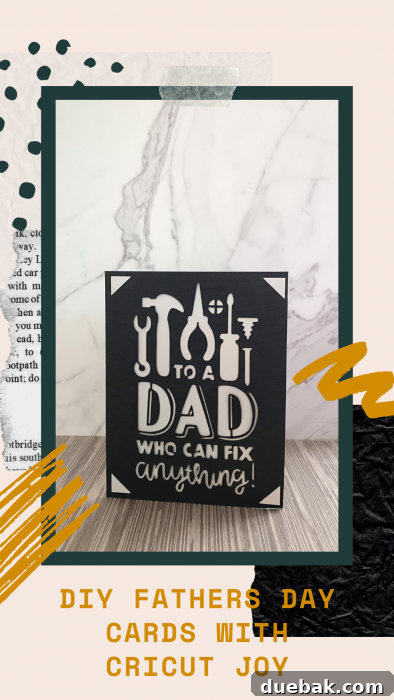
Crafting Heartfelt DIY Father’s Day Cards with Cricut Joy: A 5-Minute Guide
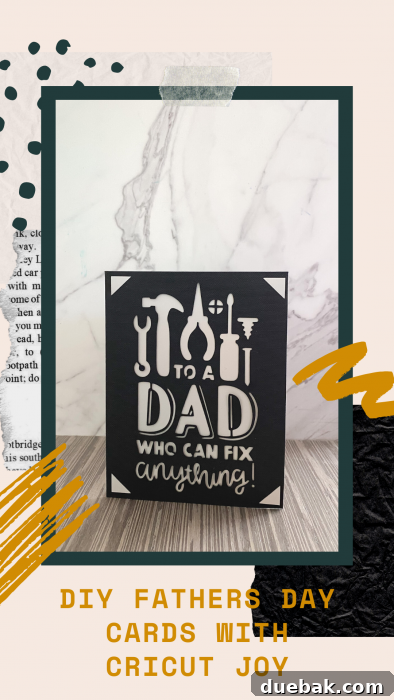
Father’s Day is fast approaching, and it’s the perfect time to brainstorm some truly special card ideas. This year, why not skip the crowded stores and the generic options? Instead, save money and pour your heart into creating a one-of-a-kind DIY Father’s Day card using the incredibly versatile Cricut Joy. It’s easier than you think and will undoubtedly make Dad feel cherished.
The beauty of owning a Cricut Joy extends far beyond just Father’s Day. This compact cutting machine empowers you to create custom cards for virtually any celebration imaginable. With a vast library of card designs readily available in Cricut Design Space, you can easily pick up a convenient card set and churn out personalized greetings for every friend, family member, and occasion. From birthdays and anniversaries to thank you notes and holiday greetings, your Cricut Joy will become your go-to crafting assistant.
Among the family of smart cutting machines, the Cricut Joy stands out as the smallest and most portable. Don’t let its mini size fool you; this machine is a speedy, card-making ninja, capable of transforming simple cardstock into intricate designs in mere minutes. Its user-friendly interface and specialized card mat make the process incredibly straightforward, even for crafting novices.
Looking for More Father’s Day Inspiration? Discover These Great Ideas:
- Funny Printable Father’s Day Cards: A collection of witty and humorous cards to bring a smile to Dad’s face.
- Nacho Average Dad SVG: Perfect for creating custom shirts, mugs, or other gifts for the dad who loves a good pun.
- Father’s Day Gift Ideas: A comprehensive guide to finding or making the perfect present.
Imagine crafting a super cute and thoughtful Father’s Day card in less than 5 minutes. No exaggeration – we’ve timed the entire card-making process from the moment you open the app to the final flourish. Get ready to impress Dad with your crafting prowess and heartfelt gesture!
Essential Materials Needed to Make DIY Father’s Day Cards with Cricut Joy
Before you embark on your card-making adventure, gather these key supplies. Having everything ready will ensure a smooth and efficient crafting session.
- Cricut Joy Machine: The star of our show, this compact cutting machine makes intricate card designs effortless.
- Cricut Insert Card Sets: These specialized card blanks come pre-scored and include contrasting insert sheets, perfectly designed for Cricut Joy projects. They are available in various colors and sizes.
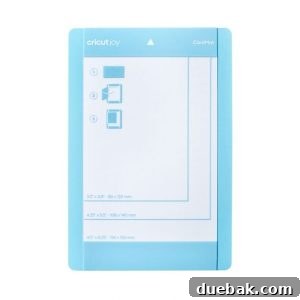
- Cricut Joy Card Mat: Uniquely designed for quick and precise card cutting, this mat features a divider to protect the back of your folded card while the front is being cut. It’s essential for card projects.
- Glue (optional): While many insert cards simply tuck into corner tabs, a small amount of craft glue can secure the insert more permanently, especially for intricate designs or if you prefer a perfectly flat finish.
- Cricut Tool Set: Specifically, a scraper tool will be invaluable for removing tiny cut pieces of cardstock and ensuring your mat stays clean. A weeding tool might also come in handy for very delicate designs.

Explore More DIY Crafting Projects from Our Collection
If you enjoy creating with your Cricut or simply love handmade goods, check out these other popular projects:
- Easter Word Search Printable (Free PDF Download!)
- DIY Leather Journal Cover Tutorial (Cricut-Friendly & Reusable!)
- Free Printable Birthday Cake Banner (Perfect for Cakes & Cupcakes!)
- Free Printable Birthday Calendar (Perpetual & Easy to Use!)
- Easy Spider Treats for Halloween | Quick Simple Recipe
Step-by-Step Guide: How to Make Easy Father’s Day Cards with Cricut Joy
Follow these simple instructions to create a stunning personalized card for Dad in just minutes. The Cricut Joy makes the process incredibly intuitive and fun!
1. Prepare Your Design in Cricut Design Space
- Begin by opening the Cricut Joy App on your smartphone or the Cricut Design Space application on your computer.
- Ensure that your machine selection within the app is correctly set to Cricut Joy. This is crucial for accessing the correct card designs and settings.
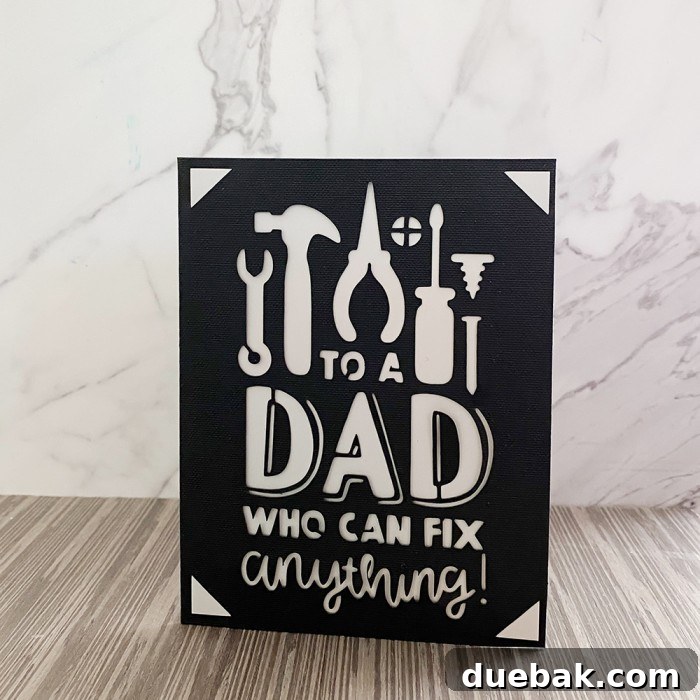
- To find the perfect Father’s Day card design, use the filter option (usually located in the upper right corner) and search for keywords like “dad” or “father.” You can also specifically look for “Cricut Joy Insert Cards” categories.
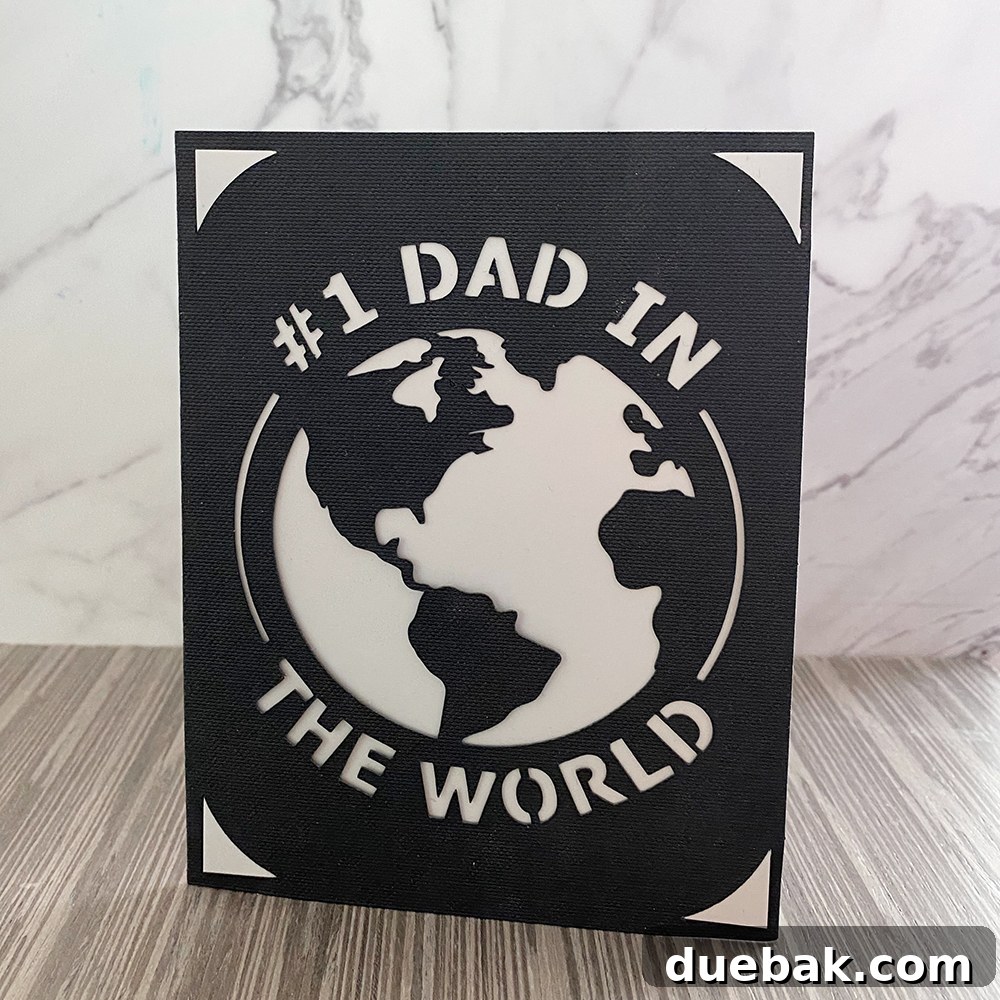
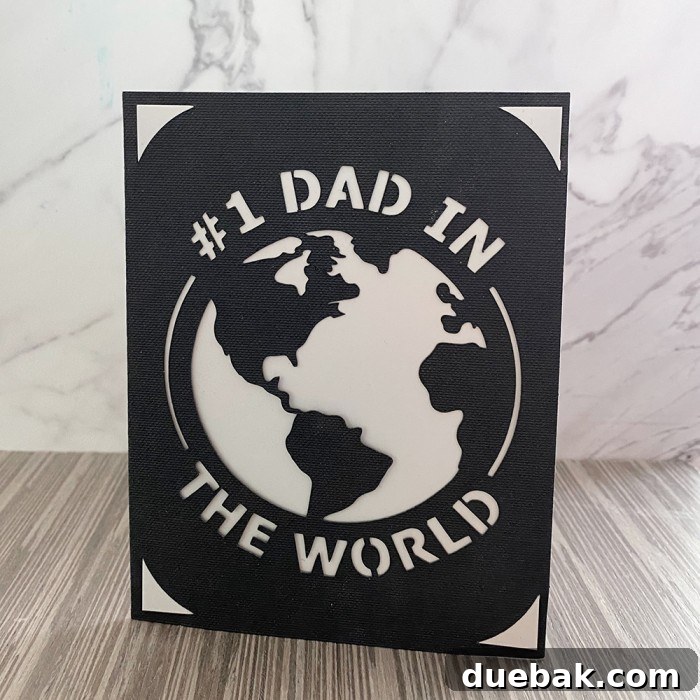
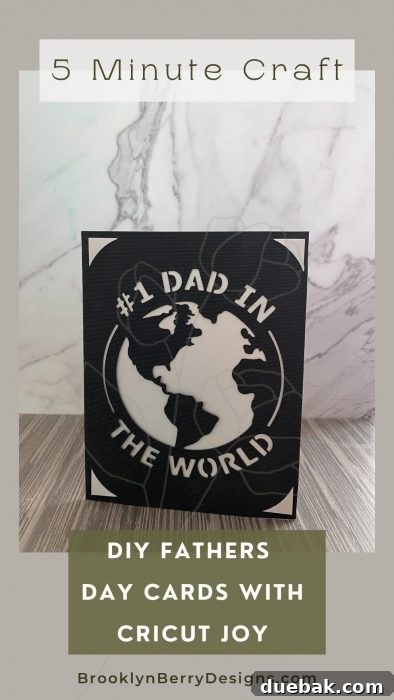
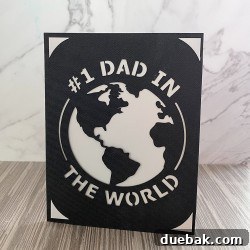
- Choose your desired design. For instance, the card featured here uses the “Greatest Dad In The World” design, which was a special pick by my space-obsessed son. You can access this specific project directly in Design Space HERE.
2. Set Up Your Card for Cutting
- Once your design is selected, click on the “Start Making” button.
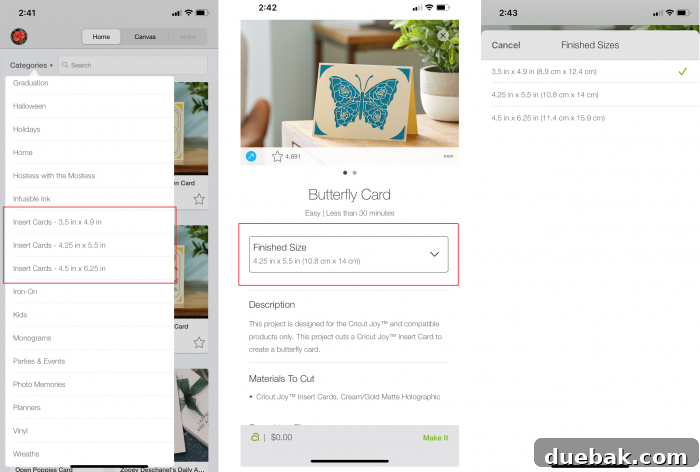
- You’ll be prompted to select the finished card size. The standard Cricut Insert Card sets typically come in a medium size. You can confirm the exact size by aligning your card with the guidelines on your Cricut Joy Card Mat. Then, proceed by selecting “Next.”
- The Cricut Joy app is smart! It will automatically select the appropriate materials and cut settings for your chosen card design. Simply confirm these settings and then select “Make It.”
-

Next, confirm which cutting mat you are using. In this case, ensure “Cricut Joy Card Mat” is chosen.
- Double-check that the fine-point blade is correctly installed in your Cricut Joy. This type of card project typically only requires the fine-point blade and does not need markers or other tips.
-
3. Load Your Card Onto the Mat
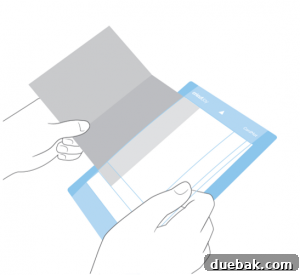
- Carefully remove the clear plastic protective sheet from your Cricut Joy Card Mat.
- Slide your folded card into the card mat from the left side. One side of the card should slip neatly under the plastic divider on the mat, while the other side rests on top. Ensure the card is flush with the top-left corner of the sticky area.
-
Gently run your hand over the card to ensure it’s securely adhered to the sticky surface of the mat, preventing any shifting during the cut.
4. Execute the Cut
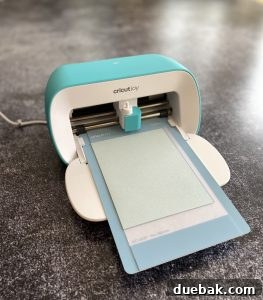
- When the white light on your Cricut Joy machine begins flashing, it’s ready to receive the mat. Load the mat into the machine.
- In the Cricut Joy app, select “Go” to begin the cutting process. Watch as your Cricut Joy precisely cuts your chosen design!
- Once the cutting is complete, the app will prompt you to “Unload” the mat. Select this option.
5. Finishing Your Handmade Card
- Carefully lift the freshly cut card from the top sheet of the mat and slide it out. Be gentle to avoid tearing delicate cutouts.
- Use a scraper tool (part of your Cricut Tool Set) to remove any leftover small pieces of cardstock from the mat. This keeps your mat clean and extends its life.
- Now, take your contrasting insert card from the Cricut Insert Card Set. Attach it by gently tucking its corners into the small corner tabs created by the Cricut Joy’s cuts on the main card.
-
-
- Optional: For a more secure fit or if your design is particularly delicate, you may wish to use a small amount of glue to adhere the insert card to the main card. This can perfect the look and ensure the insert stays firmly in place.
Make a Father’s Day Card in 5 Minutes: The Project Recap
DIY Father’s Day Card with Cricut Joy
5 mins
5 mins
1 Card
Brooke
Equipment
-
Cricut Joy
-
Cricut Scraper Tool
Materials
- Cricut Insert Card Set
- Cricut Joy Card Mat
Instructions
-
Open the Cricut Joy App on your phone (or the Design Space app on your computer).
-
Make sure your machine selection is set to Cricut Joy.
-
Navigate to categories for “Cricut Joy Insert Cards” and search for “dad” or “father” to narrow down your results.
-
Choose a design – the card shown here uses the “Greatest Dad In The World” design, which was chosen by my son who is obsessed with space.
-
Select the finished card size (Cricut card sets are typically medium size – you can confirm yours by lining it up on the card mat).
-
Click the “Make It” button.
-
Select which cutting mat you are using – in this case, the Cricut Joy Card Mat.
-
Check that the fine point blade is installed – this card does not require any markers or other tips.
-
Slide the card into the card mat. The top sticky sheet will go in the card opening. Make sure it’s lined up and sticking to the mat in the top left corner. Run your hands over the card to ensure it is sticking well.
-
When the white light on the machine is flashing, load the mat.
-
In the app, select “Go” to start the cut.
-
Once cutting is complete, select “Unload” on the app.
-
Carefully lift the cut card from the top sheet and slide the card out from the mat.
-
Remove leftover pieces of cardstock with the scraper tool.
-
Add the insert by tucking its corners into each corner tab of the cut card.
-
Optional: Use glue to adhere the card to the insert (this may perfect the look depending on the design and may or may not be needed).

Beyond Father’s Day: Unlock Endless Card-Making Possibilities
The skills you’ve just learned for crafting a Father’s Day card with your Cricut Joy are incredibly versatile. This process can be applied to create stunning cards for literally any occasion. Think about birthdays, anniversaries, graduations, thank you notes, holiday greetings, or even just a simple “thinking of you” card. With the Cricut Joy and its vast design library, you’re equipped to become a master card maker for life!
Experiment with different card set colors, design complexities, and even add your own handwritten messages inside for an extra personal touch. The more you use your Cricut Joy, the more comfortable and creative you’ll become.
Tips for Personalizing Your Cricut Joy Cards
While the Cricut Design Space offers a wealth of pre-made designs, there are many ways to infuse your unique personality into each card you create:
- Color Combinations: Choose cardstock and insert colors that you know Dad will love, or that match his favorite sports team, hobby, or even his personality.
- Custom Text: Many designs allow you to add or modify text. Consider a special inside joke, a meaningful quote, or a heartfelt message written directly on the card using your Cricut Joy’s pen feature (though not needed for this specific cut-out card, it’s a great feature to explore).
- Embellishments: After cutting, you can add small embellishments like stickers, glitter glue, or even a tiny photo to the card. Just be mindful not to overdo it!
- Handwritten Notes: Always add a personal, handwritten message inside. This is where your true feelings shine through and make the card truly one-of-a-kind.
- Design Space Customization: Don’t be afraid to explore Design Space’s customization options. You can often resize elements, hide parts of a design, or combine different elements to create something entirely new.
Troubleshooting Common Cricut Joy Card Making Issues
Even seasoned crafters encounter a hiccup now and then. Here are a few common issues and how to resolve them:
- Card Not Cutting Cleanly:
- Ensure your fine-point blade is clean and sharp. Dull blades can lead to tearing.
- Check that your cardstock is properly adhered to the mat without air bubbles.
- Make sure you’ve selected the correct material setting in Design Space for your cardstock weight.
- Mat Losing Stickiness:
- Clean your mat regularly with a lint roller or alcohol-free wipes.
- Always replace the clear protective sheet when not in use to prevent dust and debris accumulation.
- If the mat is no longer sticky enough, it might be time to replace it.
- App Connectivity Issues:
- Ensure Bluetooth is enabled on your device and the Cricut Joy is powered on and close by.
- Restart both your device and your Cricut Joy machine.
- Update your Cricut Joy firmware and Design Space app to the latest versions.
- Card Sliding on Mat:
- Make sure the card is pressed firmly onto the sticky surface of the card mat, especially in the top-left corner where it aligns.
- Avoid using warped or heavily textured cardstock that might not adhere well.
Conclusion: Celebrate Dad with a Personal Touch
Making a DIY Father’s Day card with your Cricut Joy isn’t just about saving a few dollars; it’s about investing your time, creativity, and love into a tangible expression of appreciation. In just a few minutes, you can create a professional-looking, deeply personal card that Dad will treasure far more than any store-bought option. So, power up your Cricut Joy, pick a design, and get ready to craft a smile on Dad’s face this Father’s Day!