
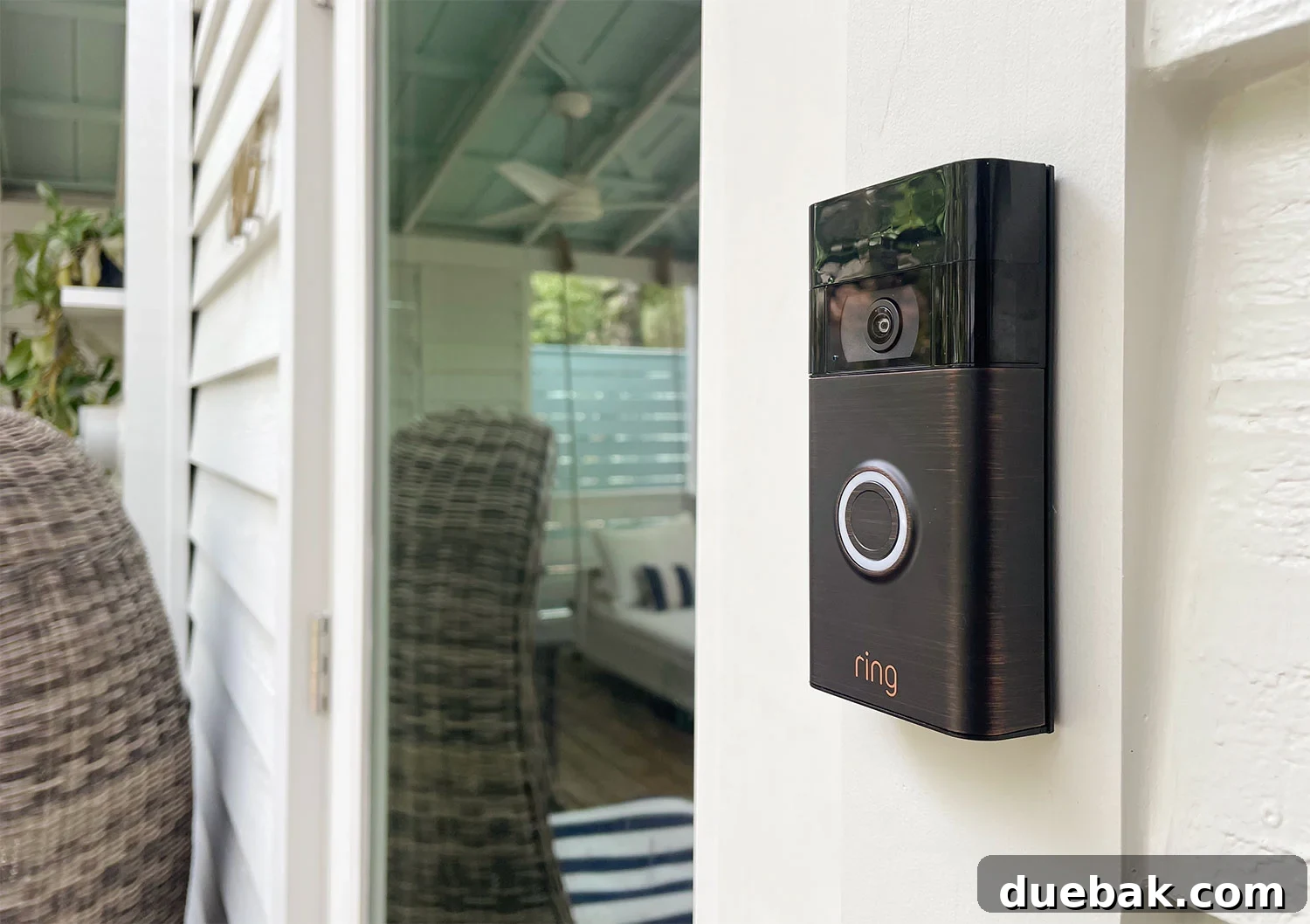
Effortless Home Security: A DIY Guide to Installing Your Wireless Ring Video Doorbell
Enhancing your home’s security and convenience doesn’t always require professional help or complex wiring. In fact, adding a smart video doorbell like the Ring Video Doorbell to your home can be one of the easiest do-it-yourself projects you’ll undertake. Imagine being able to see, hear, and speak to visitors at your front door from anywhere in the world, directly from your smartphone. Even if you don’t have an existing doorbell or are hesitant about electrical work, the wireless Ring Video Doorbell offers a seamless, hassle-free solution.
We recently installed a Ring Video Doorbell at our front door, and we were genuinely surprised by how straightforward the process was. No electricians, no tangled wires, and certainly no existing doorbell needed. This comprehensive guide will walk you through every step of installing your own wireless Ring Video Doorbell, transforming your entryway into a smart, secure hub in mere minutes.
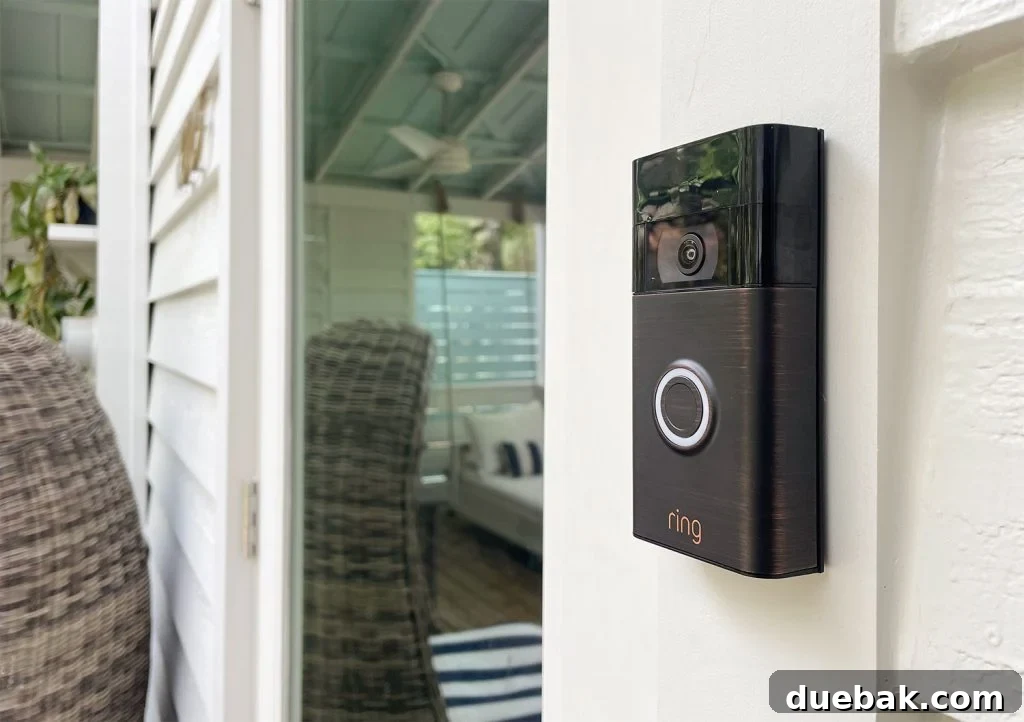
Note: This content is not sponsored. We purchased our Ring Video Doorbell independently. This is the exact Ring Video Doorbell (2nd Gen) we chose for its ease of wireless installation.
Why Invest in a Video Doorbell?
Video doorbells have rapidly become an indispensable component of modern home security systems, and the Ring Video Doorbell stands out as a leading choice for homeowners and renters alike. This smart device offers more than just a traditional chime; it provides unparalleled peace of mind by extending your presence even when you’re away from home. Through the intuitive Ring smartphone app, you gain complete visibility and audio communication with anyone at your front door.
Imagine receiving a package while you’re at work. With a Ring Video Doorbell, you’ll get an immediate notification as the delivery person approaches. You can then use the two-way talk feature to instruct them where to safely leave your package, deterring potential “porch pirates.” Beyond deliveries, the motion-activated camera records any activity, sending instant alerts to your phone. If an uninvited guest or trespasser approaches, you’ll have a clear video record with sound, acting as a powerful deterrent and crucial evidence should an incident occur. It’s not just a doorbell; it’s a proactive security guardian for your home.
Our decision to choose a Ring Video Doorbell was also heavily influenced by their diverse range of options, specifically the availability of both wired and wireless models. As we didn’t have an existing wired doorbell at our front entrance, the wireless option was a perfect fit. We opted for the Ring Video Doorbell (2nd Gen), a battery-powered unit that required absolutely no electrical work or complicated wiring. The entire installation took us less than 10 minutes, proving just how simple and accessible advanced home security can be.
The Simplicity of Wireless Ring Doorbell Installation
Installing a wireless Ring Video Doorbell is remarkably straightforward, making it an ideal project for even novice DIY enthusiasts. To give you a clear visual of just how easy it is, we’ve included a concise 2-minute video that demonstrates the entire process. Below the video, you’ll find even more detailed information and helpful photographs to guide you through each step, ensuring a smooth and successful installation.
For an alternative viewing option, you can also watch this video on YouTube.
Essential Tools for Your Ring Doorbell Installation
One of the great advantages of installing a Ring Video Doorbell is that the manufacturer provides nearly all the necessary hardware right in the box. You’ll typically find screws, a charging cord, and even a small screwdriver included, which is incredibly helpful for immediate setup. However, to ensure a smooth and efficient installation, especially if you’re mounting it on challenging surfaces or simply prefer more precision, a few additional items will prove invaluable:
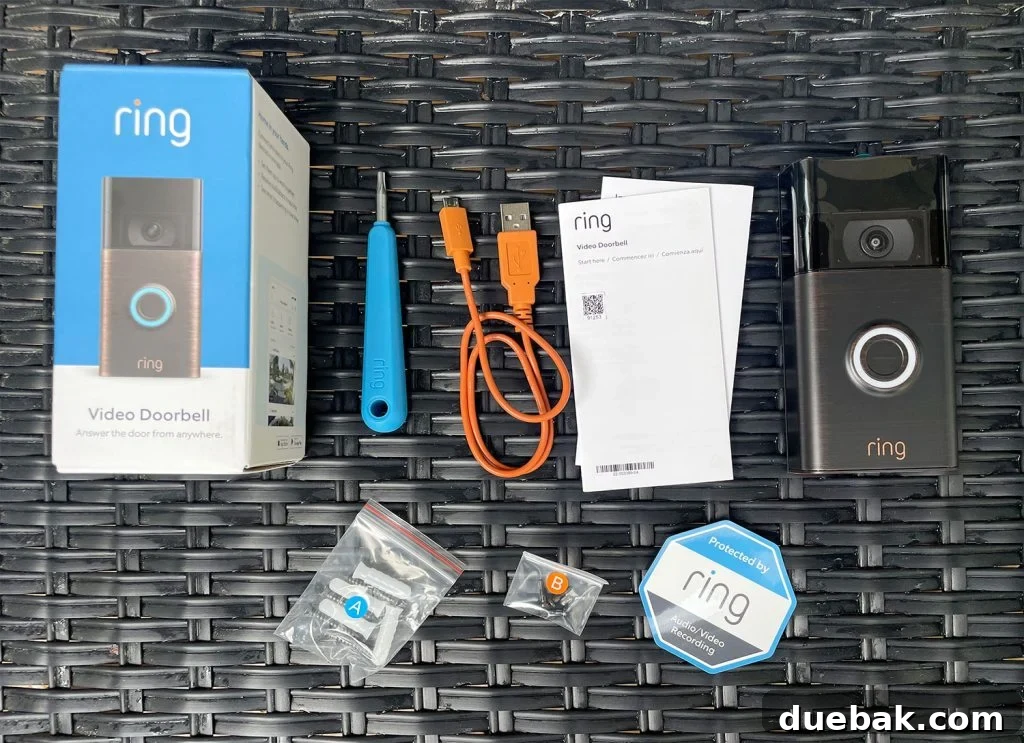
- Smartphone: Absolutely essential for downloading the Ring app and configuring your doorbell.
- Power Drill: (Optional, but highly recommended) Using a drill to create pilot holes beforehand significantly reduces the risk of splitting wood trim and makes driving screws much easier, especially into harder materials.
- Screwdriver or Power Driver: While Ring provides a small screwdriver, a full-sized screwdriver or a power driver offers better grip and leverage for a more secure installation.
- Pencil: For accurately marking the drill points for your mounting plate.
- Small Level: (Optional) Ensures your doorbell is perfectly straight, which is crucial for both aesthetics and optimal camera view.
- Measuring Tape: (Optional) Useful for accurately positioning your doorbell at the recommended height and ensuring it’s centered on your door frame.
Having these extra tools on hand will streamline your installation process and help you achieve a professional-looking result with minimal effort.
Step 1: Fully Charge the Ring Doorbell Battery
Before you begin any physical installation, Ring strongly advises fully charging your doorbell’s internal battery. This crucial first step ensures your device has enough power for setup and initial operation, preventing any interruptions during the installation process. Keep in mind that this charging process can take several hours – ours took approximately 8 hours to reach a full charge. Planning this ahead of time is key to avoiding delays.
For the Ring Video Doorbell (2nd Gen) model, the battery is integrated and not removable. To charge it, simply plug the provided USB charging cord into the back of the doorbell itself and connect it to a standard USB power adapter. During charging, you’ll notice a distinctive blue light on the front of the doorbell. This light acts as a visual indicator of the charging progress. Once the ring is completely illuminated blue, your battery is fully charged and ready for installation.
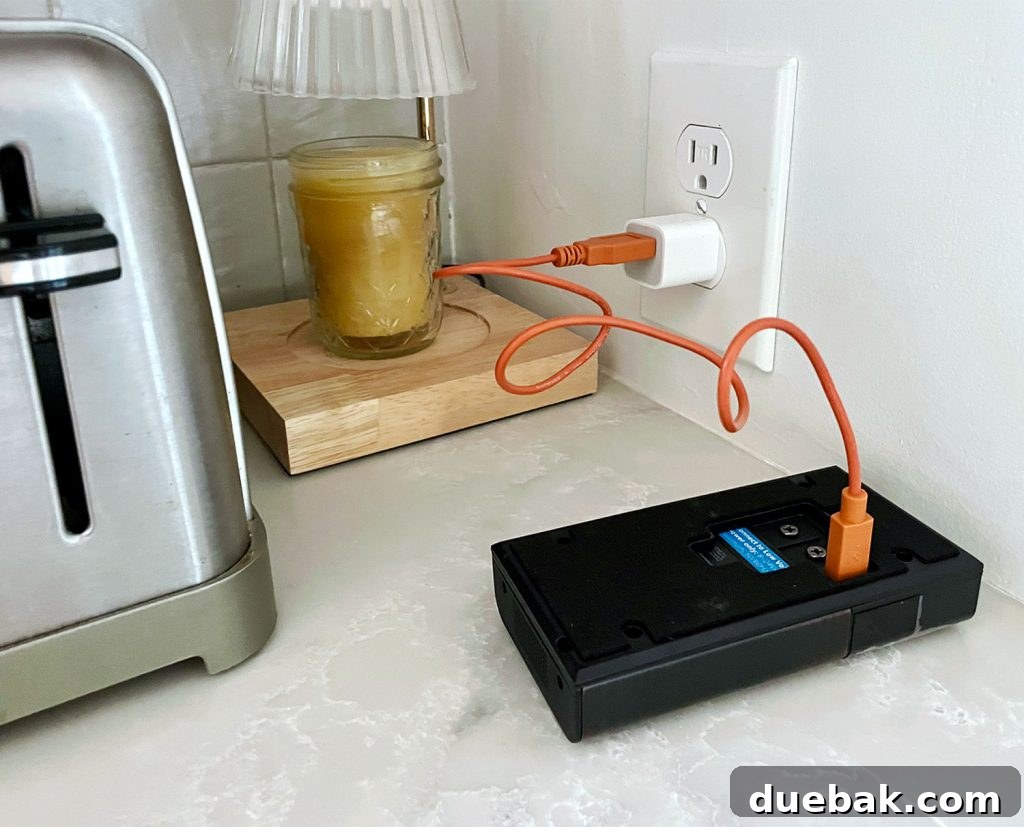
Ensuring a full charge from the outset optimizes your doorbell’s performance and maximizes the time between subsequent recharges, giving you a consistent and reliable security solution.
Step 2: Set Up the Ring Mobile App
While your Ring Doorbell’s battery is charging, you can efficiently move on to the next critical step: setting up the Ring mobile application on your smartphone. This free app serves as the command center for your doorbell, granting you access to all its smart features, from viewing the live camera feed remotely to receiving real-time motion alerts and customizing settings. If you don’t already have one, you’ll need to create a Ring account within the app.
You can easily download the app from your device’s app store. Here are the direct links:
- Ring app for iPhone (Apple App Store)
- Ring app for Android (Google Play Store)
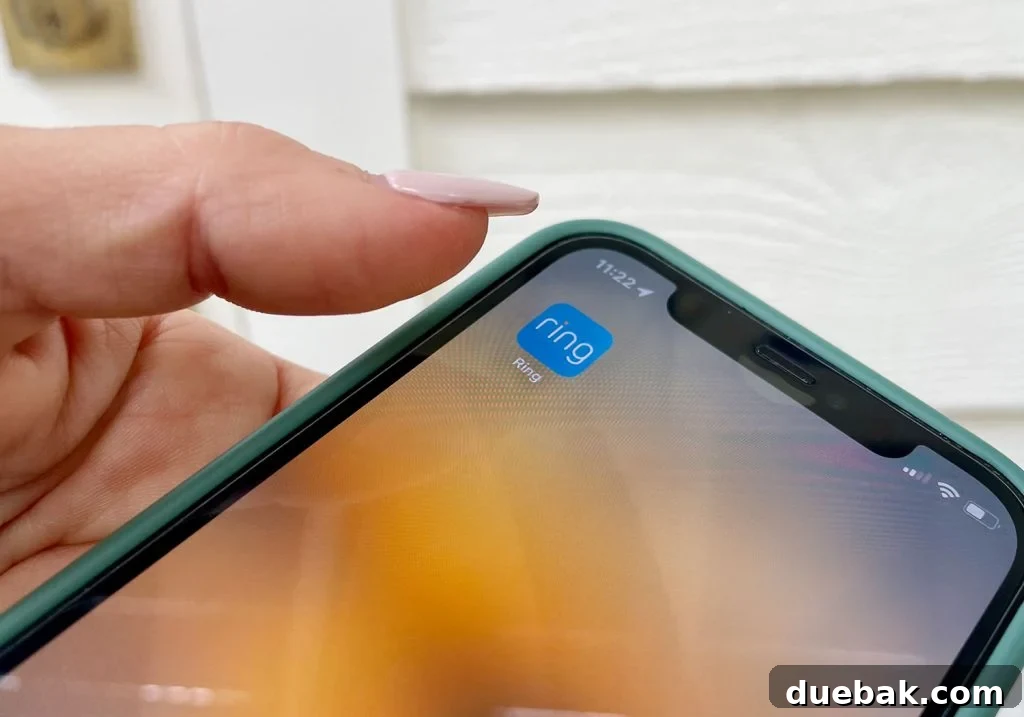
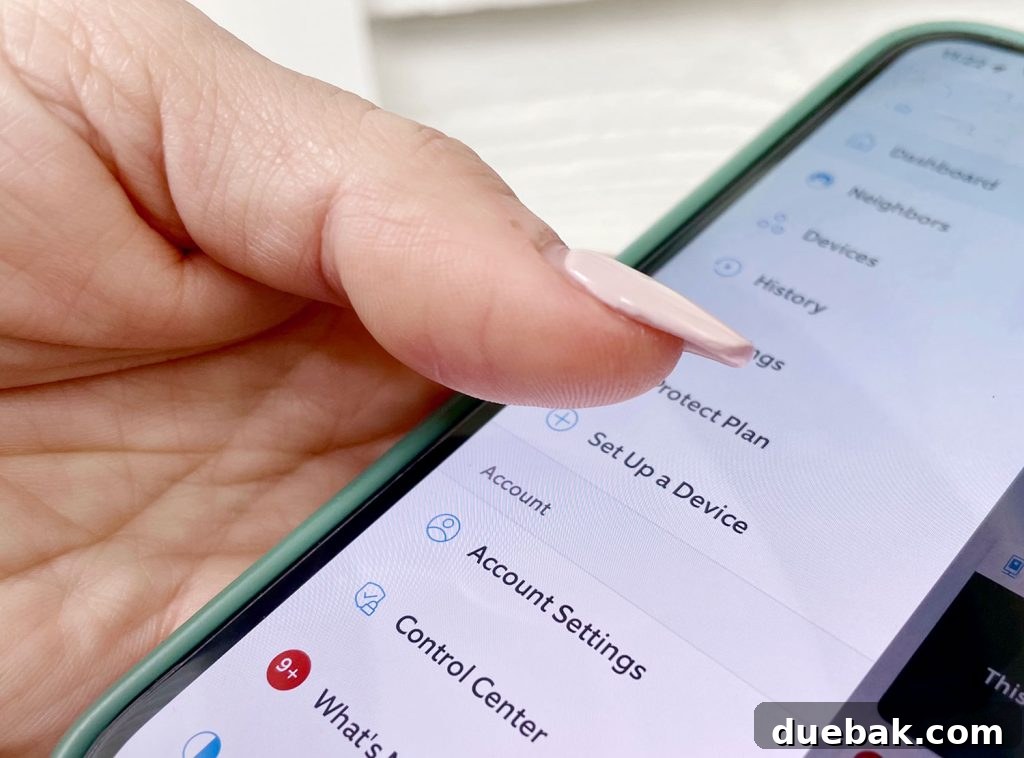
Once your doorbell battery is fully charged, the Ring app becomes your invaluable guide for the rest of the installation. It provides a helpful, step-by-step walkthrough covering both the physical mounting and the digital configuration of your new smart doorbell. To initiate this guided setup, simply open the app, tap on the three horizontal lines (menu icon) in the top-left corner, and then select “Set Up a Device,” as illustrated below.
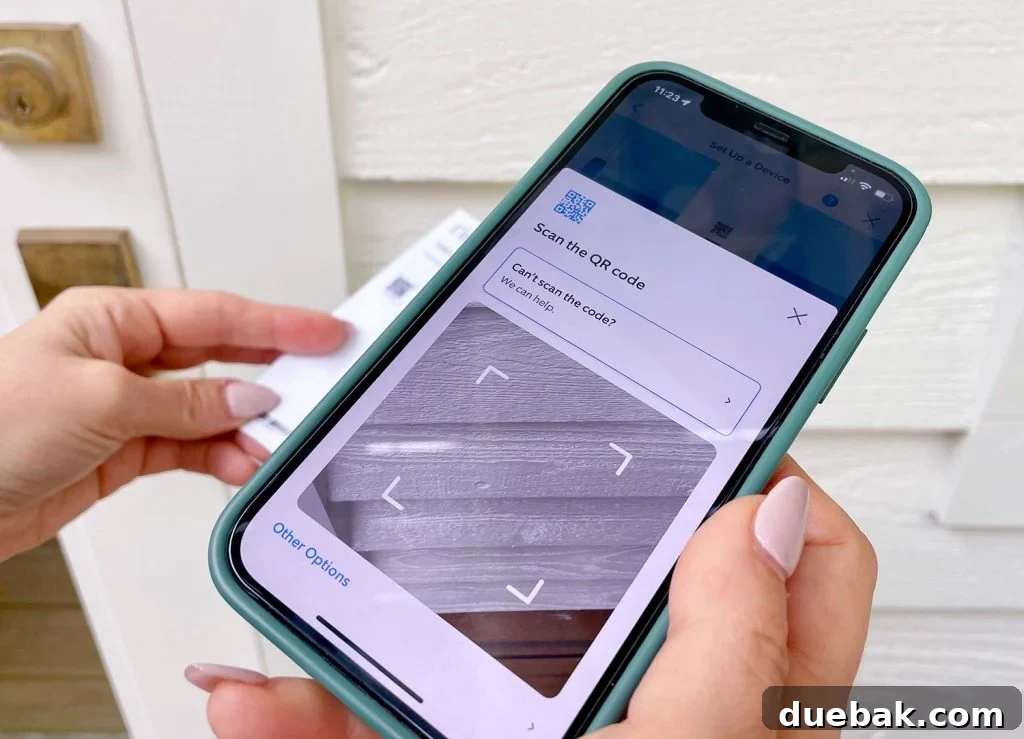
During the app setup, a crucial step involves syncing the app with your specific Ring device. This is typically accomplished by scanning a unique QR code. You’ll find this code conveniently located on the back of your doorbell (it’s visible once you detach the mounting plate) or printed on the back of your instruction manual. Scanning this code allows the app to recognize and pair with your new device effortlessly.
Furthermore, as part of the initial app configuration, you will be prompted to connect your Ring Video Doorbell to your home’s Wi-Fi network. Ensure you have your Wi-Fi password readily available to complete this step without interruption. A stable Wi-Fi connection is vital for the doorbell to send notifications, stream live video, and communicate with the app effectively.
Step 3: Attach the Doorbell Mounting Plate Securely
With your Ring Doorbell fully charged and the app configured, the next step is to physically mount the doorbell’s slim, detachable mounting plate to the exterior of your home. This plate gently snaps off the back of the doorbell, revealing the screw holes for installation. The method for securing it will vary slightly depending on the surface material you’re attaching it to. Whether your home features wood trim, vinyl siding, brick, or stone, there’s an appropriate installation technique. We installed ours directly onto the wooden trim surrounding our front door, a common and straightforward method.
First, carefully determine the optimal placement for your video doorbell. Ring recommends installing it at least 4 feet (approximately 1.2 meters) from the ground to ensure an ideal viewing angle for visitors and package detection. You may want to use a measuring tape to verify this height and ensure it’s centered aesthetically on your chosen surface. For a perfectly level installation, a small level is highly recommended. Once you’ve identified the perfect spot, use a pencil to precisely mark the four screw holes located in the corners of the mounting plate.
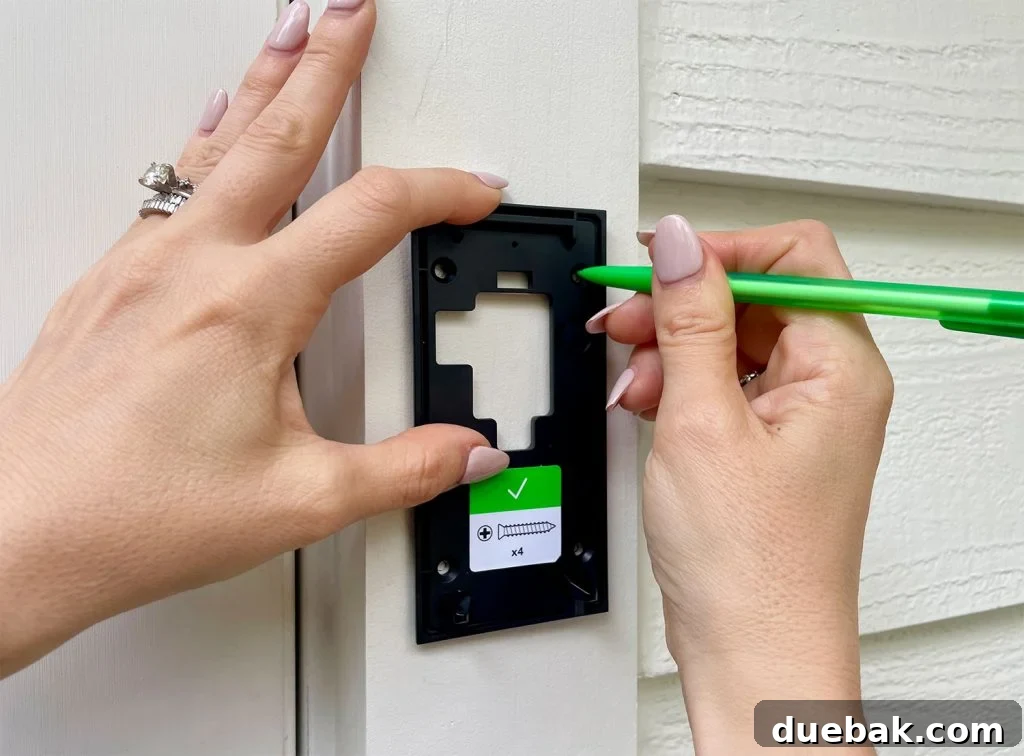
To prevent splitting wooden surfaces and ensure a clean installation, we always recommend using a drill to create pilot holes before driving in the screws. This step is also essential if you’re drilling into harder materials like brick or stone, as you’ll first need to drill the pilot holes and then insert the plastic anchors provided by Ring for a secure hold. For brick or stone, you will likely need a specialized masonry drill bit and potentially a hammer drill to penetrate the tough material effectively.
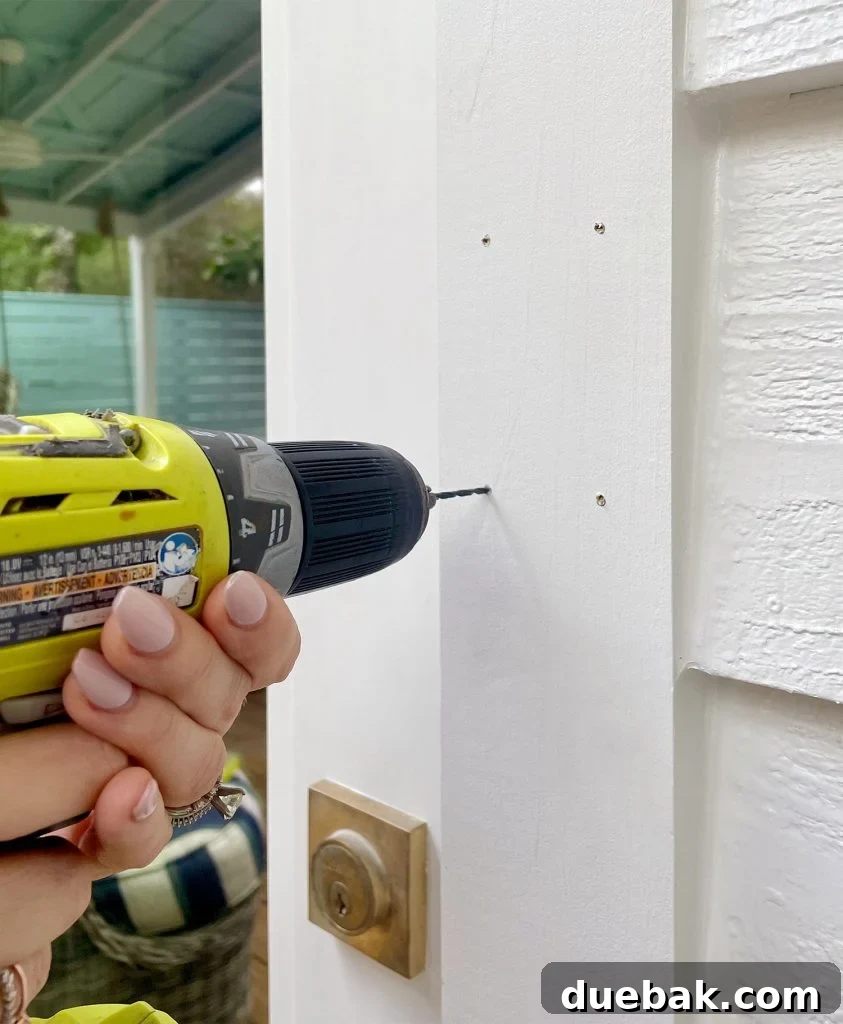
Once your pilot holes are drilled, you can use a screwdriver (or power driver) and the longer screws from Bag A (as specified in the Ring instructions and often indicated by a sticker on the plate) to firmly secure the mounting plate to your home’s exterior. Ensure it is tightly fastened and level before proceeding.
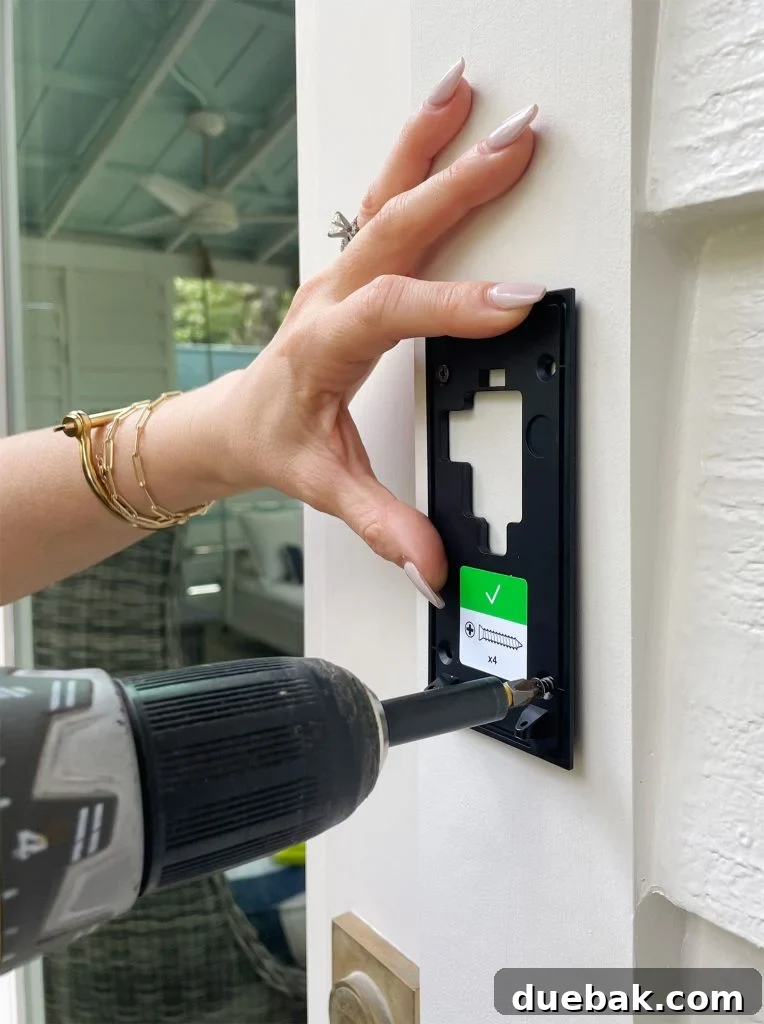
For those who cannot or prefer not to drill into their siding – such as renters or homeowners wanting a less permanent solution – there are alternative mounting options available. You can purchase a dedicated strong adhesive mount designed for drill-free installation. Additionally, the market offers various after-market mounts tailored for specific siding types, like those specifically meant for vinyl siding, or innovative adjustable mounts that swivel, allowing you to optimize your camera’s viewing angle. Always double-check that any accessory mount you consider is compatible with your exact Ring Video Doorbell model.
Step 4: Secure Your Ring Doorbell to the Mount
With the mounting plate firmly in place, the next step is to attach your Ring Video Doorbell itself. Gently align the doorbell with the mounting plate and snap it back into position. This should require very minimal force; if you find yourself pushing hard, double-check the alignment to ensure it’s correct. The doorbell is designed to fit snugly onto the plate, creating a seamless and secure connection.
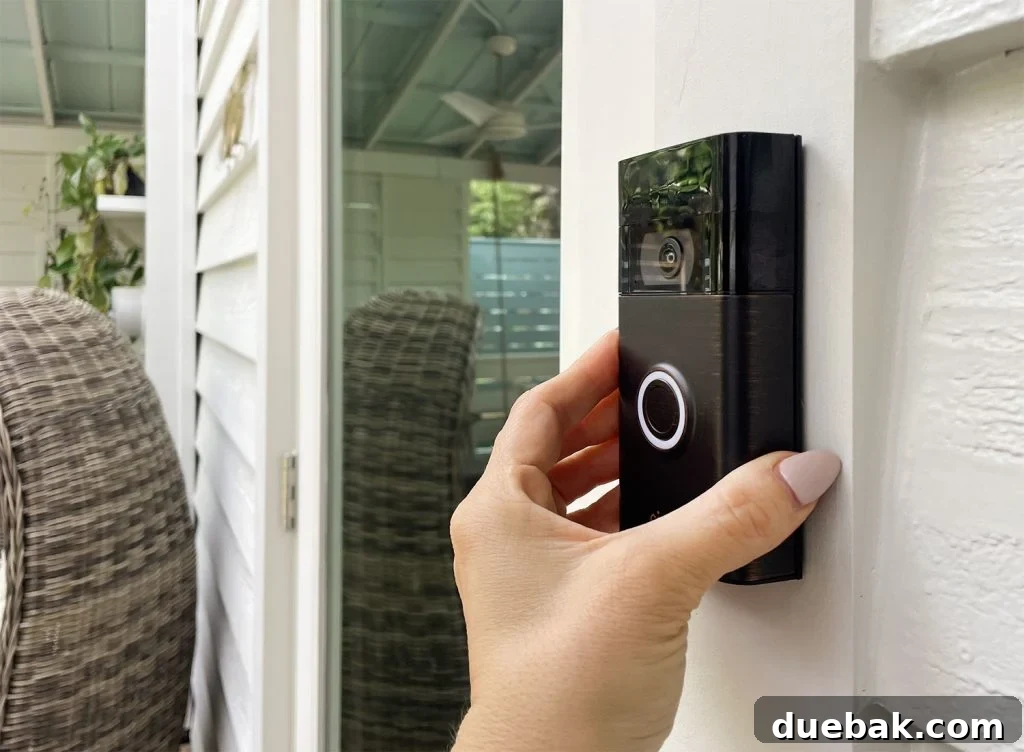
Once the doorbell is snapped onto the mount, you’ll use the shorter security screws (found in Bag B) and the specialized screwdriver provided by Ring to fasten it in place. These security screws serve a dual purpose: they prevent the doorbell from accidentally falling or being knocked out of alignment, and more importantly, they act as a significant deterrent against theft. The unique head shape of these screws makes them difficult to remove without the specific Ring tool, safeguarding your investment.
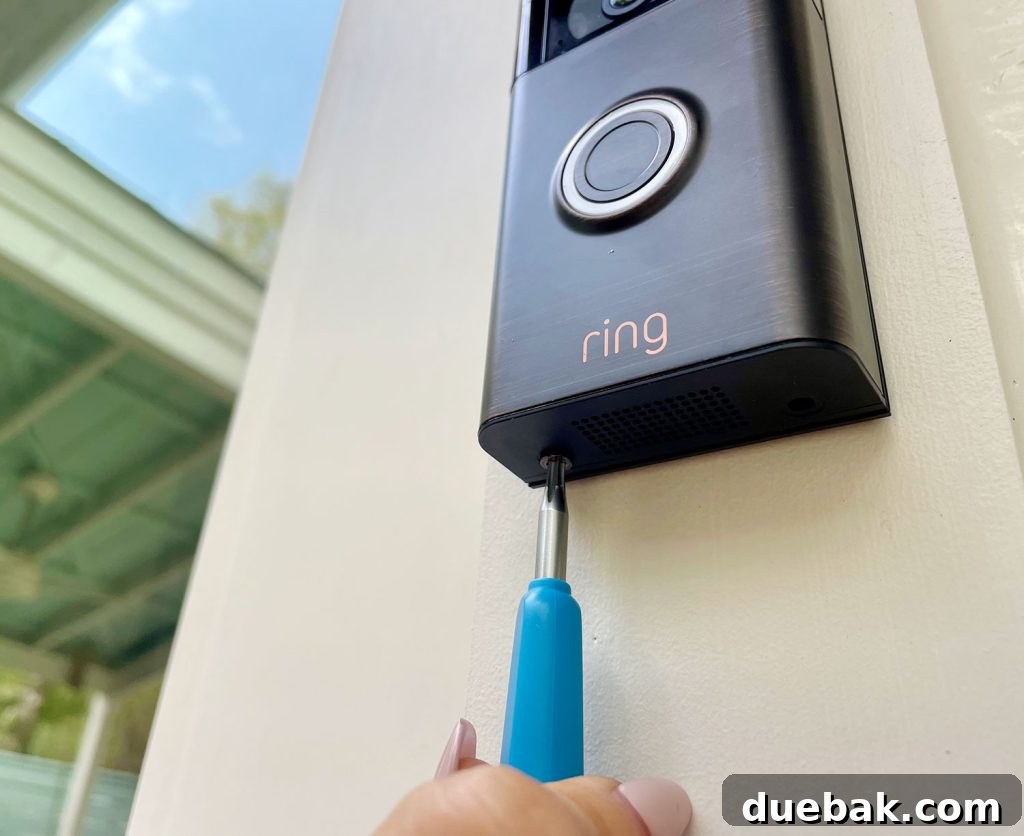
It’s crucial to keep this specialized screwdriver in a safe and memorable place, as you’ll need it for future battery recharges or if you ever need to remove the doorbell. Ring thoughtfully includes a spare security screw in the package, which can be incredibly handy if one happens to roll away or get lost during installation – a small detail that can save a lot of frustration!
Step 5: Customize Your Doorbell Settings in the App
The final stage of your Ring Video Doorbell installation involves fine-tuning its operational settings within the Ring app. While the initial setup process guides you through basic configurations, the app offers extensive customization options to tailor your doorbell’s performance precisely to your needs and preferences. These settings can be easily accessed and modified at any time by tapping the gear icon associated with your doorbell in the app.
Key customizable settings include:
- Motion Zones: You can define specific “motion zones” within your camera’s field of view. This allows the doorbell to focus on areas of importance, such as your walkway or porch, while ignoring irrelevant motion from busy streets or swaying trees. Some Ring models also offer advanced features like “People Only” mode or “Package Detection” to further refine alerts.
- Motion Sensitivity: Adjust how sensitive your doorbell is to movement. If you’re receiving too many unwanted alerts (e.g., from small animals or distant cars), you can lower the sensitivity. Conversely, if you’re missing events, you can increase it.
- Notification Settings: Decide what events trigger notifications to your phone. You can opt for alerts only when the doorbell is pressed, or also for all motion detections. You can also customize the sound of these notifications.
- Live View: Access a live, on-demand video stream from your doorbell’s camera at any time, giving you instant insight into what’s happening outside your door.
- Battery Optimization: For wireless models, managing motion alerts directly impacts battery life. Fewer, more targeted alerts mean less battery drain, extending the time between charges.
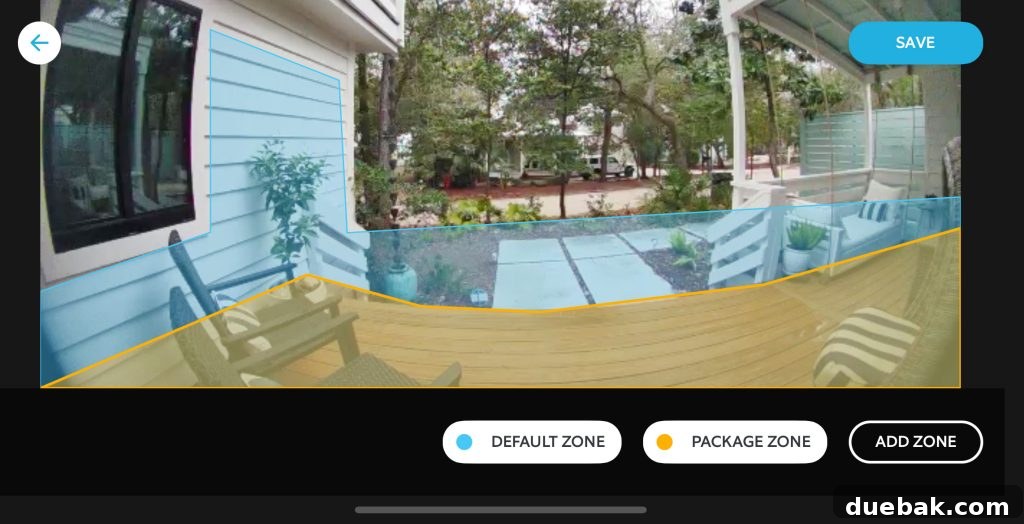
It often takes a bit of trial and error to perfectly optimize these settings for your unique home environment. Don’t hesitate to experiment! If you find yourself bombarded with too many notifications or having to recharge your battery more frequently than desired, adjust your motion zones and sensitivity accordingly. The flexibility of the Ring app ensures that your video doorbell works exactly how you need it to, providing effective security without unnecessary disturbances.
Frequently Asked Questions About Ring Video Doorbells
Now that your Ring Video Doorbell is installed and configured, you might have some additional questions about its operation, maintenance, and features. Here are answers to some of the most common queries to help you make the most of your new smart home security device:
Is installing a Ring Doorbell easy for DIYers?
Absolutely, yes! Installing a Ring Video Doorbell is designed to be a highly accessible DIY project. If you’re comfortable with basic hand tools like a screwdriver and can navigate a smartphone app, you possess all the necessary skills. This is especially true for wireless, battery-operated models, which eliminate any need for electrical knowledge. Even wired Ring Doorbells, which involve connecting low-voltage wires, are typically straightforward for most homeowners to handle, often simplifying the process by leveraging existing doorbell wiring. Ring’s clear instructions and in-app guidance make the installation process surprisingly simple.
Do you need an electrician to install a Ring Doorbell?
No, an electrician is generally not required for installing either wired or wireless Ring Video Doorbells. The wireless models, like the one featured in this guide, operate entirely on battery power and require no electrical connections whatsoever. For wired versions, the installation deals with low-voltage wiring, which is considered safe and relatively easy for homeowners to manage. The most crucial safety step is to ensure that the power to your existing doorbell circuit is turned off at the breaker before you begin any work. However, if you feel any discomfort or uncertainty about working with electrical components, even low-voltage, it’s always prudent to consult or hire a qualified electrician for peace of mind. If you don’t have existing doorbell wiring, opting for a wireless model is by far the simplest solution.
Does installing a Ring Doorbell involve wiring?
This depends entirely on the model you choose. The battery-operated Ring Video Doorbell model that we installed requires no hardwiring at all, making it incredibly flexible for homes without existing doorbell circuits or for renters. The only “wiring” involved is the USB charging cord used periodically to recharge the internal battery. Conversely, wired models, such as the Ring Wired Doorbell Plus, do connect to your home’s existing low-voltage doorbell wiring. This is the same wiring that powers most traditional doorbells, offering continuous power and eliminating the need for battery recharges.
How do I choose between a wired or wireless Ring Doorbell?
The choice between a wired and wireless Ring Video Doorbell largely hinges on your current home setup and personal preferences. If your home already has a traditional wired doorbell, a wired video doorbell is often the most sensible option. These models typically boast a slimmer profile, draw continuous power from your home’s electricity (eliminating battery recharging), and it’s simpler to utilize your existing wiring than to remove it. For homes without pre-existing doorbell wiring, or for individuals who rent and cannot modify their property’s electrical system, a wireless battery-operated model is the ideal choice, offering maximum flexibility and ease of installation without any electrical work.
Does a Ring Doorbell require a subscription?
A Ring Protect Plan subscription is not strictly required to use your Ring Video Doorbell. Without a subscription, you will still receive real-time notifications for rings and motion, and you can access the live video feed from your doorbell at any time. However, a Ring Protect Plan significantly enhances your device’s capabilities. The most notable benefit is the ability to record, save, and review video footage of all events (rings, motion detection, Live View sessions) for up to 180 days. Without a plan, these recordings are not saved, limiting your ability to review past incidents. Ring Protect plans are affordable, currently starting as low as $4 per month or $40 per year, offering immense value for comprehensive home monitoring.
Do I need to buy anything else for my Ring Doorbell?
While your Ring Video Doorbell comes with everything essential for a basic installation, there are several optional accessories that can significantly enhance its functionality, aesthetics, and user experience. Depending on your needs and home setup, you might consider these additional purchases:
- Ring Chime: Since wireless video doorbells don’t connect to an existing wired chime box, adding a Ring Chime is highly recommended. This small, wireless device plugs into any standard electrical outlet in your home and plays customizable doorbell notifications, mimicking the sound of a traditional doorbell. We love ours for its variety of sound options and ensuring we hear visitors even without our phones nearby.
- Wedge Kit: If your front door has stairs or if your doorbell is mounted on a flat surface but you want a better view of approaching visitors, a Wedge Kit is invaluable. It’s installed behind your doorbell’s mounting plate, slightly tilting the camera downwards or upwards. This helps capture a clearer view of people’s faces and packages. We use one to perfectly angle our camera due to our porch steps, and it makes a significant difference.
- Corner Wedge Kits: Similar to a standard wedge kit, a corner wedge allows you to angle your doorbell left or right. This is especially useful if your doorbell is mounted on a wall adjacent to your door, rather than directly facing outward, ensuring your camera captures a broader view of your entryway.
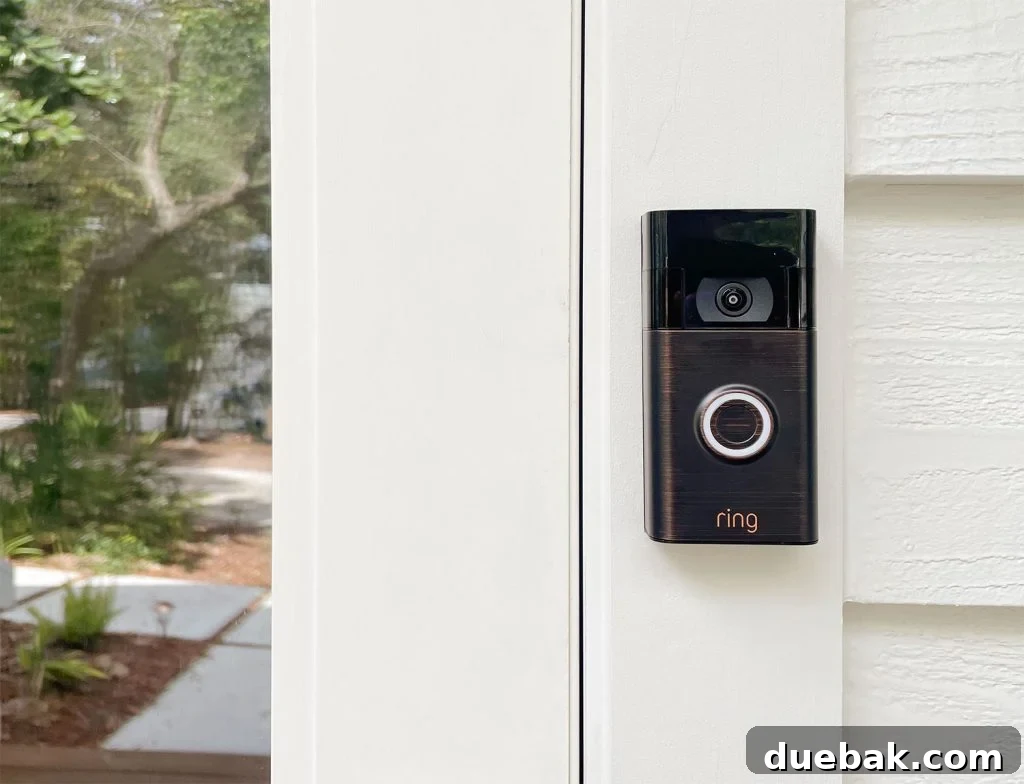
- Faceplate Covers: Personalize the look of your Ring Doorbell with different metallic faceplate covers. These allow you to change the aesthetic to better match your home’s exterior. Common colors include Brushed Bronze (a medium gold), Brushed Graphite (dark gray), and Brushed Silver (light gray). The elegant oil-rubbed bronze color shown in our post is the stock Venetian Bronze that came with our Ring, and we find it perfectly complements our dark windows and metal rocking chairs.
- Solar Charger: For wireless models, a solar charger is an excellent accessory to consider. This small solar panel mounts behind your doorbell and harnesses sunlight to continuously trickle-charge your battery. Depending on your front door’s sun exposure, a solar charger can drastically reduce, or even eliminate, the need for manual battery recharges, offering true set-it-and-forget-it convenience.
These accessories provide opportunities to enhance the functionality, aesthetic integration, and overall convenience of your Ring Video Doorbell, tailoring it perfectly to your smart home ecosystem.
*This post contains affiliate links, meaning we may earn a small commission when you make a purchase through links on our site at no additional cost to you. We only recommend products we trust and use ourselves.