

In the whirlwind of daily life, especially for busy individuals, finding time for thoughtful, handmade gestures can feel like a luxury. Yet, the joy and personal touch of a DIY gift are unparalleled. This Valentine’s Day, skip the generic store-bought cards and create something truly special and memorable without breaking the bank or dedicating an entire afternoon. Our focus is on crafting a beautiful, budget-friendly Valentine’s heart card that’s both simple and quick to make, utilizing a creative material combination: iron-on vinyl on cardstock.
This project introduces a fantastic technique that many crafters might not have explored yet – applying iron-on vinyl directly onto cardstock. It’s a game-changer, especially if your craft stash is overflowing with vibrant iron-on vinyl patterns but your cardstock collection feels a bit lackluster. This method not only allows you to tap into a wider array of designs but also provides an excellent opportunity to use up those smaller, often-overlooked scraps of patterned iron-on vinyl that are too precious to discard. The result is a uniquely textured and visually striking card that stands out from the crowd. While this guide primarily features iron-on vinyl, the heart designs could just as easily be crafted using adhesive vinyl or by simply layering different shades of cardstock for a multi-dimensional effect.
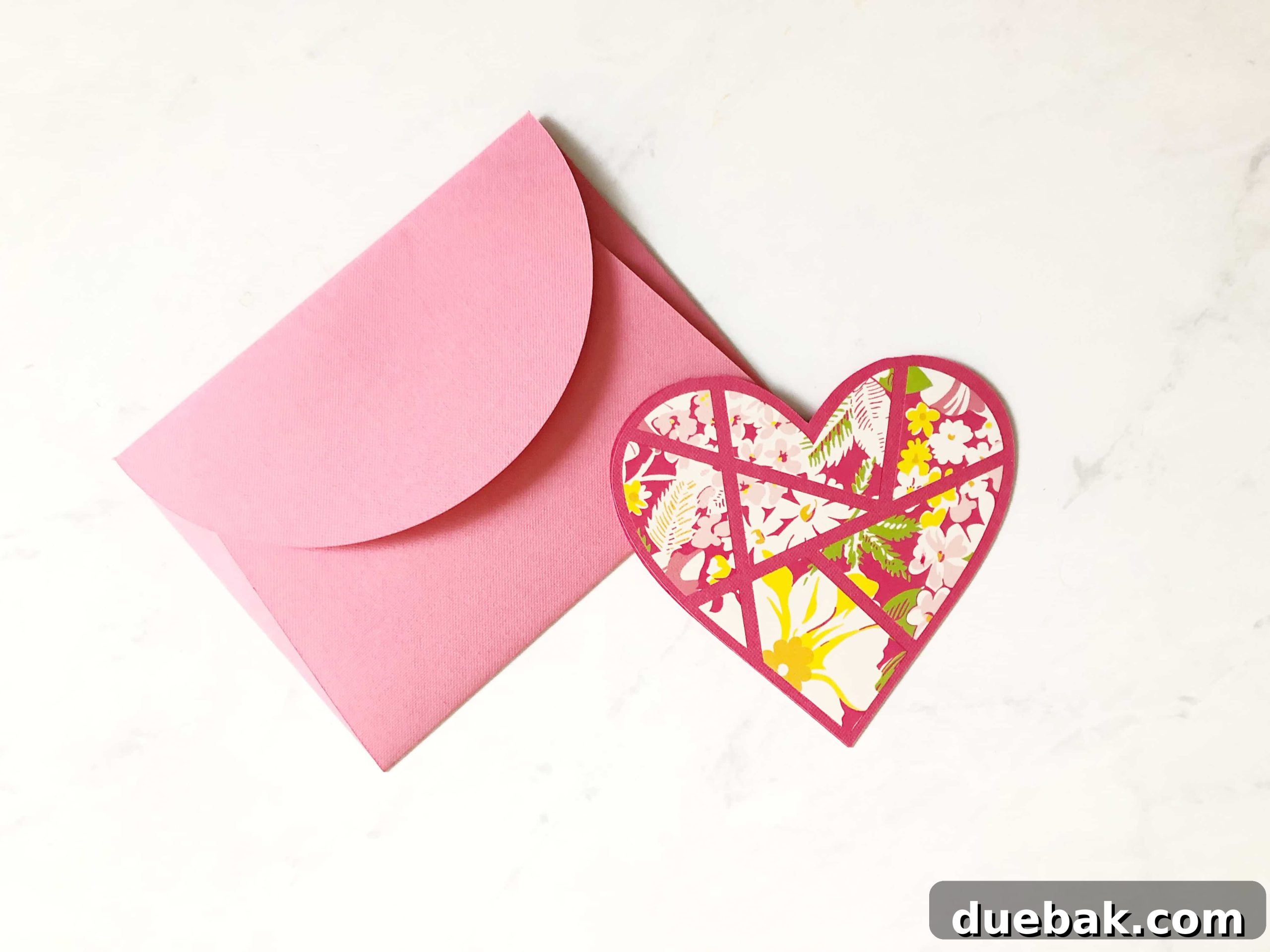
Crafting Personalized Valentine’s Heart Cards: A Simple Cricut Project
Creating personalized Valentine’s Day cards doesn’t have to be complicated or time-consuming. With the power of your Cricut machine and a little creativity, you can produce stunning, heartfelt cards in under 15 minutes. This project is perfect for gifting to friends, family, teachers, or that special someone, demonstrating thoughtfulness and effort without demanding hours of your precious time. The elegance of the design combined with the versatility of materials makes it suitable for crafters of all skill levels, from beginners just getting started with their Cricut to seasoned pros looking for a quick and satisfying project.
Why Choose Iron-On Vinyl on Cardstock for Your Cards?
The decision to pair iron-on vinyl with cardstock might seem unconventional at first, but it offers several compelling advantages that make it an excellent choice for card making. Firstly, iron-on vinyl comes in an incredible variety of patterns, textures, and finishes – think glitter, holographic, metallic, and intricate florals. This offers a much broader creative palette compared to the often-limited patterns available in cardstock. Secondly, it’s a fantastic way to utilize small vinyl scraps that accumulate from larger projects, minimizing waste and maximizing your material investment. Each heart can be a tiny canvas for a unique pattern! Thirdly, the application of iron-on vinyl adds a subtle yet distinct texture and a slight raised effect to your card, giving it a premium, professionally finished look and feel that paper alone can’t achieve. This unique material combination creates a durable, vibrant design that is sure to impress.
Essential Supplies for Your Valentine’s Heart Card Project
Before diving into the creative process, gathering all your materials is key to a smooth and enjoyable crafting experience. Here’s a comprehensive list of what you’ll need to bring your personalized Valentine’s Heart Card to life:
- High-Quality Cardstock: Choose various shades of red and pink to create depth and visual interest in your card. Cardstock provides a sturdy base for your design. This sampler, featuring colors like Light Pink, Rose Pink, Dark Pink, Carnation, Red, and Brick Red, offers a beautiful gradient to work with. Aim for cardstock that is at least 65lb (176 gsm) for optimal durability and a premium feel.
- Reliable Craft Glue: While a glue stick can work for quick adherence, for a lasting bond, especially with cardstock layers, a liquid craft glue (like the one linked here) is highly recommended. It offers stronger adhesion and flexibility, preventing your card layers from peeling apart over time.
- SVG Cut Files: These digital design files are essential for your Cricut machine to cut out the intricate heart shapes. You can download the free SVG files specifically for this project at the bottom of this post, making it incredibly easy to get started.
- Patterned Iron-On Vinyl (Optional, but Recommended): This is where your card truly comes to life! Select patterns that resonate with Valentine’s Day themes or choose a variety to create unique, personalized cards. Utilizing smaller scraps is a smart way to maximize your materials and add diverse textures like glitter or foil to your project.
- Cricut EasyPress Mini: If you’re using iron-on vinyl, the EasyPress Mini is perfect for this project due to its compact size, allowing precise application of heat to smaller designs on cardstock without overheating the entire card. Its even heat distribution ensures a flawless transfer. A standard iron can be an alternative, but the EasyPress Mini offers superior control.
- Cricut Explore (or Maker) Machine: Your trusty cutting machine is the heart of this DIY project. The Cricut Explore, or a Cricut Maker, will precisely cut your cardstock and iron-on vinyl designs according to the SVG files.
- Scoring Wheel (or Scoring Stylus): This tool is invaluable for creating crisp, professional-looking folds in your cardstock, ensuring your cards fold neatly without cracking or uneven edges. If your machine doesn’t support the Scoring Wheel, a Scoring Stylus is a great alternative.
- Cricut StandardGrip Mat: Essential for holding your cardstock and vinyl securely in place during the cutting process. A clean, tacky mat ensures precise cuts.
- Weeding Tools: While not explicitly listed in the original, these tools (like a hook weeder or tweezers) are incredibly helpful for removing excess vinyl from your intricate designs, making the weeding process much faster and easier.

Step-by-Step Guide: How to Make Your Valentines Heart Card
Now that you have all your supplies ready, let’s walk through the simple steps to create your beautiful Valentine’s Heart Card. This project is designed for efficiency, ensuring you can complete a heartfelt card in approximately 10 minutes of active crafting time. We’ll cover everything from preparing your design in Cricut Design Space to perfectly pressing your iron-on vinyl onto cardstock.
Preparation and Design Space Setup
-
Download and Upload Your SVG Files: Your journey begins with the digital design. First, download the free SVG cut files provided at the bottom of this article. These files contain the heart designs necessary for your project. Once downloaded, open Cricut Design Space. You’ll need to upload these SVG files into your Design Space canvas. If you’re new to this process, don’t worry – a comprehensive guide on how to add SVG files to Cricut Design Space can be found here. Ensure your heart design is sized appropriately for your card and that any scoring lines are attached correctly to the card base layers.

-
Assemble Your Card Base (If Applicable): While the SVG files will primarily focus on the heart design, it’s a good practice to prepare your card base if it involves multiple layers or intricate folds. For a standard folded card, you’ll want to cut your main cardstock to size and use your Cricut’s scoring wheel or stylus to create a crisp fold line. This ensures your card has a clean, professional appearance. Having your card base ready will make the vinyl application process much smoother.


Cutting Your Design with Your Cricut Machine
-
Prepare for Cutting with “Make It”: Once your heart design is uploaded, sized to perfection, and any necessary layers are grouped or attached in Design Space, click the “Make It” button. This action transitions you to the mat preview screen, where you’ll see how your design will be arranged on the cutting mat. If you are using a Cricut Maker, the software will guide you to select your material settings. For iron-on vinyl, it is absolutely paramount to **mirror your design** on this screen. Failing to mirror will result in a backwards image once applied. This is a critical step for all iron-on vinyl projects! Furthermore, if you’re using a small scrap piece of vinyl, take advantage of the mat preview to reposition your design to best fit your material, reducing waste. For those operating a Cricut Explore Air machine, simply turn the Smart Set Dial directly on your machine to “Iron-On” for the correct cutting settings.
-
Load Your Materials into the Cricut: Now, it’s time to physically prepare your materials. Place your iron-on vinyl onto a Cricut StandardGrip cutting mat. Remember, for iron-on vinyl, the shiny side (which is the clear plastic carrier sheet) must face down onto the mat. Ensure the vinyl is pressed firmly onto the mat to prevent shifting during cutting. Carefully load the mat into your Cricut machine. Once loaded, press the blinking “Go” button to initiate the cutting process. Your Cricut will then precisely cut your heart design.
Weeding and Applying Iron-On Vinyl
-
Weed Your Design with Precision: After the cutting is finished, the load/unload button on your Cricut will flash, indicating it’s safe to remove the mat. Unload the cutting mat from your machine. Now comes the “weeding” process: using a weeding tool or tweezers, carefully remove all the unwanted excess vinyl from around and within your cut design. The clear plastic carrier sheet underneath will hold your intricate heart design perfectly in place. At this stage, your design will appear mirrored or backwards, which is correct because you mirrored it in Design Space. This step requires a steady hand, especially for delicate patterns, but a good weeding tool makes it much easier.
-
Prepare for Heat Press Application: With your design perfectly weeded and ready, it’s time to transfer it to your card. Place your cardstock base on a heat-resistant surface (like a Cricut EasyPress mat). Position your weeded iron-on vinyl design onto your card, with the clear plastic carrier sheet facing upwards and the adhesive side of the vinyl directly contacting the cardstock. Take your time to align it perfectly, as once heat is applied, it will be permanent. Preheat your Cricut EasyPress (or the smaller EasyPress Mini) to the recommended temperature and time settings. It’s crucial to use the correct settings for your specific type of iron-on vinyl and cardstock to ensure optimal adhesion without damaging the paper. You can easily find the recommended EasyPress Settings on the official Cricut Heat Guide website.
-
Press the Iron-On Vinyl onto Your Card: Once your EasyPress Mini is at the correct temperature, gently and firmly press it over your iron-on vinyl design. Apply even pressure and move the EasyPress Mini around the entire design, ensuring every part of the vinyl receives adequate heat for the recommended duration. The compact size of the EasyPress Mini is ideal for navigating the contours of your heart design on the cardstock. After the pressing time is complete, carefully lift the EasyPress Mini. Allow the vinyl to cool slightly (refer to your vinyl’s instructions for a warm peel or cool peel recommendation) before slowly and smoothly peeling back the clear carrier sheet. If any part of the design lifts with the carrier sheet, simply lay it back down, replace the carrier sheet, and press again for a few more seconds. You’ll be left with a beautifully adhered, vibrant, and perfectly transferred iron-on vinyl heart on your cardstock – a truly stunning result!
Assembling Your Finished Valentine’s Card
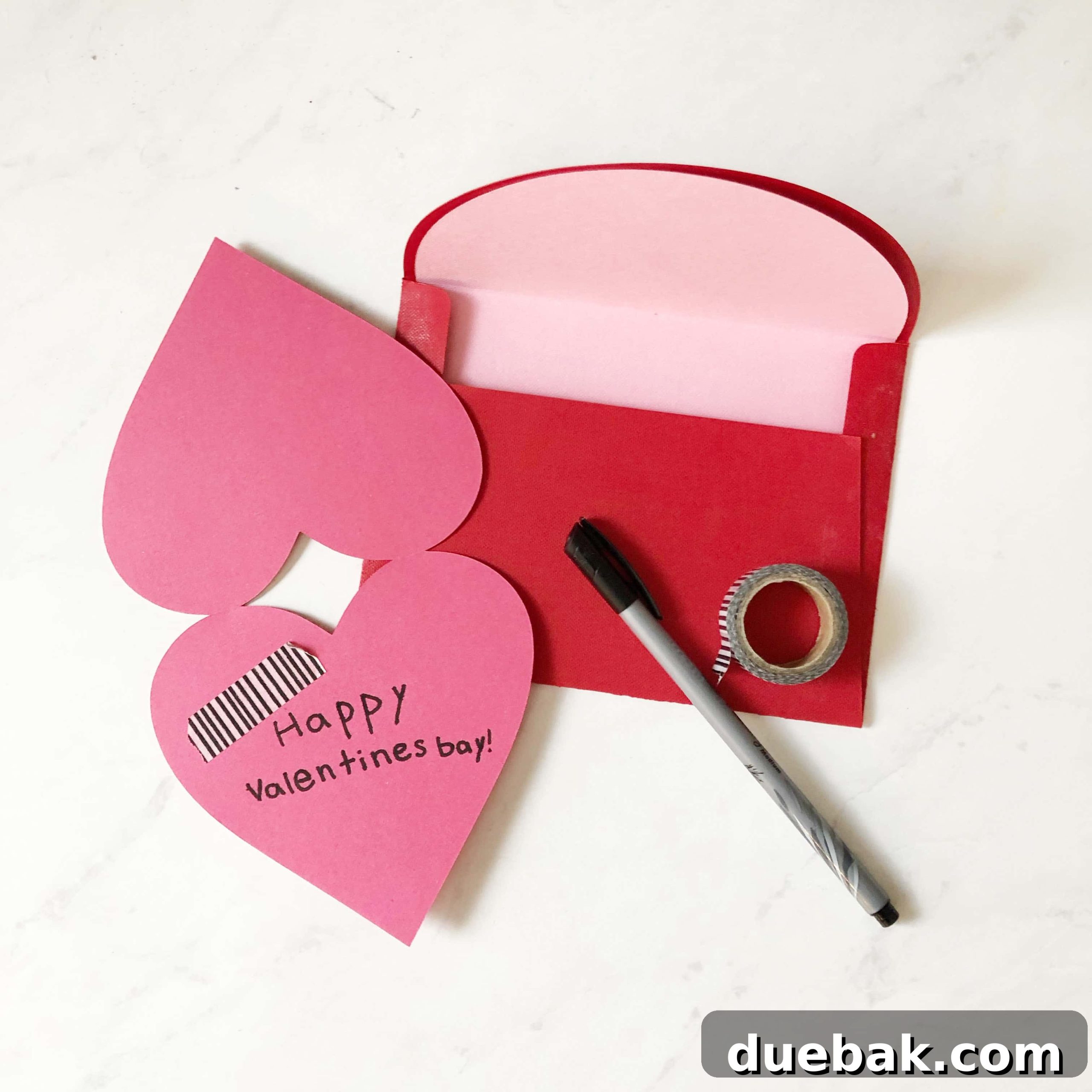
Once your iron-on vinyl heart is perfectly adhered to the cardstock, the final step is to assemble your card. If you have additional cardstock layers for the base or decorative elements, now is the time to glue them together using your reliable craft glue. Write your heartfelt message inside, and perhaps add a final embellishment like glitter or a small sticker. Your unique, handmade Valentine’s card is now complete and ready to bring a smile to someone’s face!
Customization Tips for Your DIY Valentine’s Cards
The beauty of crafting with Cricut and iron-on vinyl is the endless potential for customization. While our heart card project provides a fantastic starting point, don’t hesitate to experiment and make each card truly your own. Here are a few ideas to spark your creativity:
- Color Palettes: Move beyond traditional reds and pinks. Experiment with elegant metallics, cool blues, or even a rainbow gradient for a playful touch.
- Layering Techniques: Add extra layers of cardstock behind your vinyl design for a more substantial feel and a multi-dimensional look. Mix and match different textures like glitter cardstock with smooth vinyl.
- Embellishments: Elevate your cards with subtle embellishments. Consider adding small adhesive rhinestones, glitter glue, or even a delicate bow made from ribbon to complement your vinyl heart.
- Personalized Messages: Use your Cricut to cut out names, initials, or short, sweet messages from different colored vinyl or cardstock to add a personal touch to the front or inside of the card.
- Beyond Valentine’s Day: The basic heart design is incredibly versatile. Adapt this project for anniversaries, birthdays, thank you cards, or “just because” notes by simply changing the colors and adding a different internal message.
The Heartfelt Value of Handmade Valentine’s Cards
In an age of instant messages and digital greetings, a handmade card carries an irreplaceable value. It’s a tangible expression of love and effort, showing the recipient that you took the time and care to create something specifically for them. A DIY Valentine’s card is not just a piece of paper; it’s a small piece of your heart, imbued with personal energy and creativity. It stands apart from mass-produced alternatives, offering a unique and memorable keepsake that will be cherished long after the holiday passes. This simple act of crafting can foster deeper connections and spread genuine warmth.

Explore More Valentine’s Day Craft Ideas
If you’re looking to continue your crafting journey this Valentine’s season, we have a collection of inspiring projects and SVG files to keep your creative spirit thriving. Dive into these ideas to make even more personalized gifts and decorations:
- Stuck On You – Free Valentines SVG
- I Love You A Sloth – Valentines SVG Files
- Black white and gold Valentines Party Decor
- Free Valentines Printables
Unlock Your Cricut Potential: Helpful Tutorials
To help you master your Cricut machine and expand your crafting horizons, we’ve compiled a list of essential tutorials. These guides will provide you with valuable tips and tricks, ensuring you get the most out of your cutting machine:
- How to Upload an SVG File to Cricut Design Space
- Cricut Tips and Tricks – Hacks You Need To Know
- Cricut Explore VS Maker – Which Do You Need and Why?
Connect with Fellow Crafty Enthusiasts!
Crafting is even more fun when you’re part of a community! We invite you to join our growing family of crafty friends. It’s a fantastic space to share your latest projects, get inspired by others, ask questions, and connect with fellow Cricut enthusiasts. We believe in the power of shared creativity, and we’d love for you to be a part of it!

Download Your Free Valentine’s Heart Card SVG Files Here
Ready to bring your unique Valentine’s Heart Card to life? We’re making it incredibly easy for you to get started! Download your exclusive SVG files absolutely free when you become a part of our creative community by entering your email address below. Once you’ve subscribed, the download link for your files will instantly appear. It’s the quickest and most convenient way to kickstart your personalized DIY Valentine’s project!
Important Download Instructions: Your free SVG file will open in a Google Drive preview window. Please note that there is no need to request editing permission. To download the file directly to your computer, simply look for and click the ‘Download’ icon. This icon typically appears as a downward-pointing arrow and is usually located in the top right corner of the Google Drive preview screen. If you don’t immediately see any icons, gently move your mouse cursor towards the top right area, and they should become visible. Once downloaded, you’ll be all set to upload your SVG files to Cricut Design Space and begin your crafting adventure!