
Mastering Cable Chaos: Ultimate Guide to Cord Management for a Clutter-Free Workspace
Is your workspace a battleground of tangled wires, errant chargers, and unsightly cables? You’re not alone. Many professionals and home office enthusiasts struggle with the pervasive problem of cord clutter, which can transform even the most stylish desk into a chaotic mess. The impact of a disorganized workspace extends beyond aesthetics, affecting productivity, mental clarity, and even safety. In this comprehensive guide, we’ll dive deep into innovative and practical strategies to conquer cord chaos, ensuring your home office remains a sanctuary of focus and efficiency.
The Hidden Problem of Cord Clutter: More Than Just an Eyesore
While the visual impact of a messy desk is immediately apparent, the detrimental effects of cord clutter run far deeper. It’s not merely an aesthetic annoyance; it’s a significant barrier to a truly productive and harmonious environment. Consider these often-overlooked consequences:
- Reduced Productivity and Focus: A cluttered environment can be a constant source of distraction, pulling your attention away from tasks. The visual noise of tangled wires can contribute to mental fatigue and make it harder to concentrate.
- Increased Stress and Anxiety: A disorganized workspace often mirrors a disorganized mind. The visual reminder of unfinished tasks or a chaotic setup can elevate stress levels, making you feel overwhelmed before you even begin your workday.
- Safety Hazards: Exposed or poorly managed cords can pose tripping hazards, especially in high-traffic areas. Furthermore, damaged or improperly bundled cables can overheat, increasing the risk of electrical fires.
- Dust and Dirt Accumulation: Cords are notorious dust magnets. Tangled wires create intricate networks where dust, dirt, and pet hair can accumulate, making cleaning a chore and potentially exacerbating allergies.
- Difficulty Troubleshooting: When every cable looks the same and is woven into a complex knot, identifying a specific wire for unplugging or troubleshooting becomes a frustrating puzzle.
- Unprofessional Appearance: If clients or colleagues ever see your workspace, a jumble of cords can project an image of disorganization and lack of attention to detail.
Understanding these challenges is the first step toward embracing effective cord management. A tidy workspace is an investment in your well-being, productivity, and the overall functionality of your home office.
Innovative Solutions for a Tidy Workspace: From DIY Hacks to Specialized Tools
Achieving a truly organized, cord-free aesthetic doesn’t have to be complicated or expensive. We’ve explored a range of effective methods, from ingenious DIY solutions to readily available products, to help you reclaim your desk from the tyranny of tangled wires.
The DIY Box Method: A Clever Hack for Device Concealment
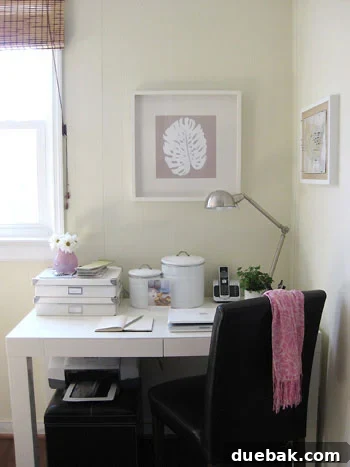
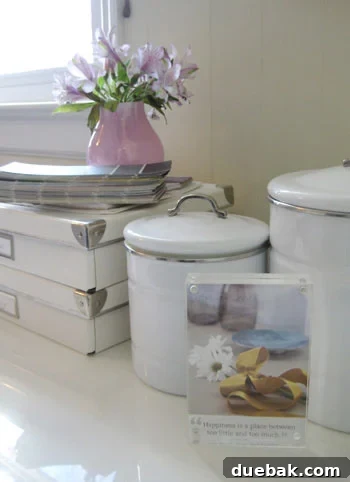
One of the most unconventional yet surprisingly effective strategies for cord concealment involves repurposing everyday items. Our personal favorite, born out of a desire for absolute tidiness, is the “hidden box” method. We utilize two simple white cardboard IKEA boxes, stacked neatly to the left of our computer, to ingeniously house our cable modem and external hard drive. This seemingly simple hack transforms essential but unsightly devices into discreet, decorative elements.
Implementing the DIY Box Method Safely and Effectively:
- Ventilation is Key: This step cannot be overstated. Devices like modems and hard drives generate heat, and restricting airflow can lead to overheating, malfunction, or even fire hazards. We punch numerous holes around the top, back, and sides of each box to ensure ample air circulation. Consider using a hole puncher or a drill with a small bit for neat, consistent perforations.
- Strategic Cord Notches: To allow cables to escape cleanly and plug into outlets under the desk, we cut precise notches in the back of each box. These should be wide enough to accommodate all necessary cords without crimping or excessive bending.
- Regular Monitoring: While this method has worked flawlessly for us for years, regular checks are crucial. Occasionally lift the box tops to feel the devices for excessive heat build-up and air them out. This is especially important when you first implement the system to ensure your ventilation is adequate for your specific devices.
- Device Suitability: This method is best suited for devices that don’t require frequent access or visual monitoring (e.g., modems, routers, external hard drives, power strips). Avoid using it for devices that generate significant heat or require direct interaction.
- Material Choice: Cardboard boxes are a common choice due to their availability and ease of modification. However, ensure the boxes are sturdy and not placed in areas prone to moisture. For a more durable or aesthetically pleasing solution, consider wooden or plastic storage boxes, which can also be be modified with ventilation holes.
Important Safety Disclaimer: While the “DIY box” method can be an effective way to hide electronics and their associated cords, it carries inherent risks if not executed correctly. Devices generate heat, and inadequate ventilation can lead to overheating, component damage, or even fire. Always exercise extreme caution. Ensure extensive ventilation holes are present, regularly check for heat buildup, and never obstruct device fans. If you are unsure, consult a professional or opt for commercially designed cord management solutions that prioritize safety.
Leveraging Furniture for Smart Concealment
Beyond DIY hacks, intelligent furniture placement can work wonders in masking cable clutter. One simple yet impactful strategy we employ involves a stylish leather ottoman. Positioned directly under the left side of our desk, it serves a dual purpose:
- Glorious Cord Hider: The ottoman strategically conceals all the cords running from the backs of our IKEA boxes and the printer, effectively blocking them from view as they plug into the wall outlet behind it.
- Functional Storage: As a bonus, the ottoman provides hidden storage for extra office supplies, keeping the desktop clear and organized. Affordable ottomans from stores like Target often offer this practical combination of style and utility.
Consider other furniture pieces that can serve a similar purpose: bookshelves with solid backs, small cabinets, or even decorative screens can be strategically placed to shield cable clusters from sight. Look for desks with integrated cable management channels or grommets, or those with solid modesty panels that run to the floor, providing a natural barrier.
Specialized Cord Management Tools: Professional Solutions for Every Need
For those seeking dedicated solutions, the market is rich with products designed specifically to tame unruly cables. Stores like The Container Store, Room & Board, Target, Amazon, and various office supply retailers offer an array of “cord wrangling kits” and individual organizers:
- Cable Sleeves and Wraps: These flexible tubes or wraps enclose multiple cables into a single, neat bundle. They come in various materials (neoprene, fabric, plastic) and colors, allowing you to match your decor. They are ideal for reducing visual clutter and protecting cables.
- Velcro Cable Ties: Reusable and adjustable, velcro ties are perfect for bundling cables together, shortening excess lengths, and securing them to desk legs or other furniture. Unlike single-use zip ties, they allow for easy adjustments and additions.
- Cord Clips and Channels: Adhesive clips can be attached to the back of your desk or wall to route individual cables precisely, preventing them from falling or tangling. Cable channels (raceways) can be mounted under desks or along walls to completely hide bundles of wires, offering a clean, professional finish.
- Cable Management Boxes: These are aesthetically designed boxes with discreet openings to house surge protectors and excess cable length. They offer a safer and more visually appealing alternative to simply stuffing cords behind furniture. Many are designed with ventilation in mind.
- Desk Grommets and Cable Pass-Throughs: If your desk doesn’t have them, you can install desk grommets to create clean entry/exit points for cables, allowing them to pass through the desktop directly to under-desk management systems.
- Under-Desk Cable Trays: These metal or plastic trays attach to the underside of your desk, providing a hidden space to lay power strips and excess cable slack, keeping everything off the floor.
Embracing Wireless Technology
The ultimate solution to cord clutter is to eliminate cords altogether where possible. Invest in wireless peripherals such as keyboards, mice, and headphones. Consider a wireless charging pad for your phone and other compatible devices. While some power cables will always be necessary, minimizing their number significantly reduces the management challenge.
Beyond Cords: Holistic Office Organization for a Clean Mind
A truly organized workspace extends beyond just managing cables. It encompasses a holistic approach to decluttering and arranging all your office essentials. We’ve found that a few simple additions can make a world of difference:
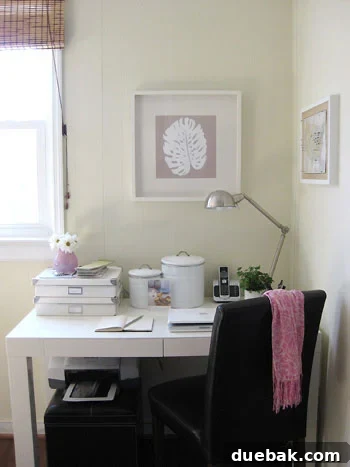
- Stylish Storage Tins: On our desktop, two white IKEA tins (originally for other purposes) now neatly store Burger’s food and treats. This keeps essentials within arm’s reach without contributing to visual clutter. Look for attractive containers that blend with your decor for storing small items like paper clips, sticky notes, or spare batteries.
- Integrated Desk Storage: Our beloved West Elm parsons desk, a cherished wedding gift, features two shallow drawers. These are invaluable for stashing away clutter like bills to be paid, important notes, or small personal items at the end of the day. Choosing a desk with built-in drawers, cubbies, or shelves is a smart investment in organization.
- Thoughtful Decor: A potted plant, a framed piece of DIY art, and a cup full of pens round out our desktop. These elements add personality and functionality without overwhelming the space, contributing to a pleasant and inspiring environment for serious blogging time.
The adage “a clean and organized desk makes for a clean and organized mind” rings profoundly true. When your physical space is orderly, it creates mental space for creativity and focus. We consistently find ourselves working more efficiently and feeling better overall when our desk is meticulously arranged. Our compact corner office, nestled within a corner of our den, is a testament to how a combination of ingenious hacks (yes, hiding a modem in a box!) and practical solutions (like a storage ottoman) can transform a small space into a highly functional and aesthetically pleasing hub.

Maintaining Your Clutter-Free Sanctuary: Tips for Long-Term Organization
Achieving an organized workspace is one thing; maintaining it is another. Integrate these habits into your routine to ensure your desk remains a beacon of order:
- Daily Reset: Take a few minutes at the end of each workday to clear your desk. Put away papers, return items to their designated spots, and wipe down surfaces.
- Regular Decluttering: Periodically review your supplies, documents, and devices. Get rid of anything you no longer need or use.
- Labeling: For intricate cable setups, consider labeling your cords at both ends. This makes identifying and managing them incredibly easy.
- “One Touch” Rule: Try to handle each item only once. If you pick up a bill, either pay it, file it, or discard it immediately rather than letting it sit on your desk.
Join the Conversation: Share Your Cord Management Secrets!
We’ve shared our tried-and-true methods for banishing cord clutter and fostering a harmonious workspace. Now, we’re eager to hear from you! What are your favorite tips and tricks for hiding cords, organizing your desk, and maintaining an orderly home office? Do you have any unique DIY solutions or essential products you can’t live without?
Share your insights in the comments below – your ingenious ideas could be the perfect solution someone else is searching for!
Psst- Want another cord management idea? Check out Nicole’s awesome solution over at Making It Lovely. And to see how we organize and store nearly everything else in our house, check out this exhaustive post of yore.
Important Update Regarding the DIY Box Method: We’re thrilled that many of you are finding inspiration in our IKEA box idea for cord management! However, as ardent proponents of safety and responsible home hacks, we must reiterate a crucial caution. While this method has worked seamlessly for us, we cannot guarantee that it won’t cause your specific electronic components to overheat or even become a fire hazard. Implementing this method requires adequate precautions. Always punch numerous and large holes in the top, bottom, and sides of the box, and cut a generously wide square in the back for unobstructed cord exit. Regularly open the boxes to check for any heat buildup, especially during the initial days of implementation, to ensure your ventilation setup is sufficient. The absolute last thing anyone wants in their lovely home is a preventable fire hazard. Your safety is paramount!