
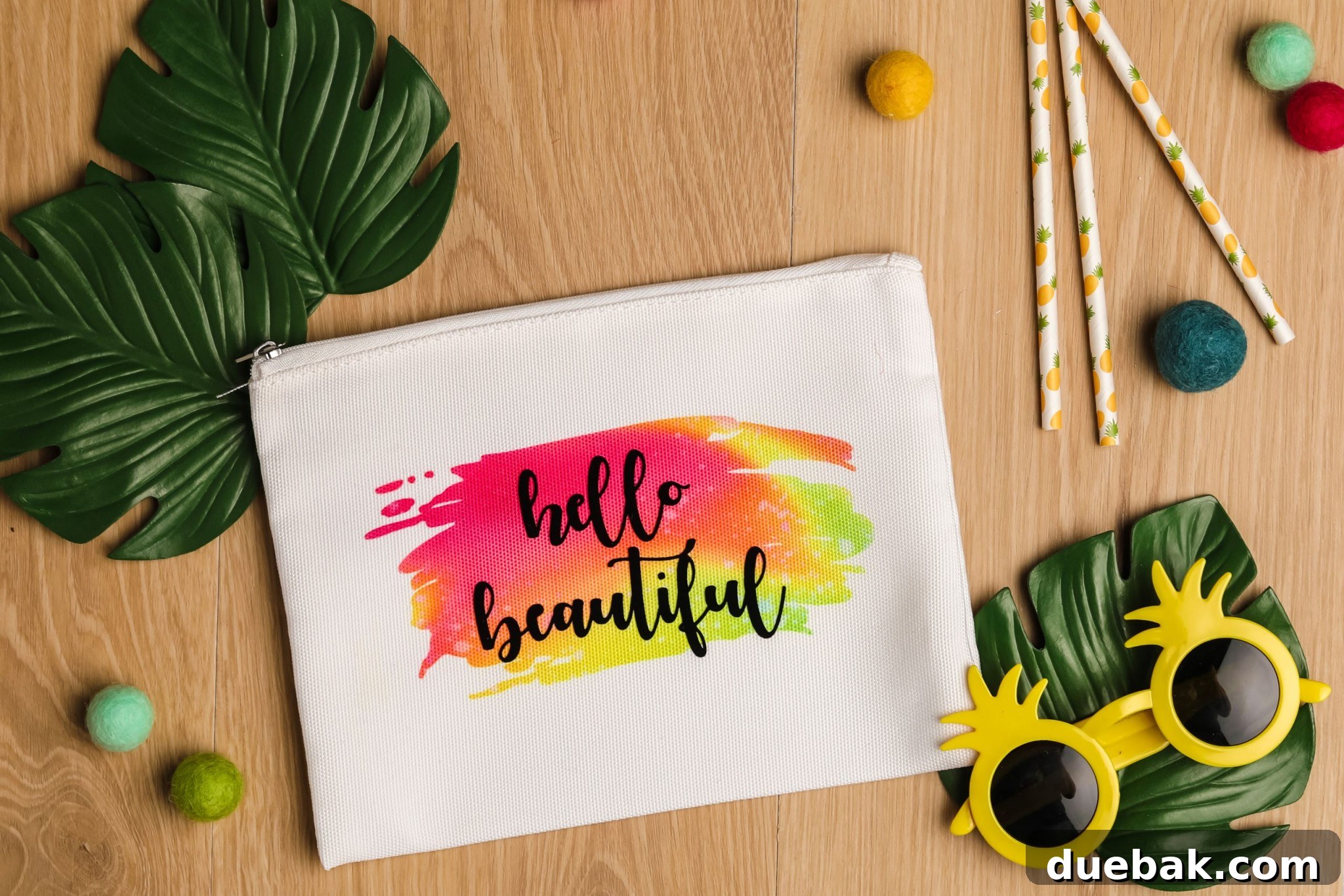
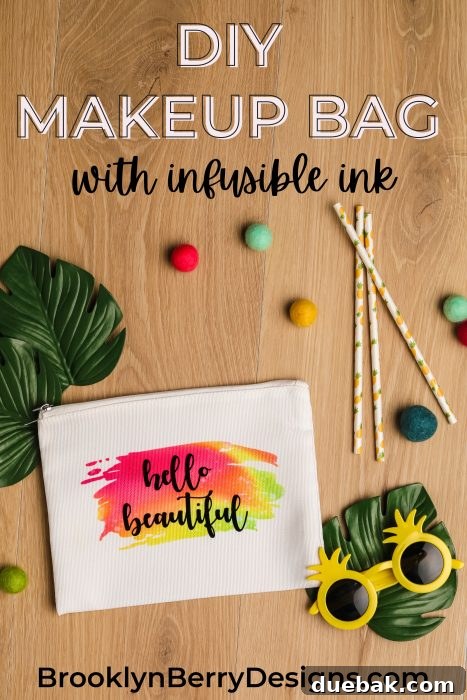
Looking for an incredibly rewarding and straightforward project to dive into the world of Cricut Infusible Ink? Get ready to create a stunning custom cosmetic bag with this easy-to-follow tutorial. You’ll be amazed at how simple it is to achieve professional-looking results that will have you eager to craft a whole collection!
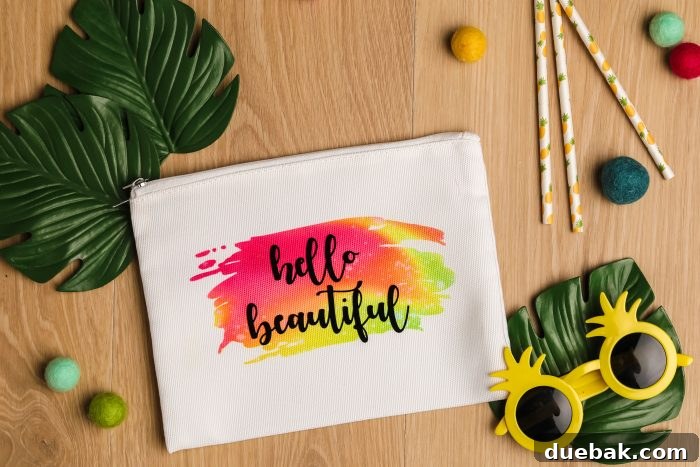
Infusible Ink has revolutionized the crafting landscape, offering a vibrant and permanent way to customize compatible blanks. Unlike traditional iron-on vinyl, which sits on top of the fabric, Infusible Ink actually becomes one with the material. This fusion results in designs that are incredibly smooth to the touch, crack-proof, peel-proof, and wash-proof. The variety of patterns available is truly inspiring, allowing you to achieve complex, multi-colored designs without the tedious process of layering different vinyl colors. Imagine intricate patterns and vibrant gradients seamlessly integrated into your projects!
A common question among crafters is, “Can I combine Infusible Ink with other materials?” Absolutely! This project takes your creativity a step further by demonstrating how to successfully layer iron-on vinyl (HTV) on top of your Infusible Ink design. This technique opens up a vast array of design possibilities, allowing you to add metallic accents, glitter, or other special effects that Infusible Ink alone might not offer. It’s a fantastic way to experiment and personalize your creations even more!
Embarking on a new crafting technique, especially one that involves heat and specific materials, can sometimes feel daunting. The fear of making a mistake is real, but that’s precisely why this Infusible Ink cosmetic bag tutorial is the perfect starting point. Cricut’s blank cosmetic bags are specifically designed for Infusible Ink, making them a forgiving and ideal canvas for beginners. Their compact size also means less material usage for practice, so you can gain confidence quickly without significant investment.
Whether you’re a seasoned Infusible Ink enthusiast looking for a quick and stylish project, or a complete beginner eager to try this exciting medium, this guide is for you. Experienced crafters can easily jump to the end of this post to download the free “Hello Beautiful” SVG file and get straight to creating. However, if you need a little encouragement and a comprehensive walkthrough, I’ll guide you through every step, from preparing your design in Cricut Design Space to pressing it onto your cosmetic bag with flawless results.
Prepare to be amazed by the simplicity and stunning outcome of this project! What might appear complex at first glance is actually a straightforward process that yields beautiful, professional-quality items. This DIY makeup bag is so charming and versatile, you’ll want to make them for every occasion – thoughtful Christmas gifts, personalized birthday presents, or elegant bridesmaid proposals. It’s truly the perfect starter project for anyone new to Cricut Infusible Ink, offering amazing results with minimal effort.
Essential Supplies for Your Infusible Ink Cosmetic Bag Project
Gathering the right tools and materials is the first crucial step towards a successful crafting endeavor. For this Infusible Ink cosmetic bag, you’ll need the following items. Each plays a vital role in ensuring a smooth process and a high-quality finish, especially when combining Infusible Ink with iron-on vinyl.
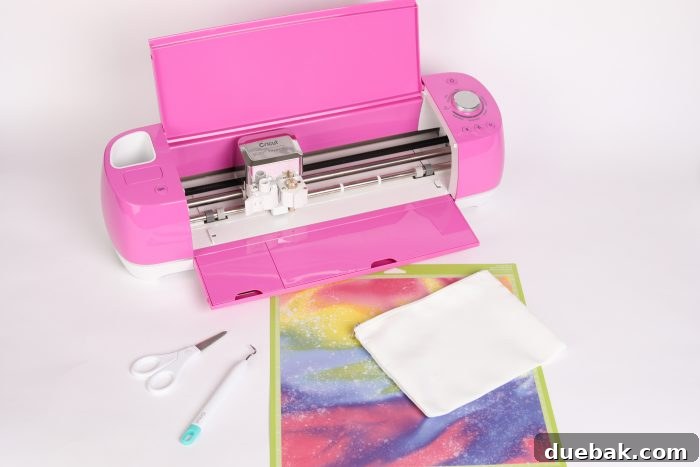
- Cricut Explore Air 2 or Cricut Maker: These cutting machines are essential for precisely cutting your Infusible Ink sheets and iron-on vinyl designs.
- Cricut EasyPress 2 (or higher) or a Heat Press: A reliable heat source is critical for transferring Infusible Ink and iron-on vinyl accurately. The EasyPress ensures even heat distribution and precise temperature control.
- Infusible Ink Transfer Sheet: Choose your favorite pattern or solid color! This is what will infuse into the fabric.
- Standard Iron-On Vinyl (HTV): Select a contrasting color or special finish (like glitter or metallic) for your layered design.
- EasyPress Mat: Provides an even, reflective surface for optimal heat transfer, protecting your work surface.
- StandardGrip Cutting Mat: Used to hold your Infusible Ink sheet and iron-on vinyl securely while cutting.
- Weeding Tools: Essential for removing excess material from your cut designs.
- Designs / SVG File: You’ll need the “Hello Beautiful” SVG file, which you can download at the end of this tutorial.
- Cricut Blank Cosmetic Bag: These bags are made from a polyester blend specifically formulated for optimal Infusible Ink transfer.
- Heat Resistant Tape: Helps secure your design in place during the pressing process, preventing ghosting.
- White Cardstock: Placed inside the bag to prevent bleed-through and protect the back layer.
- Lint Roller: Crucial for removing any dust or fibers from the blank, which can interfere with the Infusible Ink transfer.
- Butcher Paper (included with Infusible Ink sheets): Acts as a barrier to protect your EasyPress and prevent ink transfer to unwanted areas.
Crafting Your Design in Cricut Design Space
Preparing your design correctly in Cricut Design Space is paramount for a successful Infusible Ink and iron-on vinyl project. Pay close attention to these steps, as mirroring your image and selecting the right material settings are critical.
- Upload Your Design: Begin by uploading the “Hello Beautiful” SVG file to Cricut Design Space. If you’re new to this, you can find a detailed tutorial on uploading images here.
- Resize for Perfection: Carefully measure the surface area of your cosmetic bag where you intend to place the design. Resize the SVG file within Design Space to ensure it fits perfectly, leaving a small margin around the edges for a professional look.
- Prepare Your Mats for Cutting:
- For the Infusible Ink layer: Place your Infusible Ink transfer sheet onto a StandardGrip mat with the colored side (design side) facing UP. This ensures the blade cuts through the carrier sheet.
- For the Iron-On Vinyl layer: Place your iron-on vinyl onto a StandardGrip mat with the shiny carrier sheet facing DOWN. This is crucial for proper cutting and weeding of HTV.
- Initiate the Cut Process: Click the “MAKE IT” button in Design Space.
- Crucial Step: Mirror Your Images: On the “Prepare” screen, you will see your designs laid out on virtual mats. For both the Infusible Ink mat and the iron-on vinyl mat, you absolutely must toggle the “Mirror” option to ON. If you forget this step, your design will be backwards when applied!
- Select Material Settings:
- For the Infusible Ink mat: Select “Infusible Ink Transfer Sheet” as your material setting.
- For the Iron-On Vinyl mat: Select the appropriate “Iron-On Vinyl” setting for the type of vinyl you are using (e.g., Everyday Iron-On, Glitter Iron-On).
- Load and Cut: Load your first prepared mat (either Infusible Ink or iron-on vinyl) into your Cricut machine, ensuring it’s properly aligned. Then, press the flashing “C” (cut) button on your machine.
- Unload and Remove: Once the cutting is complete, unload the mat from the machine. Carefully peel the Infusible Ink sheet off the mat.
- Repeat for Second Material: Repeat steps 7 and 8 for your second material (the iron-on vinyl).
- Weeding Your Designs:
- For Infusible Ink: “Crack” the cut sheet by gently rolling it to make the cut lines more visible. Then, carefully remove the excess Infusible Ink material from around and within your design. Infusible Ink usually weeds quite easily by hand or with minimal tool use.
- For Iron-On Vinyl: Use your weeding tools to remove all the surrounding vinyl and any inner pieces from your design, leaving only the desired parts on the clear carrier sheet.
-
Double-check both weeded designs to ensure all unwanted material has been removed.
Step-by-Step Infusible Ink Cosmetic Bag Application
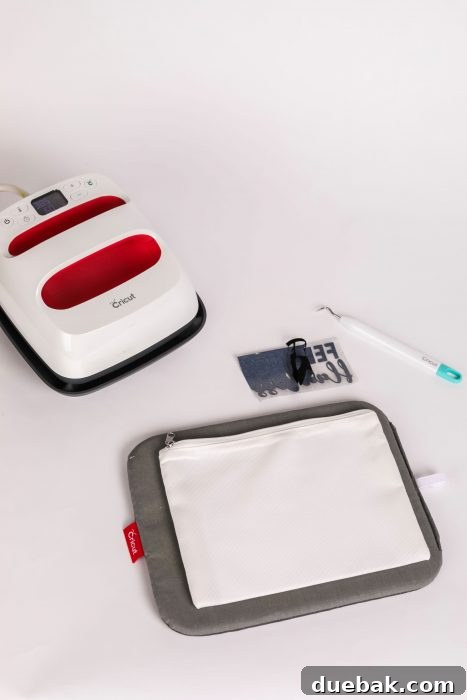
Now that your designs are perfectly cut and weeded, it’s time for the exciting part: transferring them onto your cosmetic bag! This section details the application process for both Infusible Ink and iron-on vinyl, ensuring a vibrant, lasting finish.
- Preheat Your EasyPress: Turn on your Cricut EasyPress 2 (or higher) and set the temperature to 385°F (195°C). For the exact recommended time and temperature for your specific materials and blank, always refer to the Cricut Heat Guide online.
- Position the EasyPress Mat: Place your EasyPress Mat on a firm, flat, heat-resistant surface. This provides the necessary support and even heat distribution for a flawless transfer.
- Prepare the Cosmetic Bag: Lay the cosmetic bag flat on the EasyPress mat. Open the bag and insert a piece of white cardstock inside, directly under where your design will go. This prevents any Infusible Ink from bleeding through to the back of the bag.
- Lint Roll Thoroughly: Use a lint roller to meticulously go over the entire surface of the cosmetic bag where your design will be placed. Even tiny fibers or dust particles can prevent proper ink transfer and cause imperfections in your finished design.
- Preheat the Bag: Cover the area where your design will go with a piece of butcher paper (included with Infusible Ink sheets). Preheat the cosmetic bag with your EasyPress for 15 seconds. This important step removes any moisture from the fabric, which could otherwise interfere with the transfer process and lead to uneven results.
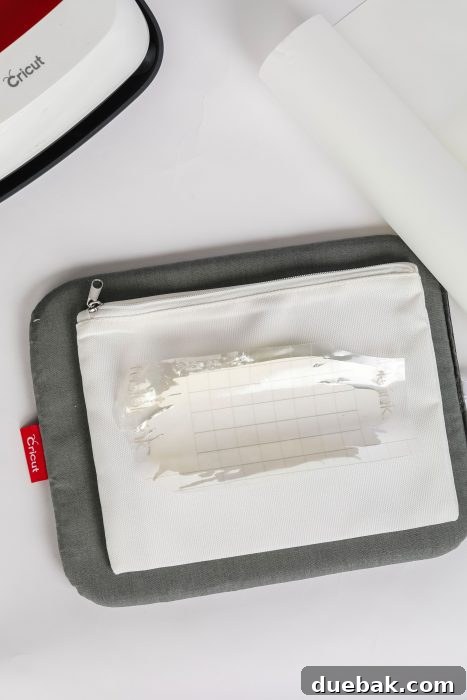
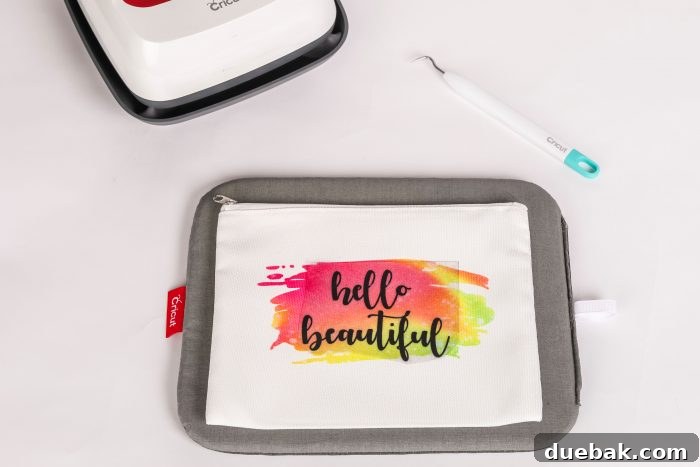
- Position the Infusible Ink Design: Remove the butcher paper. Carefully place your weeded Infusible Ink design onto the cosmetic bag, adhesive side down (liner facing up). Use heat-resistant tape to secure the design in place if needed, especially if it’s a multi-part design or if you’re worried about shifting.
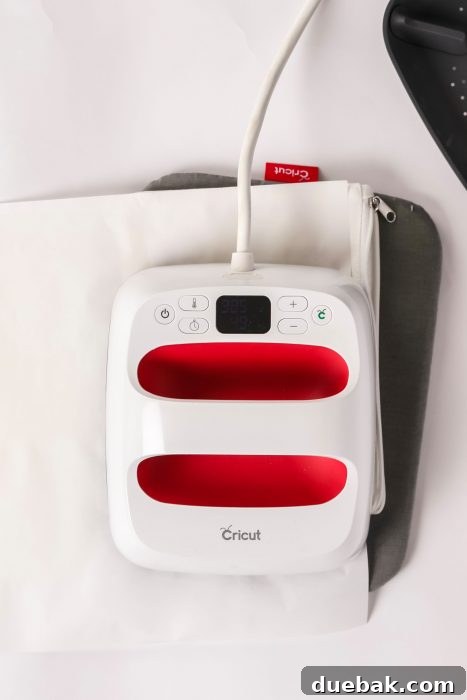
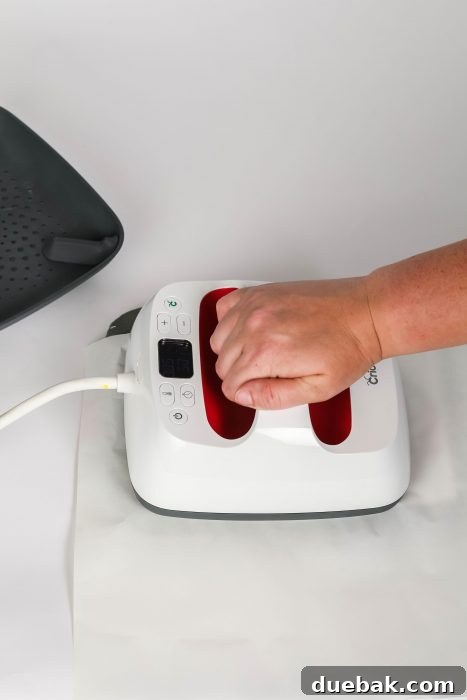
- Press the Infusible Ink: Place the EasyPress directly over your design. Apply light pressure at 385°F for 60 seconds. Ensure the EasyPress covers the entire design; if your design is larger than your EasyPress plate, you may need to press in sections, overlapping slightly, but be careful not to move the design.
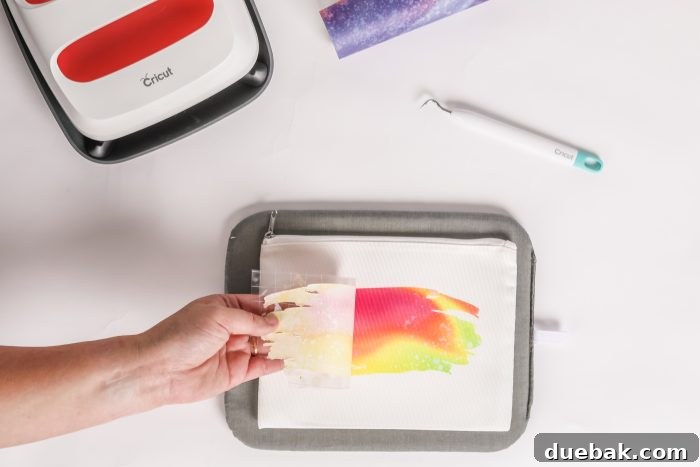
- Cool Down and Peel: Once the pressing time is complete, carefully lift the EasyPress straight up. Let the cosmetic bag and design cool down to a warm temperature. This is crucial for Infusible Ink; do not peel when hot. Once cool enough to touch, gently peel away the Infusible Ink transfer sheet liner. You’ll reveal your vibrant, permanent design infused into the fabric!
- Apply the Iron-On Vinyl Design: Now it’s time to add your layered iron-on vinyl design. Position your weeded iron-on vinyl design (still on its clear carrier sheet) over the infused Infusible Ink. Make sure it’s perfectly centered and aligned.
- Press the Iron-On Vinyl: Cover the entire design (both Infusible Ink and HTV) with a clean piece of butcher paper or a Teflon sheet to protect your EasyPress and the Infusible Ink. Refer to the Cricut Heat Guide for the precise time and temperature for your specific iron-on vinyl. Generally, for most everyday iron-on vinyls, you might press around 305°F (150°C) for 30 seconds with light pressure. Ensure the EasyPress is not directly over the zipper, as this can cause uneven heat and damage the zipper or the design.
- Final Peel: After pressing, let the design cool slightly (check your HTV instructions for hot or cool peel). Carefully peel off the clear carrier sheet from the iron-on vinyl to reveal your complete, stunning layered design!
Pro Tips for Flawless Infusible Ink Projects
Achieving perfect results with Infusible Ink and heat transfer projects often comes down to attention to detail. Here are some extra tips to ensure your cosmetic bag turns out beautifully:
- Always Use a Lint Roller: This can’t be stressed enough! Tiny lint fibers act as a barrier to the ink, resulting in small white spots or incomplete transfers. Lint roll immediately before placing your design.
- Preheat Your Blank: The 15-second preheat helps remove moisture, which can cause uneven transfers and lighter colors. Don’t skip it!
- Protect Your Surfaces: Always use an EasyPress Mat and butcher paper or a Teflon sheet. This protects your mat, your EasyPress, and prevents any accidental ink transfer to other areas or subsequent projects.
- Use Heat Resistant Tape: For intricate designs or if you’re worried about your design shifting during transfer, use heat resistant tape to secure the Infusible Ink sheet. This helps prevent “ghosting” (a faint double image).
- Avoid Seams and Zippers: When pressing, try to keep your design away from thick seams or zippers. These areas can prevent the EasyPress from applying even pressure, leading to faded or incomplete transfers. If a seam is unavoidable, try to elevate the pressing mat underneath the design to create a flatter surface.
- Handle with Care: Infusible Ink sheets are delicate before transfer. Avoid touching the inked surface with your fingers, as oils can affect the transfer quality.
- Cool Before Peeling (Infusible Ink): For Infusible Ink, always allow the design to cool to a warm temperature before peeling the liner. Peeling while too hot can sometimes lead to ghosting or incomplete transfers.
- Check Heat Guide: Always double-check the Cricut Heat Guide for the most up-to-date time and temperature settings for your specific machine, blank, and transfer materials. Settings can vary!
Beyond the “Hello Beautiful” Cosmetic Bag: Creative Ideas & Customization
This “Hello Beautiful” cosmetic bag is just the beginning! Infusible Ink offers endless possibilities for personalized gifts and accessories. Here are some ideas to spark your creativity:
- Personalized Gifts: Customize cosmetic bags with names, monograms, or inside jokes for birthdays, holidays, or thank-you gifts.
- Bridesmaid Proposals: Create matching bags for your bridal party, perhaps with their initial and a fun pattern.
- Travel Essentials: Make a set of bags for different travel items – one for toiletries, one for accessories, one for tech gadgets.
- Teacher Gifts: A custom bag filled with small treats or school supplies makes a thoughtful end-of-year gift.
- Home Organization: Use them to organize craft supplies, hair accessories, or small toys.
- Infusible Ink Combinations: Experiment with different Infusible Ink patterns and solid colors. You can cut different parts of your design from different sheets for a multi-color infused look.
- Layering with Other Materials: Beyond standard iron-on vinyl, try layering with glitter HTV, foil HTV, or even puff vinyl for unique textures and finishes. Just remember to always press Infusible Ink first, as it requires higher temperatures.
Looking for the best deals on Cricut products, designs, and fonts? Don’t miss out on amazing savings! Check out my Cricut Deals Page!
Your Free “Hello Beautiful” SVG File Awaits!
Ready to bring this adorable “Hello Beautiful” cosmetic bag to life? I’m thrilled to offer you the SVG file absolutely free! This design is perfect for inspiring confidence and adding a touch of charm to your daily routine or to make a delightful gift for someone special.
Click the link below to download your free “Hello Beautiful” SVG file. If you enjoy this project, be sure to share your creations with us on social media! Happy crafting!

You can download the Free “Hello Beautiful” SVG File Here: [Insert actual download link or instruction, e.g., “Click here to access the SVG file!”]

INFUSIBLE INK COSMETIC BAG
Equipment
-
Cricut Brayer and Remover Set
-
EasyPress
-
EasyPress Mat
-
Cricut Explore Air
-
Cardstock
Materials
- Cricut Explore Air 2
- Cricut EasyPress 2
- Infusible Ink Transfer Sheet
- EasyPress Mat
- Cutting Mat
- Weeding Tools
- Designs / SVG the link to download is at the end of this post
- Cricut Blank Cosmetic Bag
- Heat Resistant Tape
- White cardstock
Instructions
-
Place an Infusible Ink transfer sheet on a StandardGrip Mat face up.
-
Place iron-on vinyl on StandardGrip Mat shiny side down.
-
Upload the design to Cricut Design Space.
-
Resize the design to fit on the cosmetic bag.
-
Click MAKE IT. Note: you’ll need to MIRROR your image for both images.
-
Choose Infusible Ink for the infusible ink mat, and iron-on vinyl for the other mat.
-
Load the mat, then press the C (cut) button on your machine.
-
When it’s finished cutting, unload the machine and take the Infusible Ink sheet off the mat.
-
Repeat steps 7-8 for iron on vinyl.
-
Remove the outside of the design from your cut so that only your design is left on the sheet.
-
Preheat Cricut EasyPress 2 to 385°F.
-
Place cosmetic bag on EasyPress mat.
-
Place cardstock inside the cosmetic bag to prevent the colors from bleeding onto the back of the bag.
-
Use a lint roller over the bag to remove any particles.
-
Cover cosmetic bag with butcher paper and preheat for 15s.
-
Remove butcher paper and place the design on the cosmetic bag – liner facing up.
-
Press with light pressure at 385°F for 60 s.
-
Let the design bag cool to a warm temperature and remove the liner.
-
Repeat again with iron-on vinyl design.