
Embark on an exciting journey to create your very own custom Disney and Star Wars-themed shirts! Whether you’re gearing up for an unforgettable trip to Disney World or Disneyland, planning a themed party, or simply a dedicated Star Wars enthusiast looking to showcase your fandom, this guide will show you how incredibly easy and rewarding it is to craft personalized apparel. With the power of a cutting machine like Silhouette or Cricut, along with our exclusive free SVG files, you’re just a few steps away from wearing your galactic pride or magical spirit. Dive into the world of DIY crafting and make unique shirts that will surely turn heads and spark joy!
Unleashing Your Inner Star Wars Fan: The Joy of Custom Crafts
Star Wars isn’t just a movie franchise; it’s a cultural phenomenon that has captivated generations across the globe. From the epic battles of Jedi and Sith to the heartwarming camaraderie of droids and rebels, its universe offers endless inspiration for fans of all ages. My own family has a deep love for all things Disney, and my brother, in particular, is a devout Star Wars loyalist. I remember a memorable trip to France where he absolutely insisted we see the latest Star Wars installment, despite the challenge of navigating French subtitles that even attempted to translate the mechanical beeps and boops of droids! It was a truly unique experience, highlighting just how deeply some fans connect with every aspect of the saga.
This enduring passion for Star Wars extends to expressing fandom through creative outlets, and what better way than custom apparel? Personalized shirts offer a fantastic way to celebrate your favorite characters, iconic symbols, or memorable quotes. They’re perfect for family vacations, fan gatherings, movie nights, or simply as a statement piece for everyday wear. The beauty of DIY shirts lies in their uniqueness; unlike mass-produced merchandise, your creations carry a personal touch and tell your own story.
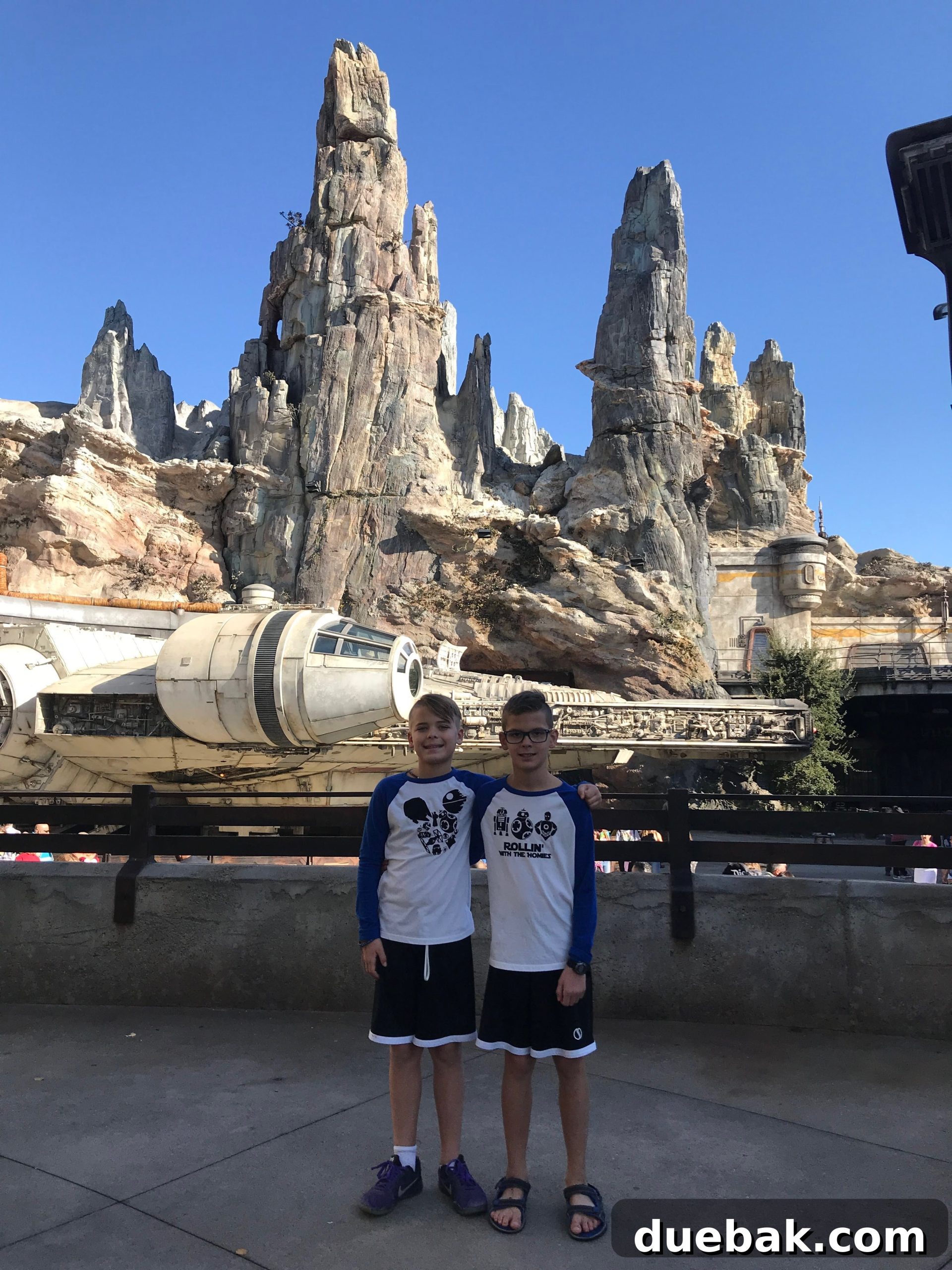
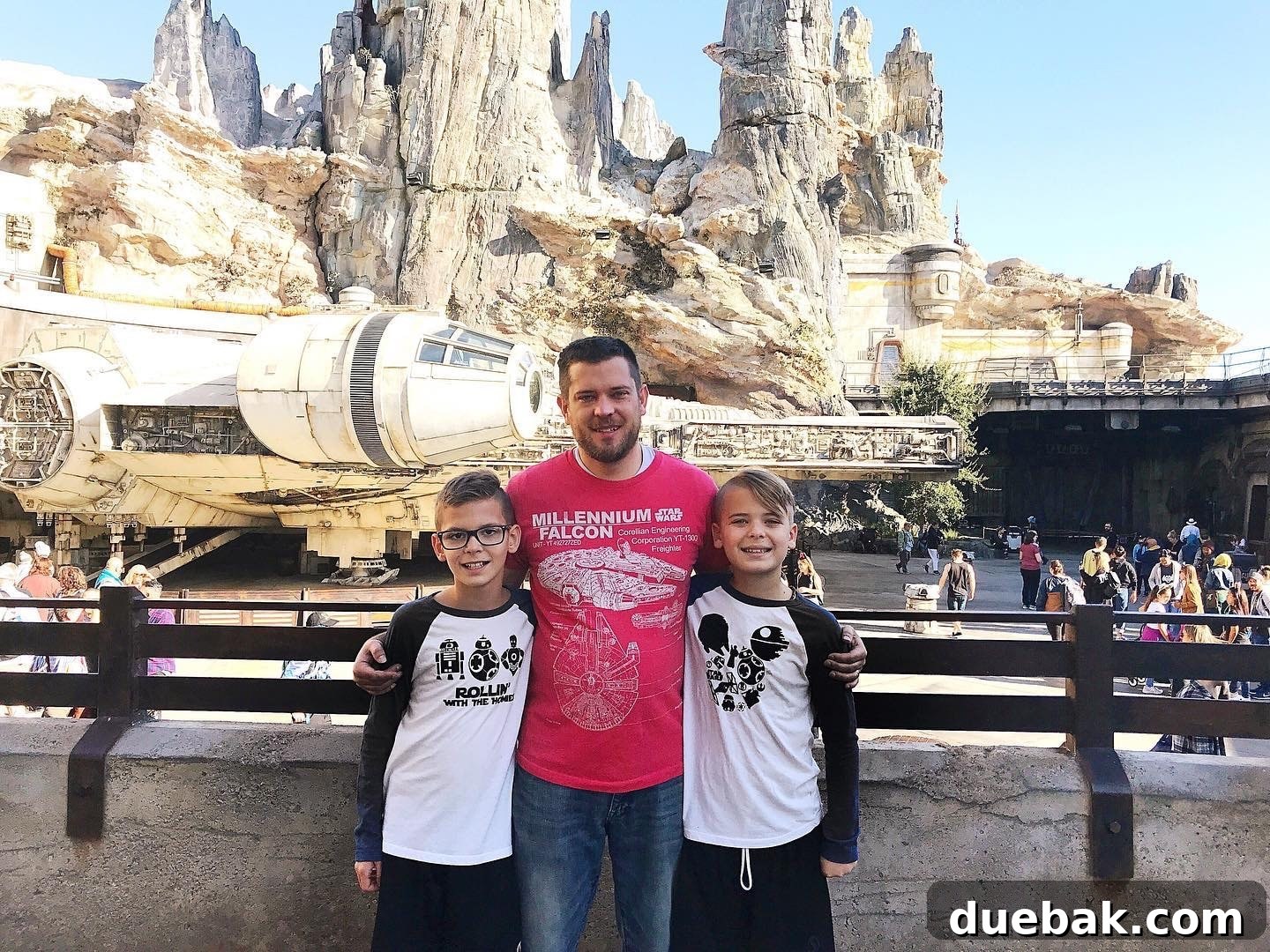
Recently, an opportunity arose to blend this family passion with my love for crafting. My niece’s dance team earned the incredible chance to perform at Disneyland, prompting a full family excursion. Naturally, I offered to create some special, custom shirts for the entire family to wear during their magical adventure. While the girls opted for classic Mickey and Minnie designs, the boys, without hesitation, requested DIY Star Wars shirts. Even though I can identify most characters, I humbly admit I’m not the resident Star Wars expert in our household. So, I enlisted the ultimate consultants: my nephews!
Their excitement was palpable as they joined me in the creative process. I recall asking them, “Are all these characters from the same show?” Their amused reactions quickly clarified my limited knowledge, making for a truly funny and memorable crafting session. My 11-year-old nephews absolutely reveled in every step, from selecting designs to the meticulous weeding of the iron-on vinyl, and even assisting with the easy press application. It was a genuine team effort, fostering not just creativity but also a wonderful bonding experience. The pride in their eyes, knowing they had *made* these shirts themselves, was incredibly rewarding.
Looking for more Star Wars celebration ideas? Check out this adorable and fun Star Wars Birthday Party for inspiration!
There’s an undeniable satisfaction that comes with crafting something professional-looking by hand. The crisp lines, vibrant colors, and smooth finish of iron-on vinyl give DIY shirts a high-quality, boutique feel. One of the most gratifying moments, which always elicited laughter and cheers from us, was peeling off the clear transfer sheet after pressing the design onto the fabric. It’s that magical reveal that truly solidifies the sense of accomplishment.
Before they even returned from their Disneyland trip, my phone was buzzing! Three different friends, including my sister-in-law’s friends, messaged me, asking where they could buy these amazing shirts. The overwhelming positive response confirmed that these designs were a hit! It quickly became clear that this wasn’t just a family project, but an idea worth sharing. So, I decided to compile all the information here, complete with free SVG files, so that everyone could easily create their own fantastic DIY Star Wars shirts and experience the joy of crafting personalized fandom wear.
Crafting the Perfect Droid Squad: “Rollin’ With The Homies” Shirt
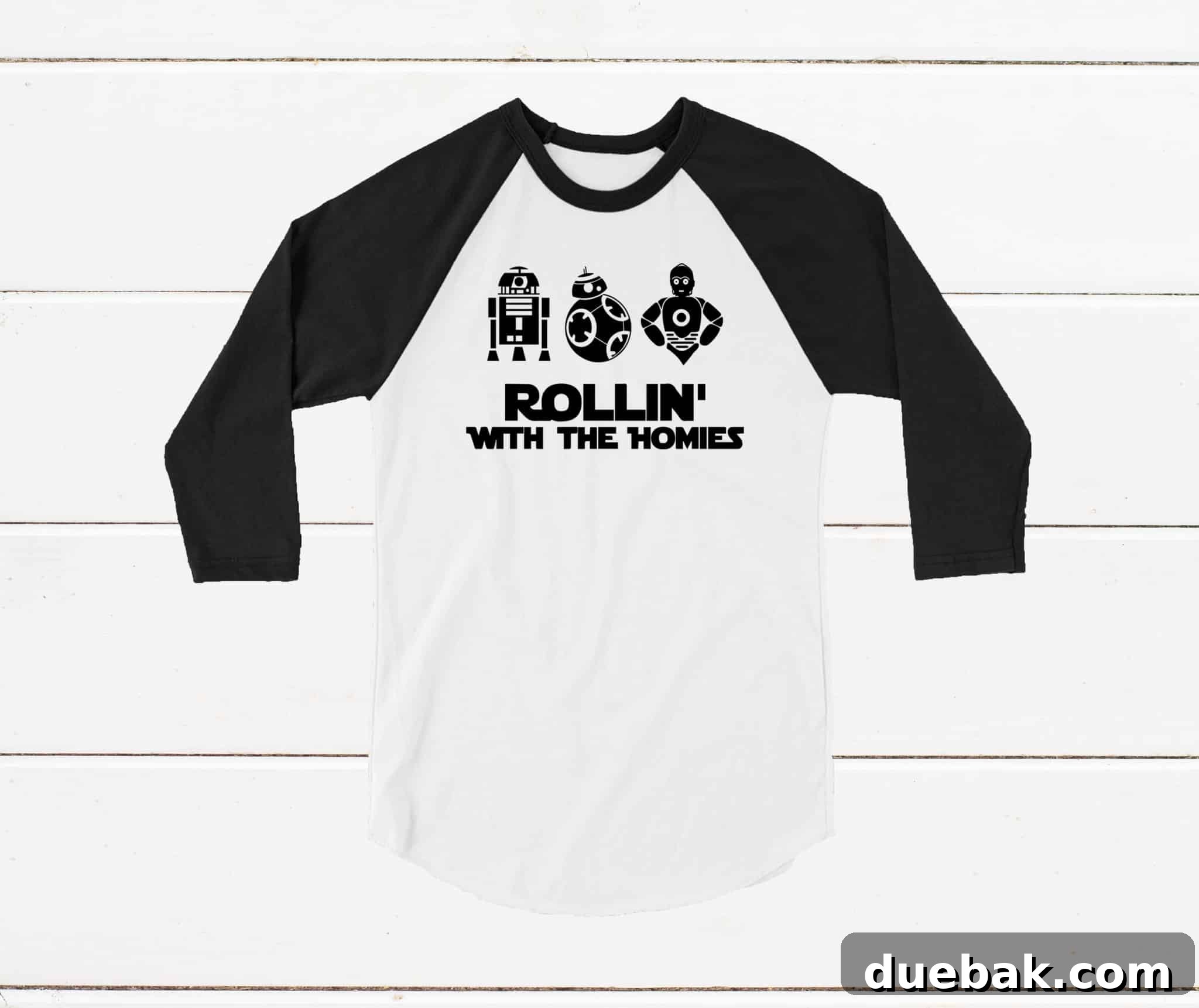
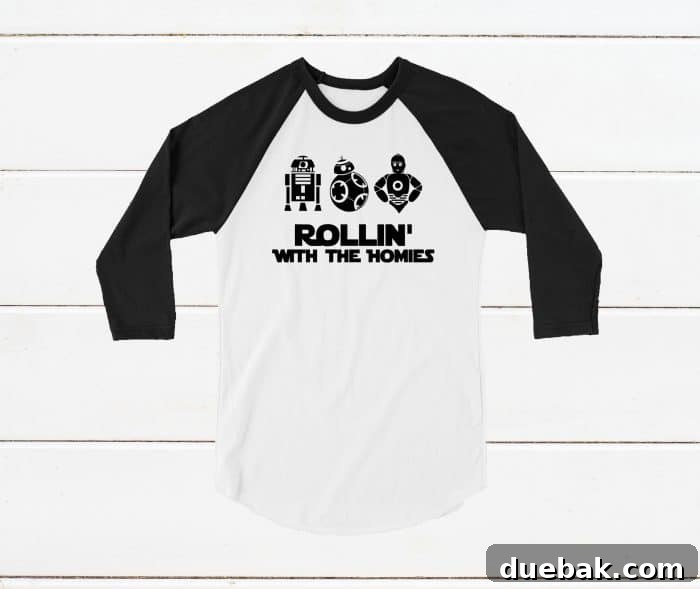
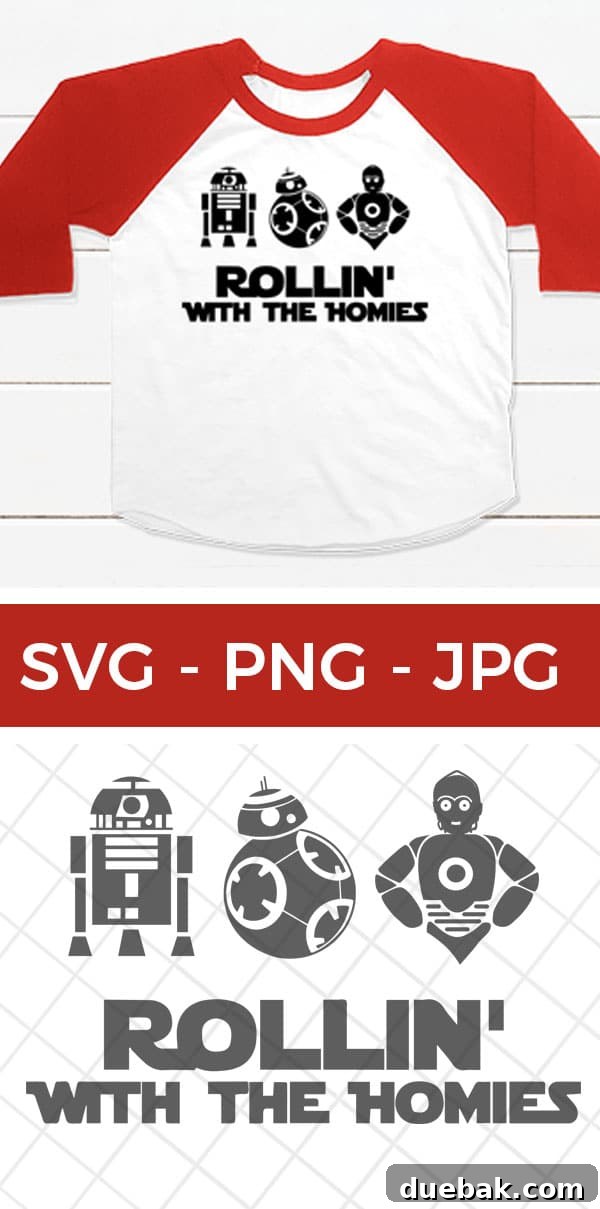
Our “Rollin’ With The Homies” design is a heartfelt tribute to some of the most iconic and beloved droids in the Star Wars galaxy. When it comes to assembling a team of mechanical companions, why choose just one when you can have a whole squad of your favorites? This design brilliantly brings together fan favorites like the resourceful R2-D2, the loyal and bubbly BB-8, and the eloquent C-3PO, celebrating their unique personalities and indispensable roles in the saga. It’s a design that resonates deeply with fans who appreciate the humor, bravery, and companionship these droids bring to every adventure.
This particular SVG was designed with versatility in mind, making it a perfect choice for shirts, hoodies, tote bags, or even decals for laptops and water bottles. The clean lines and distinct silhouettes of each droid ensure a flawless cut with your Silhouette or Cricut machine, and a smooth application with iron-on vinyl. It’s a fun, recognizable, and utterly charming design that instantly communicates your love for the mechanical heroes of Star Wars. You’ll find the link to download this free SVG file at the bottom of this post, ready for your next crafting session!
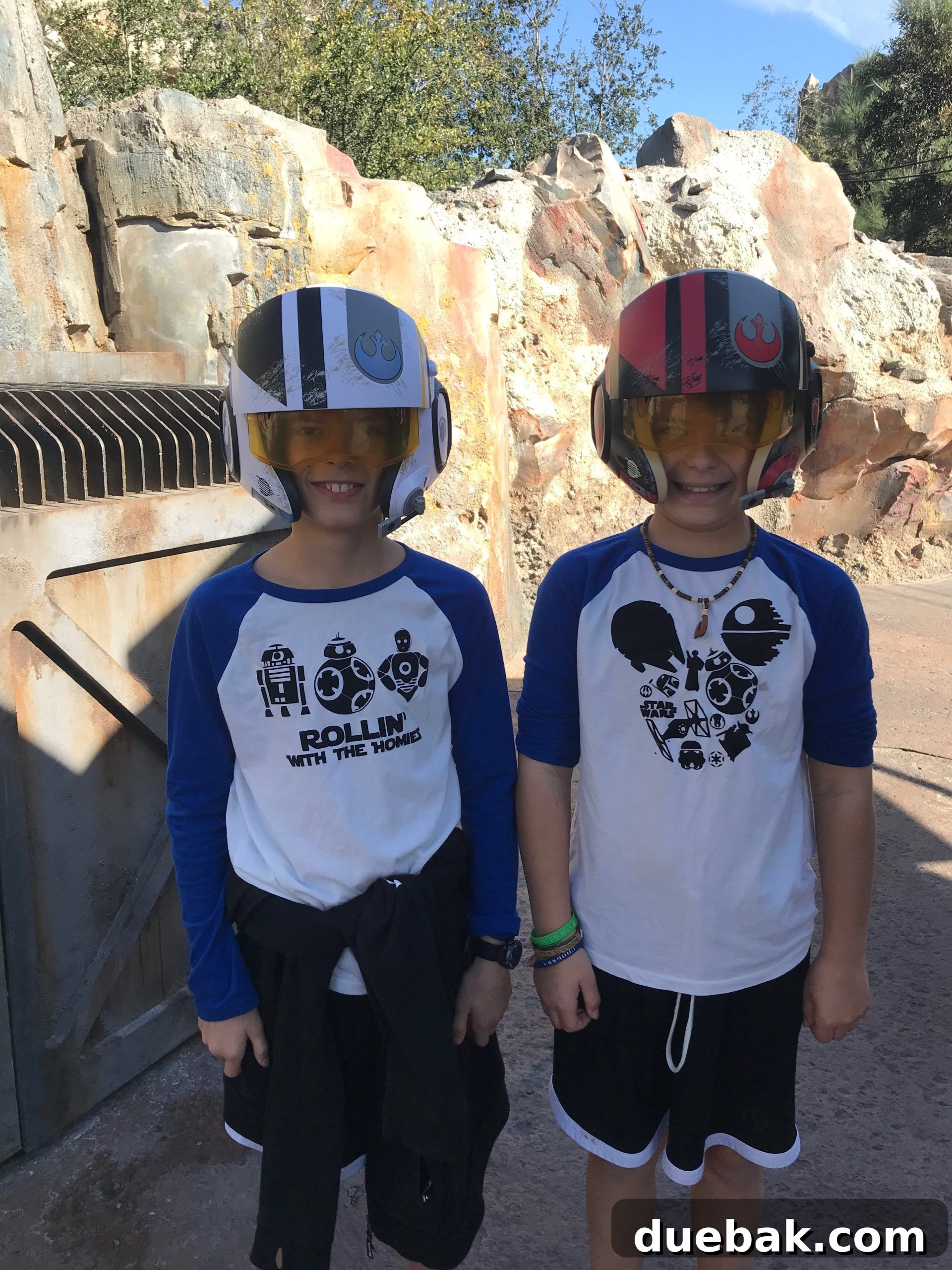
Merging Universes: The Iconic Star Wars Mickey Shirt
For those who adore both the magic of Disney and the epic tales of Star Wars, the Star Wars Mickey shirt is the ultimate crossover design. This clever creation takes classic Star Wars symbols and seamlessly integrates them into the beloved silhouette of Mickey Mouse’s head. Imagine the Rebel Alliance symbol, the Imperial crest, or perhaps even a tiny lightsaber forming the ears or features of Mickey’s iconic shape. It’s a subtle yet powerful nod to both universes, perfect for Disney Parks adventures, Star Wars Celebration events, or simply expressing your dual fandom.
This fantastic SVG file, which allows you to create your own unique Star Wars Mickey shirt, is generously offered for free by Alicia at Sew What Alicia. Her creative designs are a treasure trove for crafters, and this particular file is no exception. It’s a versatile design that looks fantastic on shirts, hoodies, hats, or even as vinyl decals for accessories. You can easily get her free file RIGHT HERE to add a touch of intergalactic Disney charm to your next project!
Essential Cricut & Crafting Tutorials to Get Started
If you’re new to the world of cutting machines or looking to brush up on your skills, we’ve got you covered with a selection of helpful tutorials. Mastering your Cricut machine is key to unlocking endless creative possibilities, and these resources are designed to guide you through common processes and equip you with valuable tips and tricks. From understanding how to work with SVG files to maximizing your machine’s potential, these guides will ensure your DIY Star Wars shirt project goes smoothly and successfully.
- How to Upload an SVG to Cricut Design Space: This step-by-step guide is crucial for anyone looking to use custom designs with their Cricut machine. Learn the simple process of importing your downloaded SVG files, preparing them for cutting, and getting them ready for your project in Design Space.
- Cricut Tips and Tricks – Hacks You Need To Know: Elevate your crafting game with these ingenious tips and hacks that can save you time, materials, and frustration. Discover clever ways to optimize your cutting, weeding, and application processes for a smoother, more professional finish.
- Cricut Explore VS Maker – Which Do You Need and Why?: Deciding between Cricut Explore and Cricut Maker can be daunting. This comparison guide breaks down the features, capabilities, and ideal uses for each machine, helping you choose the best cutting machine for your crafting needs and budget.
DIY Star Wars Shirt: A Step-by-Step Crafting Guide

Print
Pin This
DIY Star Wars Shirt: Your Crafting Adventure Begins!
Equipment
-
Cricut Explore Air 2 or Cricut Maker: These versatile cutting machines are the heart of your DIY projects, precisely cutting intricate designs from heat transfer vinyl.
-
Cricut EasyPress 2 (or similar heat press): Essential for evenly and consistently applying your iron-on vinyl to fabric, ensuring a durable and professional finish.
-
EasyPress Mat: Provides a firm, even surface and helps distribute heat optimally, protecting your workspace and enhancing vinyl adhesion.
-
Weeding Tools (Hook, Tweezers): These small but mighty tools are indispensable for removing excess vinyl from your cut design, revealing the intricate details.
Materials
- Blank T-Shirt or other fabric item: Choose a high-quality cotton or cotton-blend shirt for best results and comfort. Pre-wash and dry your shirt before applying vinyl to prevent shrinkage later.
- Iron-on Vinyl (Heat Transfer Vinyl – HTV): Select your preferred colors and finish (matte, glitter, holographic). Ensure it’s compatible with your fabric type.
- StandardGrip Cutting Mat: Essential for holding your vinyl securely in place while your Cricut machine cuts the design.
- Star Wars SVG design – free download below: Our exclusive designs are ready for you to download and use with your cutting machine.
Instructions
-
Upload SVG to Cricut Design Space: Begin by opening Cricut Design Space on your computer or mobile device. Click on “Upload” and then “Upload Image” to browse and select your downloaded Star Wars SVG file. Once uploaded, you can add it to your canvas. Make sure to adjust the size of the design to fit your chosen shirt perfectly. For a comprehensive guide on this step, refer to our full tutorial on how to add SVG files to Cricut Design Space here.

-
Prepare for Cutting (“Make It”): Once your design is perfectly sized and positioned on the canvas, click the “Make It” button. This will take you to the mat preview screen. This is a CRUCIAL step when working with iron-on vinyl: you MUST mirror your design. Look for the “Mirror” toggle option for each mat and ensure it is switched ON. If you are using a Cricut Maker, the system will prompt you to select your material settings. For Cricut Explore Air machines, turn the Smart Set Dial to “Iron-On” (or “Custom” if using a specialized iron-on vinyl type). Place your iron-on vinyl onto your StandardGrip cutting mat with the shiny, carrier sheet side DOWN. If you’re using a scrap piece of vinyl, you can reposition your design on the virtual cutting mat preview to best utilize your material and minimize waste. Load the mat into your machine and press the blinking “Go” button to start cutting.
-
Cut and Weed Your Design: Once the cutting process is complete, the load/unload button on your Cricut machine will flash. Carefully unload the cutting mat. Now comes the satisfying part: weeding! Using your weeding tools (a hook tool is especially helpful), carefully remove all the excess vinyl that is NOT part of your design. You’ll want to remove the negative space, leaving only your Star Wars design adhered to the clear plastic carrier sheet. At this stage, your design will appear backward – this is exactly correct for iron-on application. The clear plastic sheet on the bottom will keep your design intact.
-
Heat Press Your Design with EasyPress: Before applying, pre-heat your Cricut EasyPress to the recommended temperature and time settings for your specific type of iron-on vinyl and shirt fabric. This is crucial for proper adhesion and durability. You can find the recommended EasyPress Settings here on the official Cricut website, or check the instructions that came with your iron-on vinyl. Place your pre-washed shirt on the EasyPress Mat. Position your weeded vinyl design (still on its clear carrier sheet) onto the shirt, clear sheet facing up. Press firmly with the EasyPress for the recommended duration. Once pressed, allow the vinyl to cool slightly (check if your vinyl is warm peel or cool peel) before carefully peeling off the clear carrier sheet. If any part of the design lifts, simply replace the carrier sheet and press again for a few more seconds. Congratulations, you’ve just created a custom Star Wars shirt!

Tips for Long-Lasting Custom Shirts:
To ensure your custom DIY Star Wars shirts look fantastic for countless adventures to come, proper care is essential. Always wait at least 24 hours after applying the vinyl before washing the shirt. When it’s time to wash, turn the garment inside out, use cold water, and select a gentle cycle. Avoid using harsh detergents, bleach, or fabric softeners, as these can compromise the vinyl’s adhesion. Tumble dry on low heat or, ideally, hang dry to prolong the life of your design. Following these simple care instructions will keep your Star Wars gear looking fresh and vibrant, ready for many more galactic journeys!
Looking For A Crafty Community and Inspiration?
Crafting is always more fun when shared with like-minded individuals! If you love creating with your Cricut or other cutting machines and enjoy making personalized projects, we invite you to join our growing community of crafty friends. Share your latest projects, ask for advice, find inspiration, and connect with fellow enthusiasts who understand the joy of a perfectly weeded design or a flawlessly pressed shirt. It’s a wonderful space to grow your skills and celebrate your crafting journey!
Download Your Free Star Wars SVG Files Here!
Ready to bring your Star Wars shirt designs to life? We’re thrilled to offer you our exclusive “Rollin’ With The Homies” SVG file absolutely free! This high-quality SVG is compatible with all major cutting machines, including Cricut and Silhouette, making it easy for you to create professional-looking apparel right at home. All you need to do is sign up for our newsletter to gain instant access to this fantastic design, and you’ll also be the first to know about new free SVG releases, crafting tips, and exciting project ideas. Join our community of crafters and start creating today!
To get the free SVG, simply enter your name and email address in the form below and click the GET IT NOW button. We’ll send the SVG cut file straight to your inbox, ready for your next project!
Terms and Conditions:
- Downloading this free cut file automatically signs you up for our e-newsletter. You’ll receive updates whenever we release new free SVG files, ensuring you never miss out on creative opportunities.
- This SVG cut file is provided for personal and classroom use only. This means you can use it to create projects for yourself, your family, or for educational purposes in a classroom setting.
- The file can be used in part or in whole for any of your personal crafting projects. Feel free to modify it slightly to fit your unique vision, as long as it remains for personal use.
- Digital reselling, sharing, or redistributing of these files in their digital format is NOT permitted. We kindly ask that if you wish to share these awesome designs with friends or fellow crafters, please direct them to this original blog post where they can download the cut file themselves. Your cooperation helps us continue to offer high-quality free resources!
80s Themed SVG Designs
Continue Reading80s Themed SVG Designs
32 Free Winter Theme SVG Files
Continue Reading32 Free Winter Theme SVG Files
Free Winter Wonderland SVG
Continue ReadingFree Winter Wonderland SVG
Trick or Treat Yourself SVG
Continue ReadingTrick or Treat Yourself
Merica SVG
Continue ReadingMerica SVG
Dinosaur Glass Can Wrap
Continue ReadingDinosaur Glass Can Wrap
Free Fathers Day Svg
Continue ReadingFree Fathers Day Svg
Grill Legend Fathers Day SVG
Continue ReadingGrill Legend Fathers Day SVG
Earth Day SVG Files
Continue ReadingEarth Day SVG Files