
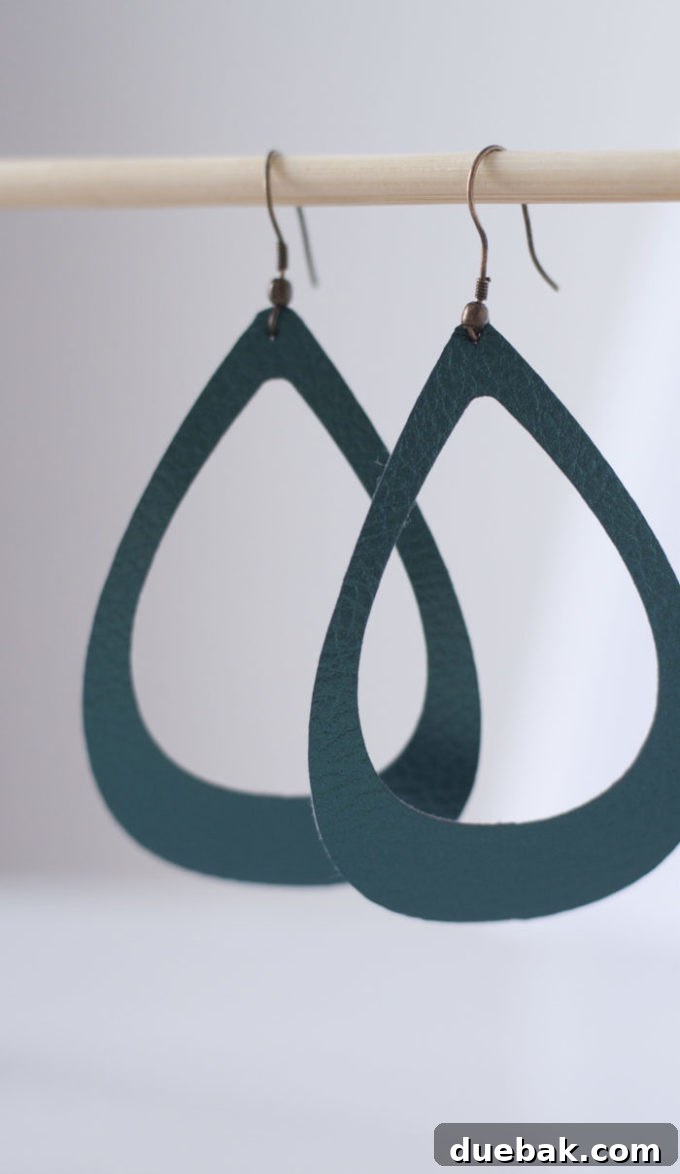
Have you ever dreamed of crafting your own unique jewelry pieces, adding a personal touch to your accessories, or creating heartfelt gifts for friends and family? With the incredible precision and versatility of a Cricut Explore Air machine, turning those creative dreams into reality is simpler than you might imagine. Whether you envision elegant basic shapes or intricate, custom designs, your Cricut opens up a world of possibilities. This comprehensive tutorial will guide you through every step of making stunning faux leather earrings, perfect for elevating your style or presenting as a thoughtful, handmade gift. Get ready to unleash your inner artisan and craft beautiful wearable art!
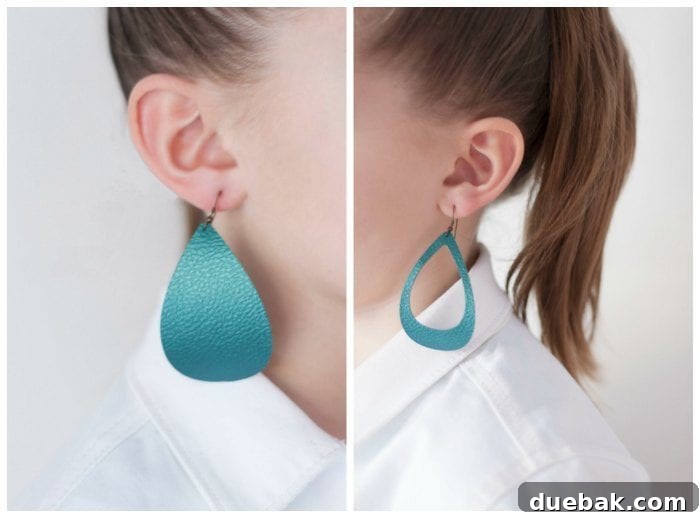
PIN THESE DIY LEATHER EARRINGS TO YOUR PINTEREST CRAFT BOARD FOR LATER!
The Allure of Handcrafted Faux Leather Earrings
There’s a special satisfaction that comes with wearing something you’ve created yourself. DIY faux leather earrings offer a fantastic entry point into the world of jewelry making, combining affordability, ease, and endless customization options. Unlike traditional metal or heavier materials, faux leather is incredibly lightweight, ensuring comfort even with larger, more statement-making designs. This makes them perfect for all-day wear without any pulling or discomfort on your earlobes. Beyond personal adornment, these handmade earrings make truly memorable gifts. Imagine designing a pair specifically tailored to a friend’s style or a family member’s favorite colors – it’s a gift that speaks volumes about your care and creativity.
Why Choose Faux Leather for Your Earrings?
Faux leather, also known as pleather or synthetic leather, is a remarkable material for crafting. It offers the luxurious look and feel of real leather without the ethical concerns or the often hefty price tag. For earrings, its key advantages are its incredible lightness and flexibility. It drapes beautifully, making it ideal for various shapes and styles. Furthermore, faux leather comes in an astonishing array of colors, textures, and patterns, from smooth solids and metallic sheens to intricate prints and glitter finishes. This wide selection empowers you to match any outfit, season, or personal aesthetic, ensuring your handmade earrings are always on point. It’s also incredibly durable and easy to clean, making your creations long-lasting and practical.
Unleash Your Creativity with the Cricut Explore Air
The Cricut Explore Air is a game-changer for crafters, especially when it comes to precision cutting projects like these earrings. This smart cutting machine allows you to cut a vast range of materials with incredible accuracy, from paper and vinyl to fabric and, of course, faux leather. Its intuitive Design Space software makes it easy for beginners and experienced crafters alike to bring their ideas to life. You can choose from thousands of pre-designed shapes, fonts, and projects, or upload your own custom designs. For faux leather earrings, the Cricut ensures clean, crisp edges, even on delicate cut-out patterns, far surpassing what could be achieved with scissors alone. It truly transforms the jewelry-making process, making it fast, fun, and impeccably professional.
Important Note on Affiliate Links
This post contains affiliate links. This means that if you click on one of these links and make a purchase, a small percentage of that sale will go towards supporting this site. Rest assured, this comes at absolutely no additional cost to you and is crucial in helping us continue to provide free, high-quality content and tutorials. Your support is greatly appreciated! For a full understanding of our policies, please visit our policies page here.

Getting Started: Essential Materials You’ll Need
Before diving into the design and cutting process, gather all your materials. Having everything at hand will make your crafting experience smooth and enjoyable. Here’s a detailed list of what you’ll need to create your stunning faux leather earrings:
- Cricut Explore Air™ or equivalent cutting machine: This is the heart of your project, providing the precision cuts needed for professional-looking earrings. Ensure it’s clean and ready for use.
- StandardGrip or StrongGrip Cutting Mat: Depending on the intricacy of your design and the texture of your faux leather, a StandardGrip (green) or StrongGrip (purple) mat will hold your material securely in place during cutting.
- Faux Leather Sheets: Choose a color and texture that inspires you! For this tutorial, we used a beautiful Peacock color, but the possibilities are endless. Look for faux leather specifically designed for Cricut or crafting to ensure it’s thin enough to cut easily.
- Fishhook Earwire Earrings: These are the metal hooks that go through your earlobes. They come in various finishes like silver, gold, and antique bronze, allowing you to match them to your earring design.
- Needle Nose Pliers: Essential for opening and closing the small loops on the ear wires and jump rings (if using) to attach them to your faux leather shapes.
- Poking Tool or Small Hole Punch: A specific craft poking tool or a very fine-tipped awl will be needed to create a clean, small hole in your faux leather for attaching the earwire.
Step-by-Step Tutorial: Crafting Your Faux Leather Earrings
Design Your Masterpiece in Cricut Design Space™
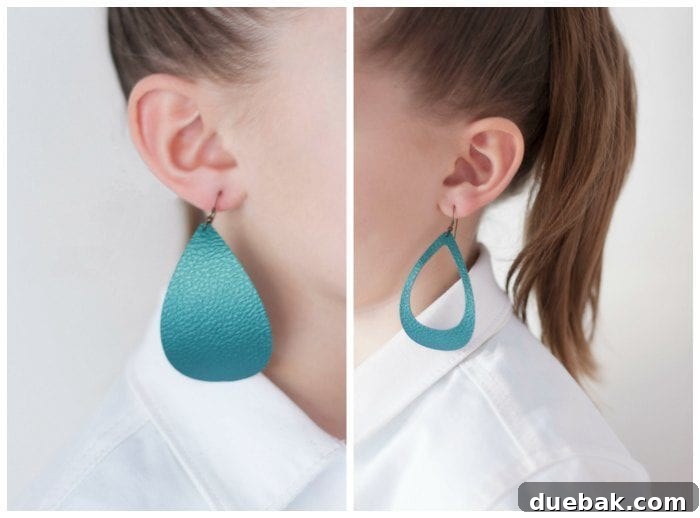
The first exciting step is to bring your design to life in Cricut Design Space™. Open the software on your computer or mobile device. Design Space offers a vast library of shapes, fonts, and ready-to-make projects. For beginners, using basic shapes is an excellent way to start. We utilized the basic teardrop shape, a classic and elegant choice for earrings, found within Cricut Access. Once selected, you can easily adjust its width and length to achieve your desired earring size and proportions. Experiment with different sizes – a longer, narrower teardrop creates a more dramatic look, while a shorter, wider one offers a subtle elegance.
The best part about using basic shapes? Many are completely FREE, making this project accessible to everyone without needing a Cricut Access subscription for specialized designs. To make it even easier, you can use our pre-designed cut files by simply clicking the links below. These links will automatically open in Design Space, allowing you to save the designs directly to your account and start crafting immediately.
Free Cricut Cut Files:
Solid Tear Drop Earrings
Cut Out Tear Drop Earrings
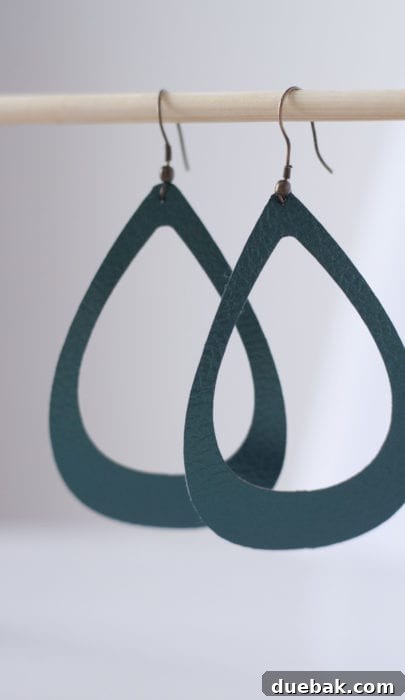
Once you’ve perfected the size and shape of your design, ensuring it’s exactly as you envision, proceed by clicking the “Make It” or “Go” button. To create a pair of earrings, you’ll want to make two copies of your chosen design. If your shape is not symmetrical (meaning it looks different on the front and back, which is common for some layered designs), it’s best to group the two images together and ensure they are mirrored or properly oriented before cutting, so you get a left and right earring. However, for simple teardrops, two identical cuts work perfectly.
Prepare Your Machine and Material for Cutting
Carefully place your faux leather face down onto your chosen cutting mat. It is crucial for the material to adhere firmly to the mat to prevent shifting during the cut, which could ruin your design. For most faux leathers, a StandardGrip (green) mat works well, but if you have a particularly slippery or textured faux leather, or are attempting a very intricate cut, a StrongGrip (purple) mat is highly recommended for maximum stability.
Next, adjust the dial on your Cricut Explore Air to “Custom.” In Design Space, when prompted, select the material setting for “Leather, Faux, 1mm (Cricut).” This setting ensures your machine uses the correct blade pressure and number of passes for a clean cut through faux leather. If your specific faux leather is thicker or thinner, you might need to test different custom settings to find the optimal one. After selecting your material, load the mat into your Cricut machine and press the flashing “Go” button to begin the cutting process.
*If you are using the “Cut Out Tear Drop Earrings” file, you might notice that the small teardrop cut-out shape appears hidden behind the larger teardrop shape in Design Space. This specific layout is intentional. It allows the Cricut to cut the smaller, inner shape first, which helps to keep the material firmly in place on the mat for a cleaner, more precise cut. As mentioned, for intricate designs like these cut-outs, a StrongGrip (purple) mat is highly beneficial to prevent any material movement during the detailed cutting process.*
The Precision Cut: What to Expect
Once the machine starts cutting, simply let it do its work. The Cricut Explore Air will precisely follow your design, cutting out each earring shape with remarkable accuracy. You’ll hear the gentle whirring of the machine as the blade glides through the faux leather. Once the cutting is complete, unload your mat. Carefully peel the faux leather shapes off the cutting mat. Take your time with this step to avoid stretching or tearing the delicate faux leather. If any small pieces remain on the mat, use a weeding tool to gently remove them.
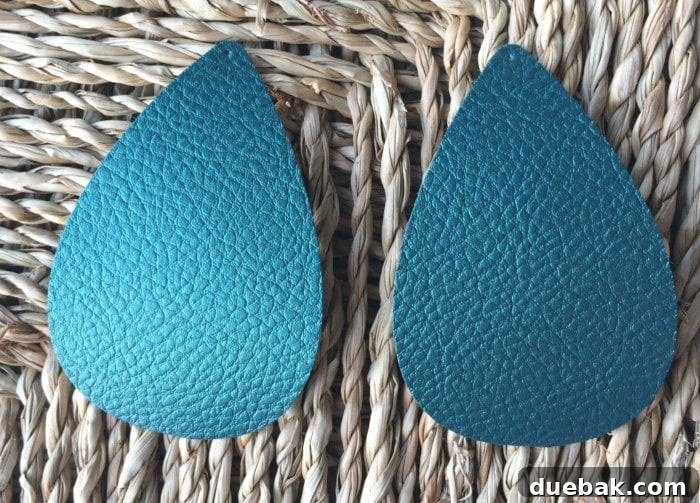
Bringing It All Together: Assembling Your Earrings
With your beautiful faux leather shapes now perfectly cut, it’s time for the final step: assembling them into wearable earrings. This part is quick and easy, requiring just a couple of tools.
First, take a poking tool or a small, sharp awl and carefully punch a small hole at the very top of each faux leather teardrop shape. Ensure the hole is centered and just large enough for your earwire loop to pass through. Be gentle to avoid tearing the faux leather.
Next, grab your needle nose pliers. Use them to gently open the small loop at the bottom of your fishhook earwire. This is usually a small twist motion, not pulling it apart horizontally. Once open, thread the faux leather earring shape onto the open loop. Carefully close the metal loop with your pliers, ensuring it is securely fastened so your earring won’t fall off. That’s it! Your stunning, handmade faux leather earrings are now complete and ready to wear or gift.
Elevate Your Creations: Tips for Customization and Care
Personalizing Your Faux Leather Earrings
The beauty of DIY crafting lies in the ability to personalize every detail. Don’t stop at just cutting shapes! Here are some ideas to take your faux leather earrings to the next level:
- Layering: Cut two different shapes or sizes and layer them for a dynamic, multi-dimensional look. Try using contrasting colors or textures for an eye-catching effect.
- Vinyl Embellishments: Use your Cricut to cut intricate designs from heat transfer vinyl (HTV) or adhesive vinyl and apply them to your faux leather for added patterns, monograms, or metallic accents.
- Paint & Glitter: Add touches of acrylic paint, metallic markers, or fine glitter for extra sparkle and detail. Seal with a clear sealant to protect the design.
- Hardware Variations: Experiment with different types of earring findings, such as stud posts, hoop earrings, or even tassel caps, to change the entire aesthetic of your designs.
- Punch-Out Designs: Instead of simple shapes, try designs with small cut-outs within them for a lace-like or filigree effect.
Caring for Your Handmade Jewelry
To ensure your beautiful faux leather earrings last for a long time, a little care goes a long way:
- Storage: Store your earrings in a jewelry box or hanging organizer to prevent them from getting bent, creased, or tangled with other jewelry.
- Cleaning: If they get dirty, gently wipe them with a damp, soft cloth. Avoid harsh chemicals or excessive scrubbing, as this can damage the faux leather finish.
- Avoid Water: While faux leather is durable, prolonged exposure to water (e.g., showering or swimming) is not recommended, as it can affect the material’s integrity and the metal findings.
- Creases: If your earrings get creased, you can gently flatten them by placing them under a heavy book for a few hours. For stubborn creases, a very low-heat iron (with a protective cloth barrier) can be used with extreme caution, but always test on a scrap piece first.
The Final Touch: Enjoying Your Unique Earrings
The satisfaction of creating something beautiful with your own hands is truly unparalleled. One of the reasons I absolutely adore crafting with Cricut’s faux leather is its incredibly thin and pliable nature. This characteristic makes it the perfect material for earrings because it allows you to design and wear much larger and more elaborate shapes without experiencing any discomfort. Say goodbye to heavy earrings that pull on your earlobes or cause pain after just a short period of wear. With faux leather, you can confidently showcase your boldest designs, enjoying their lightweight feel and comfortable fit all day long. Embrace your unique style and let your creativity shine through every handcrafted pair!
Frequently Asked Questions (FAQ) About Faux Leather Earrings
What kind of faux leather works best with a Cricut?
Ideally, look for “Cricut Faux Leather” or other brands specifically marketed for craft cutting machines. These are generally thinner (around 1mm) and more consistent in thickness, which is crucial for clean cuts. Thicker or heavily textured faux leathers might require a StrongGrip mat and multiple passes on your Cricut.
Can I use real leather instead of faux leather with my Cricut?
Yes, the Cricut Explore Air can cut genuine leather, but it typically requires the Deep-Point Blade (sold separately) and specific settings in Design Space for genuine leather. The process might involve multiple passes, and it’s always recommended to do a small test cut first, as real leather varies significantly in thickness and density.
How do I make sure my earring shapes are perfectly symmetrical?
When designing in Cricut Design Space, once you have one shape perfected, duplicate it. Then, use the “Flip” tool (usually “Flip Horizontal” for mirror images) to create its symmetrical counterpart for the other ear. Grouping them ensures they cut together efficiently.
My cutting mat isn’t sticky enough anymore. What should I do?
Over time, cutting mats lose their tackiness. You can try cleaning your mat with warm water and a gentle soap, then allowing it to air dry. This often revives some stickiness. If that doesn’t work, it might be time to purchase a new mat. Ensure you replace it with the correct grip level for your projects.
Can I add embellishments like grommets or studs to my faux leather earrings?
Absolutely! Adding grommets or small studs can give your earrings a more polished or edgy look. You’ll need specialized tools for these, such as a grommet setting tool or a stud setter, and appropriate hardware. These additions are fantastic for further personalizing your designs.
Share Your Sparkle!
We hope this comprehensive guide has inspired you to embark on your own DIY faux leather earring adventure. The combination of your creativity and the power of your Cricut machine is truly limitless. Don’t be afraid to experiment with different shapes, colors, and embellishments to create pieces that reflect your unique personality. We would absolutely love to see your handmade creations! Please share your finished earrings on social media and tag us, or drop a comment below to tell us about your experience. Happy crafting!