
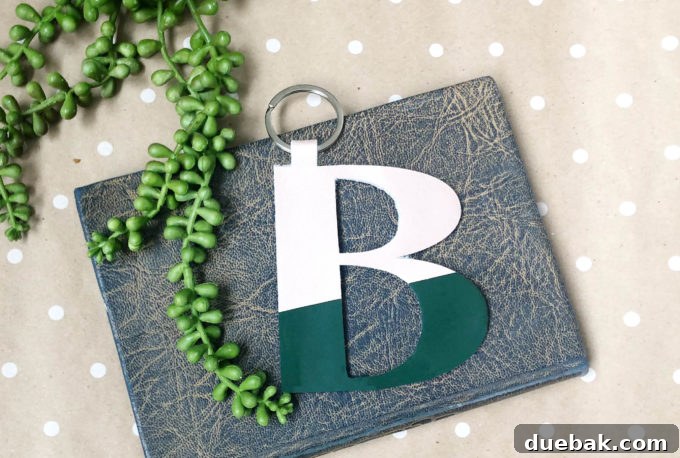
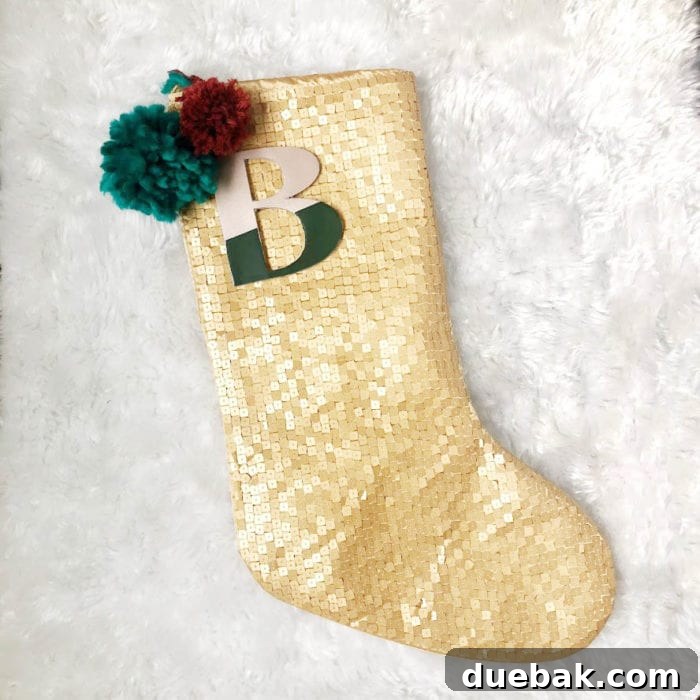
Transform simple materials into exquisite, personalized treasures with our ultimate guide to crafting custom leather monogram charms using your Cricut Maker. These elegant charms are not just perfect for adorning Christmas stockings; their versatility extends far beyond the festive season. Imagine them as unique keychains, stylish bag tags, or thoughtful additions to any gift package, offering a personal touch that truly stands out. This comprehensive tutorial will walk you through every step, from designing in Cricut Design Space to the final assembly, ensuring you can create beautiful, durable, and truly personalized leather accessories for yourself and your loved ones. Get ready to unlock your creativity and make gifts that keep on giving, all year round!
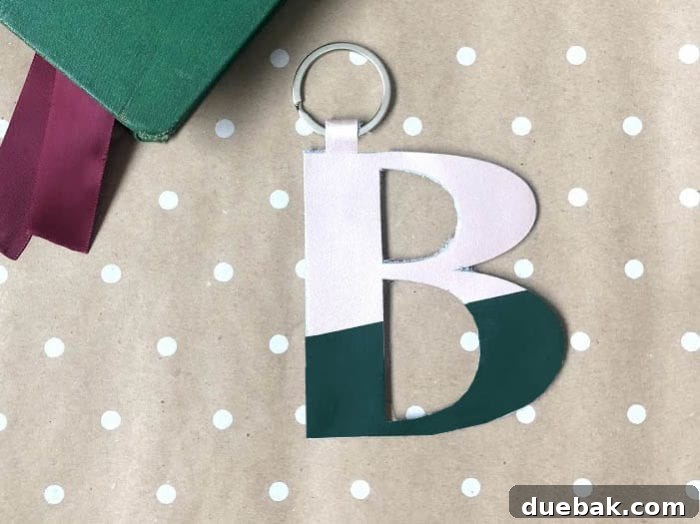
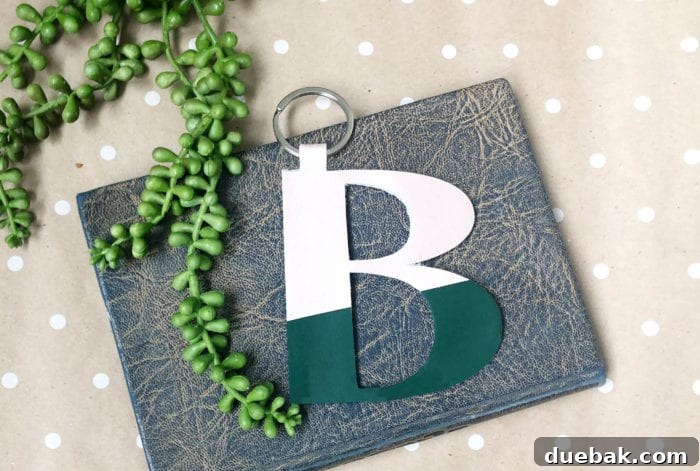
This exciting project leverages the precision and power of the Cricut Maker, specifically utilizing its Knife Blade to flawlessly cut through genuine leather. The Cricut Maker is renowned for its ability to handle a vast array of materials, from delicate fabrics to thick leathers, making it the ideal machine for projects requiring intricate detail and robust cutting power. The Knife Blade, in particular, is engineered for thicker materials, ensuring clean, precise cuts that would be challenging to achieve by hand. For your convenience, you can access and utilize my pre-designed project file directly in Cricut Design Space by clicking here. This allows you to jump right into the crafting process, or you can follow our detailed steps below to customize your own unique monogram.
Designing Your Custom Leather Monogram Charms in Cricut Design Space
The journey to crafting your personalized leather monogram charm begins in Cricut Design Space, where creativity knows no bounds. This powerful software allows you to bring your design ideas to life with ease and precision. Here’s a step-by-step guide to designing a different letter or customizing the existing template:
- Select Your Font and Letter: Start by opening a new canvas in Design Space. Choose the “Text” tool and type the desired initial. The key to a successful leather cut is selecting a font that is bold enough to withstand the cutting process and provide a good surface for gluing. Experiment with different fonts to find one that reflects your personal style. Adjust the size of your letter to your preferred dimensions. A good starting point for a versatile charm is often between 3-4 inches in height, but feel free to scale it up or down depending on its intended use (e.g., a larger charm for a stocking, a smaller one for a keychain).
- Duplicate and Mirror: To create a sturdy, double-sided leather charm, you’ll need two identical, mirrored pieces. Duplicate your selected letter. With the duplicated letter selected, use the “Flip” tool and choose “Flip Horizontal.” This creates a perfect mirror image. These two pieces will be glued together later, ensuring your monogram looks perfect from both sides and adds thickness for durability.
- Integrate a Connecting Rectangle: To join your two mirrored letter halves and create a hanging loop, you’ll add a simple rectangular shape. Select the “Shapes” tool and insert a rectangle. Adjust its size to be narrow and long enough to bridge the top parts of your two letter halves, leaving enough space at the very top to form a loop. Position this rectangle so it slightly overlaps the top sections of both letters, ensuring a strong connection point. This connection will serve as the base for the charm’s hanger.
- Weld the Shapes Together: This is a crucial step that transforms individual shapes into a single, cohesive cutting design. Select all three elements: your original letter, the mirrored letter, and the connecting rectangle. With all selected, click the “Weld” button at the bottom of the layers panel. Welding merges these shapes into one unified layer, meaning the Cricut Maker will cut it as a single piece. This also ensures there are no overlapping cut lines within the merged area, resulting in a clean, professional finish.
Careful attention to these design steps will ensure your leather monogram charms are not only beautiful but also robust and well-constructed, ready for gifting or personal use.
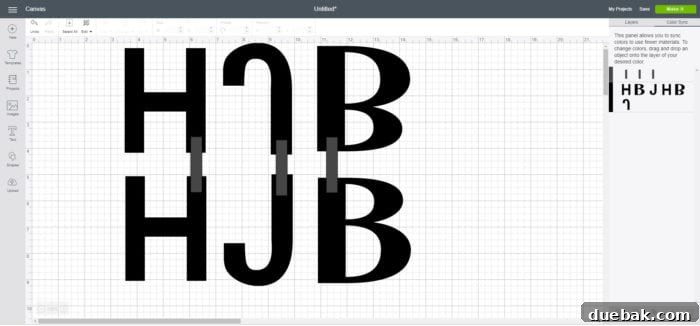
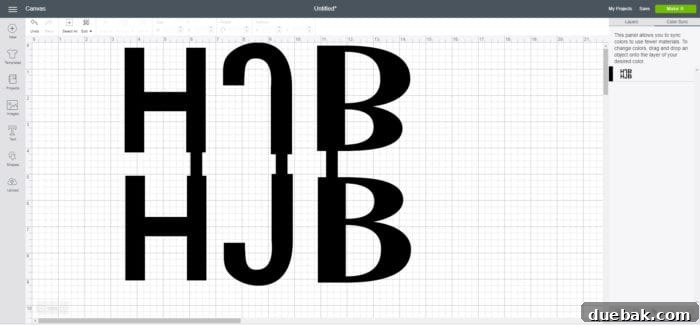
Adding an accent color to your leather monogram charm can truly elevate its aesthetic appeal and make it even more personalized. This decorative touch can be achieved using iron-on vinyl, offering a vibrant contrast to the natural leather. There are a couple of methods to incorporate this accent, each with its own advantages regarding material usage and time efficiency:
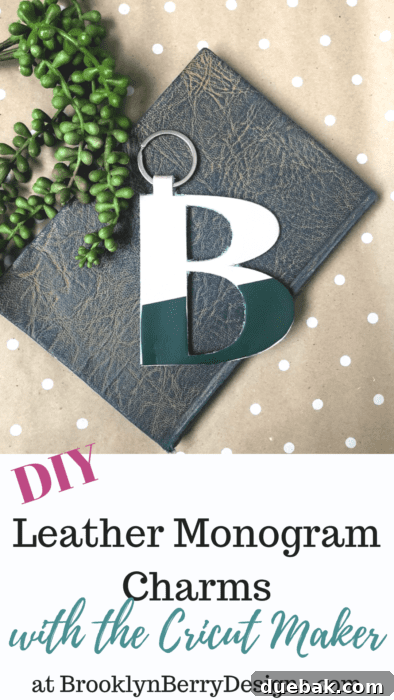
- Method 1: Cut and Trim Manually (Material Saving): Duplicate your main letter design (the single, unwelded letter, not the full charm). Cut this duplicate letter entirely out of your chosen iron-on vinyl. Once cut, you can then manually trim sections from the vinyl letter to create your desired accent shape. This method is excellent for saving vinyl, especially if you only need a small accent piece, as you’re not cutting away large portions of the vinyl unnecessarily in Design Space.
- Method 2: Slice in Design Space (Time Saving): For a more precise and time-efficient approach, you can design your accent within Design Space. Duplicate your main letter design. Then, select a basic shape (e.g., a rectangle, circle, or even another letter) that represents the area you want the accent color to cover. Overlay this basic shape onto your duplicated letter. Select both the letter and the overlaying shape, then use the “Slice” tool. This will cut out the overlapping section, creating a perfect, custom-shaped accent piece ready for cutting from your iron-on vinyl. This method saves time during assembly as the vinyl piece is cut exactly to shape.
Ultimately, the choice between these methods depends on your personal preference. If material conservation is key, manual trimming might be preferred. If you prioritize precision and speed during the crafting process, slicing in Design Space offers a streamlined workflow. Both methods will result in a beautiful, accent-colored monogram charm.
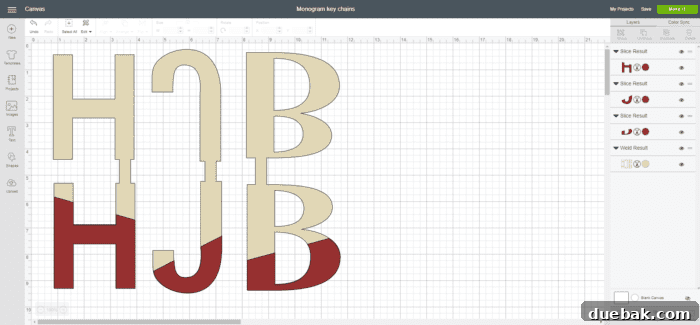
Fonts Used for This Project
Choosing the right font is paramount for leather projects, as the material’s thickness and texture can affect the final cut. For this project, we selected fonts that offer excellent readability and cut cleanly with the Knife Blade. The fonts utilized were:
- Koala Com Light: Provides a refined and elegant touch, perfect for more delicate monograms.
- Boys Will Be Boys – Block: A sturdy, block-style font that ensures bold and clear cuts, ideal for a strong visual impact.
- Cricut Sans: A versatile and clean sans-serif font, excellent for clear text and widely available within Design Space.
Feel free to experiment with other sturdy, well-defined fonts available in Design Space or those you’ve uploaded, keeping in mind that extremely thin or intricate fonts might pose a challenge for cutting leather cleanly.
Essential Materials Used for Leather Monogram Charms
To ensure the highest quality and durability for your leather monogram charms, selecting the right materials is crucial. Here’s a list of the specific items used in this project, complete with brief explanations on why they are ideal:
- Cricut Maker: The heart of this project. Its adaptive tool system allows for powerful and precise cuts through thick materials like leather, making it indispensable for this craft.
- Cricut Genuine Leather: Specially designed for Cricut machines, this leather provides consistent thickness and quality, ensuring optimal cutting results. Its pliability and finish are perfect for crafting durable and attractive charms.
- Cricut Knife Blade: Essential for cutting thicker materials like leather. Its deep cut capability ensures clean edges and complete separation of your designs from the leather sheet.
- Iron-on Vinyl: Perfect for adding vibrant accent colors and intricate details to your leather charms. It adheres strongly to leather, providing a long-lasting decorative element.
- StrongGrip Cutting Mat: An absolute must for securing leather during the cutting process. Its extra-strong adhesive prevents movement, ensuring precise cuts.
- Masking Tape or Painter’s Tape: Provides an extra layer of security, holding the leather firmly to the mat, especially around the edges, to prevent slippage during multiple passes of the Knife Blade.
- Rubber Cement or Strong Adhesive: Key for permanently bonding the two leather pieces of your monogram charm together. It provides a strong, flexible bond suitable for leather.
- Embroidery Thread or Sturdy String: For creating the hanging loop, offering durability and a touch of craft aesthetic.
- Optional: Tassels or Pom Poms: For adding an extra decorative flair and personalization.
Precise Cutting Instructions with Your Cricut Maker
Cutting leather with the Cricut Maker and Knife Blade requires careful setup to ensure optimal results. Follow these steps meticulously for clean, professional cuts:
- Prepare Your Leather and Mat: Place your chosen genuine leather onto a StrongGrip Cutting Mat. To prevent the mat from getting fuzzy with leather fibers (which can reduce its stickiness over time), consider placing a piece of transfer tape on the back of your leather before placing it onto the mat. This creates a barrier while still allowing the mat’s adhesive to secure the leather. Ensure the leather is pressed down firmly, free of bubbles or wrinkles.
- Secure the Edges: Even with a StrongGrip mat, leather can be prone to shifting during the multiple passes of the Knife Blade. Use masking tape or painter’s tape to firmly secure all four edges of the leather directly onto your mat. Make sure the tape does not cover any part of your design area. This extra security is vital for preventing material movement and ensuring precise cuts.
- Load the Mat and Follow Design Space Prompts: Insert the Knife Blade into Clamp B of your Cricut Maker. Load the prepared mat into the machine. In Design Space, select “Genuine Leather” as your material type. This will automatically set the appropriate pressure and number of passes for the Knife Blade. Follow the on-screen prompts to begin your cut. The Cricut Maker will execute multiple passes slowly, applying precise pressure to cut through the leather.
- Verify and Recut (If Necessary): Before unloading your mat from the machine, it is critically important to double-check that your project has cut all the way through the leather. Gently lift a corner of your design with a weeding tool or your finger to check for complete cuts. If the cut is not complete, do NOT unload the mat. Instead, press the “C” button on your Cricut Maker again to perform another full cut pass. Repeating the cut while the mat is still perfectly aligned ensures that the blade follows the exact same path, completing the cut without any misalignment or damage to your design. Once satisfied, you can unload the mat and carefully remove your leather pieces.
Assembling Your Personalized Leather Monogram Charms
With your leather pieces expertly cut, it’s time to bring your monogram charm to life through careful assembly. This stage focuses on bonding the leather and adding those personalized finishing touches.
- Bond the Leather Pieces: Apply a thin, even layer of rubber cement or a strong leather adhesive to the back of one of your cut leather monogram pieces. Carefully align the second mirrored leather piece on top, ensuring perfect registration. Press down firmly. To achieve a strong, lasting bond, place something heavy (like a stack of books or a crafting weight) on top of the assembled pieces while the glue dries completely. Allow ample drying time according to the adhesive manufacturer’s instructions, typically several hours or overnight. This creates a thick, durable, and double-sided charm.
- Optional: Apply Vinyl/Iron-on Designs: If you opted to add an accent color or design with iron-on vinyl, now is the time to apply it. Position your cut iron-on vinyl precisely onto the desired area of your leather charm. Use a mini heat press or a household iron set to the recommended temperature for iron-on vinyl. Press firmly for the specified duration (usually 20-30 seconds), then carefully peel away the carrier sheet. Ensure the vinyl adheres smoothly and securely.
- Create the Hanging Loop: Cut a piece of sturdy embroidery thread, twine, or thin leather cord to your desired length (typically 6-8 inches). Thread it through the loop at the top of your assembled leather monogram. Tie the ends together with a secure knot, creating a robust hanging loop. This loop can be used to attach the charm to various items.
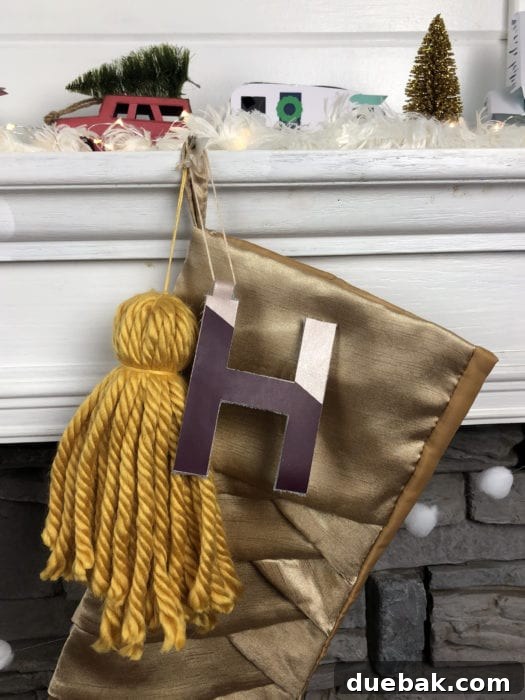
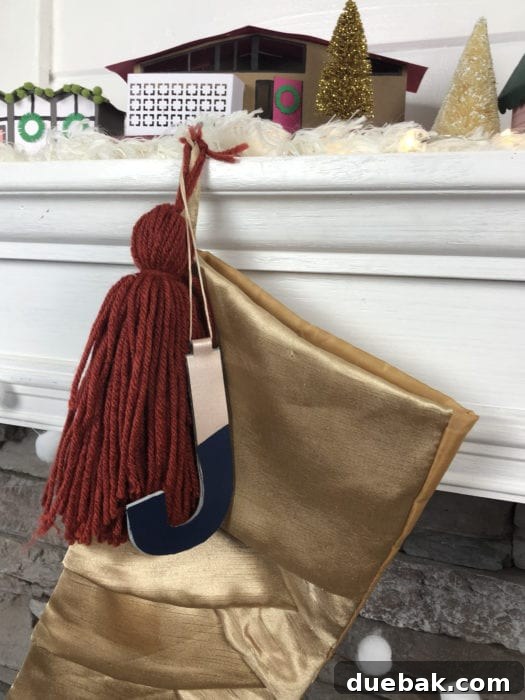
- Add Tassels or Pom Poms for Fun: For an extra touch of charm and personality, consider attaching a coordinating tassel or pom-pom to your monogram. You can either loop the tassel’s string directly through the same hole as your main hanging loop, or use a small jump ring to attach it. This adds texture, color, and a playful element to your personalized accessory.
- Versatile Uses for Your Finished Charms: Your beautifully crafted leather monogram charms are now ready for a multitude of uses!
- Christmas Stockings: Hang them elegantly from Christmas stockings for a festive and personal touch, making each stocking unique.
- Gift Tags: Tie them onto gifts as a memorable and reusable gift tag, adding an extra layer of thoughtfulness.
- Keychains: Attach a split ring to the hanging loop to transform them into sophisticated, custom keychains.
- Bag Tags: Personalize backpacks, tote bags, or luggage by using them as stylish bag tags.
- Home Decor: Incorporate them into garlands, wreaths, or simply hang them from a decorative hook for a touch of personalized home decor.
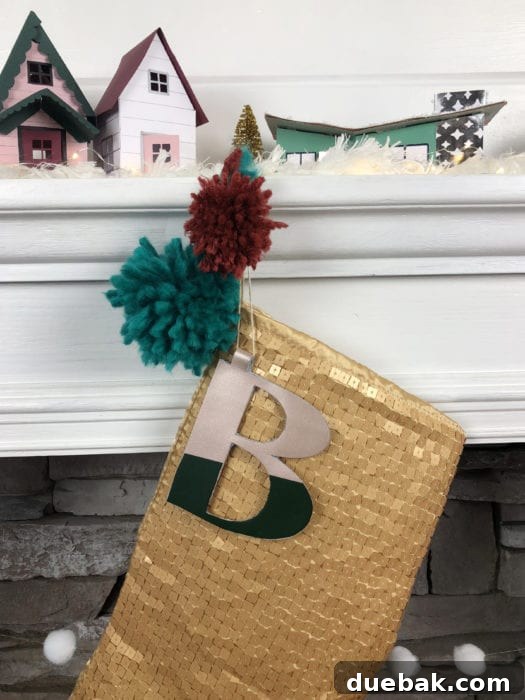
Enhance your holiday crafting by pairing these leather monogram charms with other charming DIY projects. For instance, those adorable paper houses you see in the background of some images can add another layer of festive decor. You can find the cut files and detailed instructions for creating them in our dedicated Pantone Color Inspired Christmas Decor post. Combining these projects creates a cohesive and beautifully personalized holiday theme.
Crafting personalized leather monogram charms with your Cricut Maker is a rewarding and enjoyable project that yields beautiful, versatile results. Whether you’re looking to create heartfelt gifts for the holidays, thoughtful birthday presents, or simply want to add a custom touch to your own accessories, these charms are an excellent choice. The precision of the Cricut Maker and Knife Blade, combined with the timeless appeal of genuine leather, ensures that your creations will be cherished for years to come. Dive into Design Space, unleash your creativity, and start making these unique, personalized treasures today!