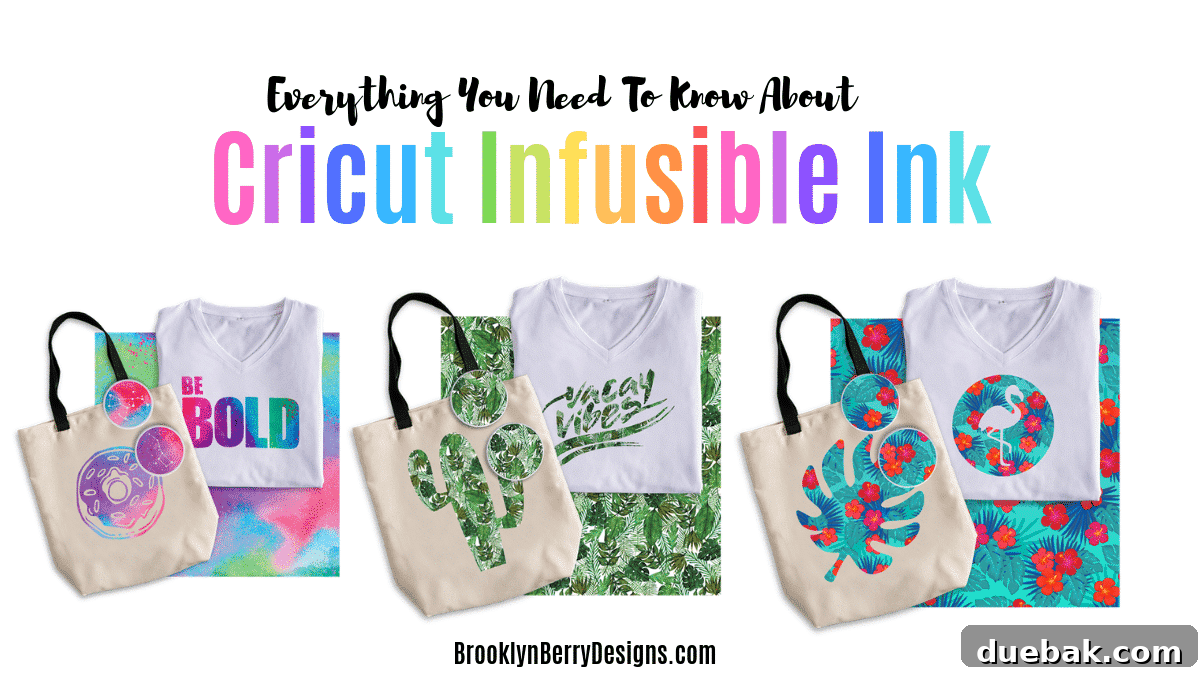
Get ready to unleash your creativity and dive into the vibrant, permanent world of crafting with Cricut Infusible Ink Sheets! If you’ve ever dreamt of creating professional-quality, long-lasting designs that feel like part of the fabric itself, then Infusible Ink is about to become your new favorite crafting essential. This comprehensive guide will walk you through everything you need to know, from understanding what Infusible Ink is to mastering its application, ensuring your projects stand out with brilliant colors and impeccable durability.
This isn’t just another crafting trend; it’s a revolutionary way to personalize a wide array of items. Unlike traditional iron-on vinyl that sits on top of your material, Infusible Ink actually becomes one with it, resulting in a smooth, seamless finish that won’t crack, peel, or fade over time. Prepare to transform everyday blanks into personalized masterpieces, all with the precision and ease that Cricut machines are known for.
What Is Cricut Infusible Ink?
Cricut Infusible Ink represents a groundbreaking technology in the DIY crafting space, essentially bringing the power of sublimation printing right into your home. At its core, Infusible Ink is a specialized type of ink that, when exposed to high temperatures, transforms from a solid sheet or liquid (in the case of pens) into a gas. This gas then permanently infuses into compatible materials, typically those with a high polyester content, creating a seamless and incredibly durable bond. The result is a design that is deeply embedded within the fibers of your blank item, rather than sitting on its surface.
For those familiar with the professional world of sublimation printing, Infusible Ink will sound quite familiar. It offers the same brilliant, vivid colors and smooth finish, but in an accessible format designed for home crafters using their Cricut cutting machines. This innovative approach ensures your projects boast truly vibrant colors and sharp, crisp edges, giving them a polished, professional aesthetic that far surpasses the look and feel of typical solid color iron-on vinyl applications. Due to the precise and consistent heat required for this transformation process, a standard household iron simply won’t suffice; you’ll need a dedicated heat press or a Cricut EasyPress to achieve the best results.
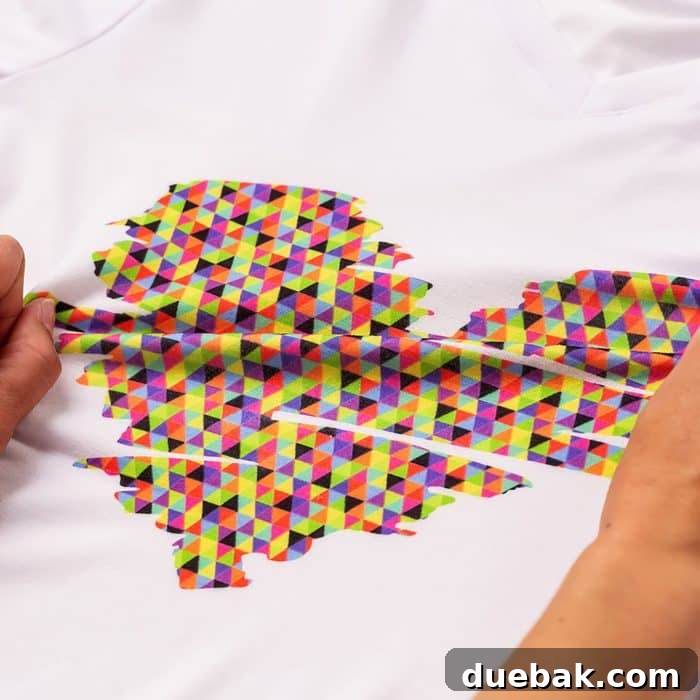
The key distinction of Infusible Ink, and its major advantage over traditional heat-transfer vinyl (HTV), lies in its permanence. While HTV adheres to the surface of your material and can, over time, peel, crack, or fade with repeated washing and wear, Infusible Ink becomes an integral part of the blank. This molecular bond means your designs are literally “infused” into the fabric or coating, creating a durable, long-lasting finish that is smooth to the touch and incredibly resistant to everyday wear and tear. This allows you to produce stunning designs with truly vibrant colors and exceptionally sharp details, imparting a high-quality, professional look to any crafting project.
Cricut Infusible Ink transfer sheets are essentially Cricut’s proprietary brand of patterned sublimation sheets. These unique sheets are specifically engineered to be cut with any Cricut cutting machine, including the Cricut Explore Air series, Cricut Maker, and the compact Cricut Joy. Their versatility means that if you own any of these cutting machines and a reliable heat press, you’re perfectly equipped to start experimenting with Infusible Ink designs and unlock a new realm of creative possibilities. The compatibility even extends to other cutting machine brands, making Infusible Ink a flexible choice for many crafters.

Whether you’re looking to personalize custom apparel, create unique home decor, or craft thoughtful gifts, Infusible Ink offers a powerful solution for achieving professional-grade results from the comfort of your craft room. Its ability to create designs that truly last, without the added bulk or texture of vinyl, makes it an indispensable tool for serious crafters aiming for durability and a high-end finish.
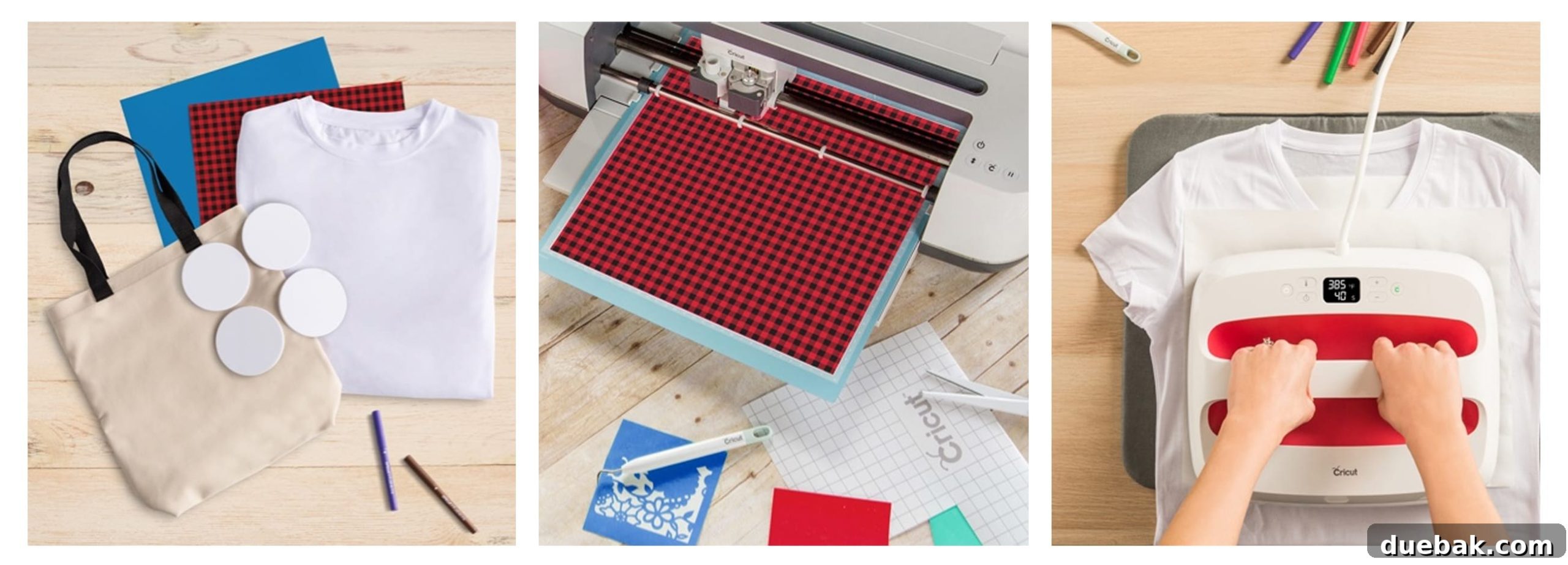
How To Use Infusible Ink Transfer Sheets: A Step-by-Step Guide
Using Cricut Infusible Ink transfer sheets might seem a little different from traditional iron-on vinyl, but the process is straightforward once you understand the key steps. Follow this detailed guide to ensure brilliant, long-lasting results every time:
- 1. Prepare Your Blank Item: Begin by selecting a compatible blank item. This could be a Cricut Infusible Ink blank or any polyester-heavy item. Pre-heat your blank for about 15 seconds to remove any moisture and wrinkles, then use a lint roller vigorously to ensure there are absolutely no stray fibers or dust particles. Even the tiniest speck of lint can block the ink from infusing, leaving a tiny white spot on your finished design. For rigid blanks like coasters, wipe thoroughly with an alcohol prep pad and then lint roll.
- 2. Design in Cricut Design Space: Open Cricut Design Space and choose or create your desired design. Remember to always mirror your design before sending it to your Cricut machine. Since you’ll be placing the ink side down on your blank, mirroring is essential to ensure your text or directional images appear correctly on the finished product.
- 3. Prepare the Infusible Ink Sheet: Place the Cricut Infusible Ink transfer sheet onto your cutting mat. Unlike heat transfer vinyl, you need to keep the INK SIDE UP (the pretty, patterned side facing you). Ensure it’s firmly adhered to a strong grip cutting mat to prevent shifting during the cut.
- 4. Cut Your Design: Load the mat into your Cricut machine (Maker, Explore Air, or Joy). Select the “Infusible Ink Transfer Sheet” setting in Design Space. If your machine has a dial, set it to “Custom” and select the correct material. Perform the cut. After cutting, gently remove the mat from the machine.
- 5. Weed the Design: This is a crucial step. Infusible Ink sheets are known for their easy weeding process. Gently roll or bend the cut sheet to make the cut lines visible, then carefully peel away the excess material (the negative spaces of your design) using your fingers or a weeding tool. Be gentle to avoid tearing the intricate parts of your design. You want to leave only your desired image on the clear liner.
- 6. Prepare Your Heat Press Setup: On a heat-resistant surface (like a Cricut EasyPress Mat), lay down a piece of butcher paper or cardstock. This acts as a protective layer, preventing any potential ink bleed-through from reaching your mat or work surface. If you’re pressing onto a shirt or tote, insert another piece of cardstock inside the item, directly beneath where your design will be, to prevent the ink from bleeding through to the back layer of the fabric.
- 7. Position and Press: Carefully place your weeded Infusible Ink design onto your blank item, with the ink side facing down (the clear liner will be facing up). Use heat-resistant tape to secure the design in place if necessary, especially for items that might shift. Place a fresh sheet of butcher paper over the design to protect your heat plate from any potential ink transfer. Consult the Cricut Heat Guide (available online) for the precise time, temperature, and pressure settings for your specific blank and EasyPress or heat press model. Apply consistent, even heat for the recommended duration.
- 8. Reveal Your Creation: Once the pressing cycle is complete, carefully lift your heat press straight up. Allow the project to cool completely before slowly and gently peeling away the clear transfer sheet. Avoid ripping it off, as this could damage the fresh ink. What you’ll be left with is a stunning, smooth, and vibrant design that’s infused directly into your blank!
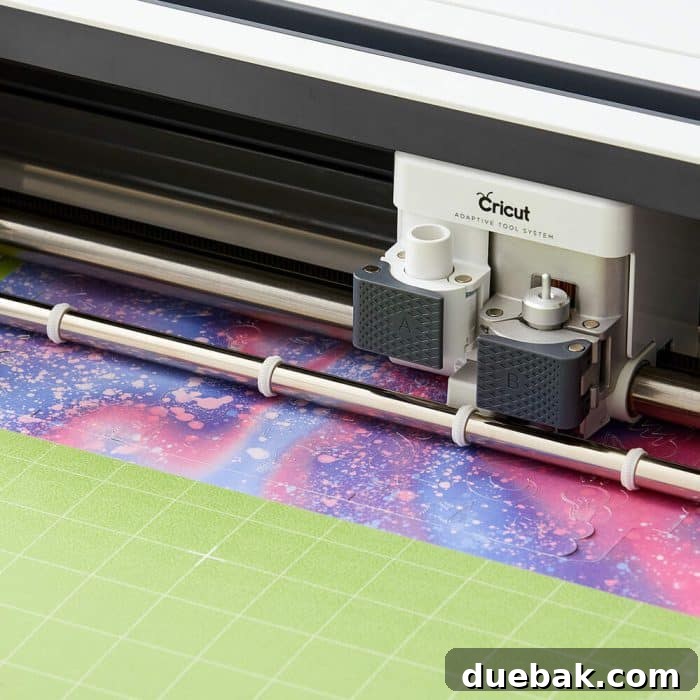
Cricut Blanks vs. Compatible Blanks: Understanding Your Canvas
The success and vibrancy of your Infusible Ink projects hinge significantly on the type of blank item you choose. Cricut has developed a range of Cricut blanks specifically engineered to work seamlessly with Infusible Ink, guaranteeing optimal results. These official Cricut blanks are rigorously tested for quality control, featuring a precise polyester composition or coating that allows for maximum ink absorption and stunning color transfer. Cricut strongly recommends using their blanks to ensure you achieve the best possible results, ultimately saving you time, money, and frustration.
Examples of these high-quality Cricut Blanks include a wide variety of items such as T-shirts, stylish aprons, comfortable hats, personalized mugs, versatile tote bags, and elegant ceramic coasters. Each of these products is designed to react perfectly with Infusible Ink, ensuring your designs are consistently vibrant, durable, and professional-looking. Using official blanks eliminates much of the guesswork and delivers a reliable foundation for your creative endeavors.

Compatible Blanks: Expanding Your Horizons
So, can Infusible Ink work with other blanks not branded by Cricut? The answer is a resounding yes, with a crucial caveat. The fundamental requirement for both Infusible Ink and traditional sublimation printing is a high polyester fiber content in the blank items. This is because the specialized ink chemically bonds with polyester fibers when heated. Therefore, any item with a high percentage of polyester (typically 65% or higher, with 95-100% being ideal) should be able to accept Infusible Ink.
You can often find suitable options by looking for items marketed as “sublimation blanks.” These products are specifically designed with the necessary polyester coating or content to allow for vibrant, permanent ink transfer. However, because these compatible products are not Cricut-branded, their consistency and quality can vary. It is always strongly recommended to follow the manufacturer’s suggested pressing instructions for any non-Cricut blank. More importantly, always conduct a test cut and press on a hidden area, a scrap piece of the material, or an extra item before committing to your main project. This precautionary step can save you from potential disappointment.
For instance, Cricut’s blank shirts are made from 95% polyester and 5% Spandex. If your chosen item has a lower polyester content than this, you should expect the resulting colors to be less vibrant, less bold, and potentially have a more faded appearance. The ink will still transfer, but it won’t achieve the same depth and richness as it would on a higher polyester count material. Since no one can guarantee how non-Cricut blanks will perform, experimentation with caution is key. Always prioritize testing on inconspicuous spots or extra materials before diving into a large-scale project.
Tricks and Tips For The Best Infusible Ink Transfer
Achieving flawless Infusible Ink results requires attention to detail. These expert tricks and tips will help you maximize vibrancy, prevent common issues, and ensure a professional finish on every project:
- Protect Your Surfaces with Butcher Paper: Always place a fresh sheet of butcher paper (or parchment paper) underneath your blank item on your Cricut EasyPress Mat or heat press pad. This is critical because Infusible Ink can sometimes bleed through the fabric slightly during the heat transfer process. The butcher paper will catch any excess ink, preventing it from staining your valuable mat or work surface. Use a fresh sheet for each project to avoid transferring residual ink.
- Prevent Bleed-Through with Cardstock: For fabric items like shirts or tote bags, insert a piece of white cardstock or sturdy paper inside the item, directly between the front and back layers of fabric. This acts as a barrier, preventing the Infusible Ink from bleeding through to the backside of your project and ruining it.
- Ensure Correct Side Up for Cutting: When placing your Infusible Ink transfer sheet on the cutting mat, always ensure the patterned or colored side (the ink side) is facing UP. This is the opposite of how you might typically cut heat-transfer vinyl and is essential for the machine to cut correctly through the clear liner.
- Vigilant Lint Rolling is a Must: Before applying your design, thoroughly lint roll your blank item – not just once, but multiple times. Any tiny lint pieces, dust, or hair caught between the Infusible Ink sheet and the blank will block the ink from infusing into the fibers, leaving unsightly white marks or blank spots in your final design. This step is critical for a smooth, unbroken transfer.
- Specific Prep for Coasters: For hard, rigid blanks like ceramic coasters, wipe the surface with an alcohol swab to remove any oils or residues, then follow up with a thorough lint rolling. This ensures a perfectly clean surface for optimal ink adherence.
- Always Consult the Cricut Heat Guide: Do not guess your heat settings! The Cricut Heat Guide (available on the Cricut website) provides precise time, temperature, and pressure recommendations for various Infusible Ink products and compatible blanks, across all Cricut EasyPress models and other heat presses. These settings are crucial for a successful transfer and vary depending on the material.
- Mirror Your Design: Remember that your design needs to be mirrored in Cricut Design Space before cutting. If you forget this step, your text or directional images will appear backward on your final project.
- Clean Hands are Essential: Handle Infusible Ink sheets and blanks with clean, dry hands. Oils or lotions from your skin can transfer to the material and affect the ink transfer, potentially leaving unwanted marks.
- Allow for a Cold Peel: After pressing, allow your project to cool completely before peeling off the Infusible Ink transfer sheet. A “cold peel” helps to ensure all the ink has transferred and prevents ghosting or partial transfers.
- Avoid Steam: When using a heat press, ensure there is no steam function engaged, as moisture can negatively impact the Infusible Ink transfer process.
How To Use Cricut Infusible Ink Pens & Markers
Beyond the vibrant transfer sheets, Cricut also offers Infusible Ink Pens and Markers, opening up a whole new realm of artistic freedom. These pens allow you to draw, doodle, and hand-letter your designs, which then transfer permanently onto compatible blanks with the same infusion process. It’s a fantastic way to add a personal, hand-drawn touch to your projects. Here’s how to use them:
- 1. Gather Your Materials: You will need a compatible blank item, a set of Cricut Infusible Ink Markers or Pens, and a piece of standard laser copy paper. It’s important to use laser copy paper as it’s designed to withstand the heat without scorching or leaving residue.
- 2. Create Your Design: This is where your creativity shines! You have two main options for creating your design:
- Freehand Drawing: Simply draw your own design directly onto the laser copy paper. This allows for complete artistic expression and unique, one-of-a-kind creations.
- Machine Drawing: Use your Cricut machine to draw a design for you. In Cricut Design Space, select a design and change the Linetype to “Draw.” Load your Infusible Ink Pen into Clamp A of your Cricut machine, and let it draw your chosen design onto the laser copy paper. This is perfect for intricate patterns or precise lettering.
Remember to mirror your design in Design Space if your Cricut machine is drawing for you, especially for text, so it transfers correctly.
- 3. Prepare for Transfer: Once your design is complete on the laser copy paper, place the paper design-side down onto your pre-lint-rolled blank item. Ensure it’s centered and positioned exactly where you want it. You can use heat-resistant tape to secure the paper to the blank, preventing any shifting during the heating process. This is particularly helpful for precise placement or when working with smaller items.
- 4. Press and Reveal: Follow the same pressing principles as with Infusible Ink sheets. Place butcher paper underneath and on top of your blank/design setup. Consult the Cricut Heat Guide for the specific time, temperature, and pressure required for your blank and EasyPress/heat press. Apply heat for the recommended duration, then allow the project to cool completely before carefully removing the paper. Your hand-drawn or machine-drawn design will now be permanently infused into your blank!
Infusible Ink Projects: Unleashing Your Imagination
The versatility of Cricut Infusible Ink opens up an expansive world of creative possibilities. From custom apparel to personalized home decor, the projects you can undertake are limited only by your imagination and the availability of compatible blanks. Here are just a few ideas to get your inspiration flowing:
- Custom T-Shirts & Apparel: Design unique graphic tees, personalized hoodies, baby bodysuits, or sports jerseys that feel incredibly soft and last wash after wash. The seamless finish of Infusible Ink makes it perfect for comfortable clothing.
- Personalized Tote Bags & Backpacks: Create stylish and durable bags for shopping, beach trips, or school. Add monograms, intricate patterns, or fun graphics.
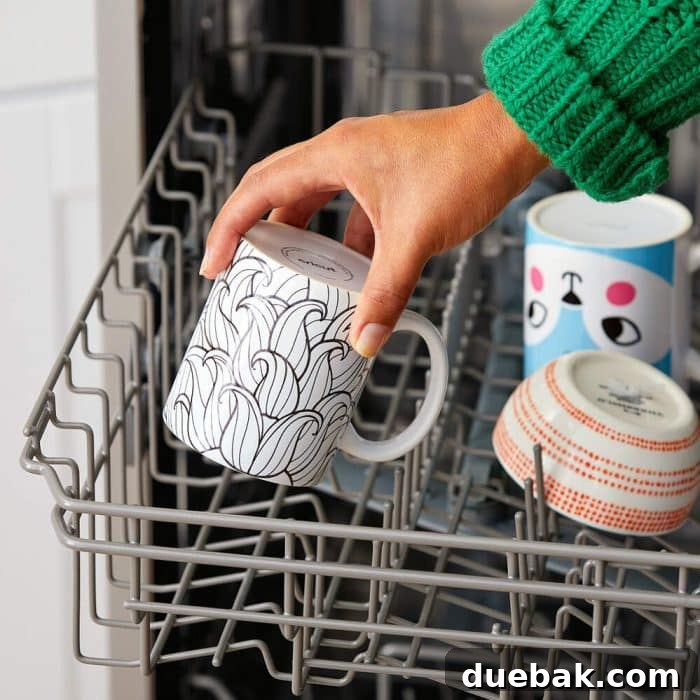
- Unique Mugs & Drinkware: Design custom coffee mugs, travel tumblers, or water bottles that are dishwasher and microwave safe, with designs that won’t scratch or fade. This is a particularly popular use for Infusible Ink.
- Decorative Coasters: Craft beautiful ceramic coasters for your home, adding personalized touches, intricate mandalas, or vibrant abstract art to protect your surfaces in style.
- Custom Pillows & Pillowcases: Transform plain pillow covers into decorative accents for your living room or bedroom with bespoke designs.
- Aprons & Kitchen Towels: Personalize kitchen items for yourself or as thoughtful gifts, adding funny quotes, cooking-themed designs, or family names.
- Hats & Caps: Embellish baseball caps or bucket hats with custom logos, team names, or unique patterns for a professional, integrated look.
- Art Prints & Wall Decor: Create stunning, vibrant art pieces on Infusible Ink blanks designed for framing, adding a splash of permanent color to your walls.
- Keychains & Ornaments: Design small, personalized accessories that make great gifts or party favors.
- Pet Bandanas: Make adorable custom bandanas for your furry friends, featuring their name or cute designs.
The beauty of Infusible Ink lies in its ability to produce truly professional-looking results that endure. Whether you’re a seasoned crafter or just starting, the permanence and vibrancy of Infusible Ink will elevate your DIY projects to a new level.
In conclusion, venturing into the world of Cricut Infusible Ink sheets and pens can unlock a universe of vibrant, durable, and professional-quality designs for your craft projects. While the initial setup and understanding of the process might seem a tad more intricate than working with traditional vinyl, a little practice and adherence to these guidelines will quickly make you a master of this transformative technique. The ability to create designs that genuinely feel like part of the material, offering unmatched longevity and a smooth finish, makes Infusible Ink an invaluable tool in any crafter’s arsenal.
Whether you choose the artistic freedom of freehand drawing with Infusible Ink Pens or the precision of cutting intricate designs with Infusible Ink sheets, your creative potential knows no bounds. This innovative system empowers you to personalize almost anything with stunning, permanent results that will impress. So, why wait? Embrace the future of crafting, dive into the captivating world of Infusible Ink, and let your imagination run wild with colors and designs that truly last!
Looking for more project ideas? Get inspired with these Cricut Projects!