

Unlock a new realm of creative possibilities with the revolutionary xTool M1 laser and blade cutting machine. For crafters and small business owners seeking an accessible entry into laser engraving and cutting, this innovative desktop machine stands out as a superb option for home use, blending versatility with an attractive price point.
In the vibrant world of crafting, adding a new machine to your creative arsenal often involves a careful balancing act between desired functionality, available space, and budget. Many enthusiasts, myself included, frequently share project inspirations and SVG files tailored for popular machines like Cricut and Glowforge. However, a recurring challenge for many — including friends, fellow crafters, and blog readers — is the significant financial investment associated with high-end laser cutters, such as the Glowforge.
When you place a Cricut machine beside a Glowforge, the price disparity is stark. A Glowforge represents a substantial investment, one that might not align with every crafter’s budget or business model. The prospect of recouping such an investment can feel daunting for many, limiting access to advanced laser crafting capabilities.
This is precisely why, upon discovering the xTool M1 – a groundbreaking hybrid machine combining blade cutting and laser engraving capabilities – I immediately recognized its potential. It promised to bridge a significant gap in the market, offering a compelling alternative that I simply had to explore and share with you.
xTool M1 – The Ultimate Hybrid Laser and Blade Cutter
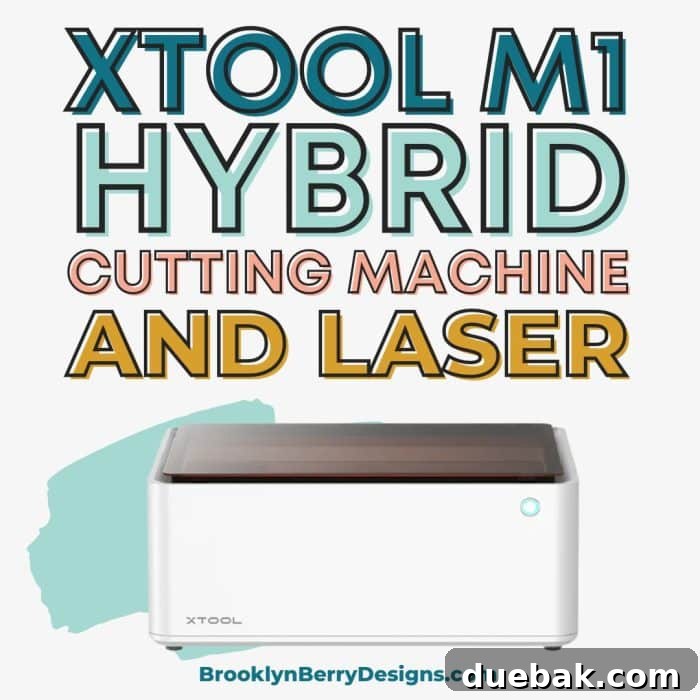
The xTool M1 is celebrated as the world’s first smart desktop hybrid machine, seamlessly integrating a powerful laser engraver and a precision blade cutter into a single unit. This dual functionality is its most captivating feature, allowing crafters to tackle a diverse range of projects without needing multiple specialized machines. It’s designed for intuitive use, employing a cutting mat system familiar to users of other cutting machines. Unlike traditional machines where the mat moves, with the xTool M1, your material is securely placed inside the machine, and the integrated blade and laser modules move efficiently across the surface, guided by advanced smart vision technology.

The ingenious design places both the laser module and the cutting blade side-by-side, allowing for quick transitions between tasks. This means you can engrave intricate details onto wood and then, in the same project, precisely cut vinyl or paper, all within the same streamlined workflow. This integration is a game-changer for anyone looking to maximize creativity while minimizing equipment clutter in their craft space.
Unleash Your Creativity: Materials the xTool M1 Can Transform
One of the most impressive aspects of the xTool M1 is its versatility in handling a wide array of materials. Whether you’re aiming for delicate engravings or sharp, clean cuts, the M1 is equipped to handle numerous crafting mediums. Understanding the capabilities of both its laser and blade tools is key to unlocking its full potential.
Laser Cutting Capabilities Include:
- Basswood: Capable of cutting robust 10mm basswood in a single pass, making it ideal for creating intricate wooden signs, models, and decorative pieces.
- Leather: Perfect for fashioning personalized leather goods, jewelry, and detailed appliqués with clean, precise edges.
- Acrylic: The M1 can cut 3mm acrylic, particularly certain colors, opening up possibilities for custom keychains, jewelry, and artistic displays.
- Other thin woods: Pine, plywood, and other similar thin wood types are also suitable for laser cutting.
Precision Blade-Cutting Tool Materials:
- Cardstock: From intricate greeting cards to multi-layered scrapbook elements, the blade delivers crisp cuts on various weights of cardstock.
- Faux Leather: Craft stylish earrings, bracelets, and accessories with the precision of the blade, mimicking the look and feel of genuine leather.
- Iron-On Vinyl (HTV): Customize apparel, bags, and fabric items with ease, creating sharp designs that transfer beautifully.
- Adhesive Vinyl: Ideal for wall decals, custom labels, car decals, and decorative elements on smooth surfaces.
- Fabric: Cut precise patterns for sewing and quilting projects.
Engraving Materials for Personalization:
- Wood: Personalize wooden gifts, create intricate photo engravings, or add custom text to wooden signs.
- Slate: Achieve stunning, high-contrast engravings on slate coasters, plaques, and decorative tiles.
- Metal (with Coating): While it can’t cut raw metal, the M1 excels at engraving on specially coated metals. A sample dog tag is typically included with the machine, providing an immediate opportunity to experiment with personalized metal engraving.
- Glass: With proper preparation, glass can also be engraved, adding a touch of elegance to drinkware or decorative panels.
- Ceramic: Customize ceramic tiles or mugs (with rotary attachment) for unique gifts.
Can the xTool M1 Cut Metal? Understanding Laser Capabilities
A common question among potential buyers is regarding the ability to cut metal. It’s important to clarify: no, the xTool M1 cannot cut raw metal. Its diode laser technology is designed for engraving on specific types of metal, particularly those with a special coating that reacts with the laser. This capability is similar to what you’d find in a Glowforge, which also typically requires coated metals for engraving. Cutting through raw metal requires a significantly stronger, higher-wattage laser, often a CO2 laser with much greater power than what’s found in desktop hobby machines. For tasks involving engraving coated metals, however, the xTool M1 performs admirably, allowing for personalized tags, jewelry, and decorative elements.
Machine Cost: Investing in Your Crafting Future
The xTool M1 offers compelling pricing, making advanced crafting technology accessible to a broader audience. There are two primary models to choose from, differing in laser power:
- 5W Model: Priced around $899, this model is an excellent entry point for casual crafters.
- 10W Model: At approximately $999, this version offers a noticeable boost in laser speed and cutting efficiency for just a small price increase.
- 10W Model with Rotary Attachment: For around $1299, this package includes the more powerful 10W laser along with the essential rotary tool, expanding your engraving capabilities to cylindrical objects right out of the box.
While the initial machine cost is attractive, remember that various accessories are available to enhance your crafting experience. These are not essential for basic projects but can significantly expand the types of items you can create and improve your overall workflow.
Expand Your Horizons: Essential Accessories for the xTool M1
To truly maximize the potential of your xTool M1, several optional accessories are available, each designed to tackle specific crafting challenges and broaden your project scope. These additions represent valuable investments for serious crafters and small businesses.
- xTool Smoke Purifier: Priced at $699, this accessory is highly recommended for anyone operating the M1 indoors or in poorly ventilated areas. It efficiently removes most of the smoky odor and fine particles generated when laser engraving or cutting materials like wood. This significantly improves air quality, making your crafting environment more pleasant and safer.

- Riser Base with Honeycomb Panel: Available for $159, this indispensable accessory elevates the working bed of the machine, allowing you to engrave thicker items that wouldn’t otherwise fit. The integrated honeycomb panel serves a crucial function by minimizing burn marks and soot buildup on the underside of your materials, ensuring cleaner, more professional results. Additionally, it often comes with magnetic material pins, perfect for securely holding down warped wood pieces or other irregular materials during operation.

- RA2 Pro Rotary Tool: For those looking to personalize curved and cylindrical items, the RA2 Pro rotary tool is a must-have, priced at $287. This incredibly versatile 4-in-1 tool allows you to engrave on an extensive range of objects, including metal water bottles, rings, wine glasses, tumblers, and spheres. It unlocks a whole new dimension of personalization for gifts, custom branding, and unique decorative pieces.

- Replacement Blades: To ensure continuous precision cutting, replacement blades are available in both 45-degree and 60-degree angles. The 60-degree blades are specifically designed for cutting thicker materials, functioning much like a deep cut blade in other crafting machines, providing robust performance for dense cardstock, faux leather, and some thin woods.
Understanding Your Laser: Diode vs. CO2 Lasers
Diode vs CO2 Lasers: What Crafters Need to Know
While the underlying physics of lasers can be complex, understanding the practical differences between diode and CO2 lasers is crucial for any crafter. These distinctions significantly impact a machine’s performance, cost, and suitability for various projects.
Essentially, diode lasers, like those found in the xTool M1, are characterized by their affordability, compact size, and exceptional durability, often boasting a longer lifespan. They are an excellent choice for home users due to their lower maintenance requirements and safer operation profile. However, diode lasers typically offer less laser power compared to their CO2 counterparts. This means that cutting and engraving tasks with a diode laser will generally take longer to complete, especially on thicker or denser materials.
CO2 lasers, on the other hand, are renowned for their superior power, faster processing speeds, and higher accuracy, particularly when it comes to engraving fine details. A CO2 laser will deliver significantly higher engraving precision, producing sharper and more intricate designs. However, these benefits come at a higher price point, making CO2 laser machines a more substantial investment.
The xTool M1 employs a diode laser. While this contributes to its accessible price, it’s important to be aware that projects requiring extensive cutting or very deep engraving might take more time compared to machines equipped with higher-wattage CO2 lasers.
Laser Comparisons: xTool M1 in the Market
To put the xTool M1’s diode laser in perspective, consider the Glowforge, which utilizes a 40W CO2 laser. This higher power output allows the Glowforge to cut faster and engrave with finer detail. This advanced CO2 laser technology is a primary factor contributing to the Glowforge’s much higher price tag, typically starting around $3995.
Similarly, other professional-grade CO2 lasers, such as the FSL Muse 3D, often feature 40W CO2 lasers and can start at prices upwards of $6499. These machines are designed for heavy-duty use and commercial applications where speed and precision are paramount.
It’s crucial to understand that the xTool M1 is not a direct, head-to-head competitor for machines like the Glowforge in terms of raw laser power or speed. Instead, its most compelling feature and unique selling proposition is its hybrid functionality – offering both vinyl and wood cutting/engraving capabilities in a single unit. This makes the M1 an outstanding choice for crafters with limited space or those who desire the convenience and cost-effectiveness of owning just one versatile machine in their craft room, capable of handling a broad spectrum of projects from paper to wood to coated metal.
For those specifically seeking a more powerful laser cutter from xTool, the company also offers a 40W CO2 Laserbox, with pricing typically starting around $3999, catering to users who prioritize high-speed laser cutting above all else.
What is Included In The Box: Your xTool M1 Unboxing Experience
Upon opening your xTool M1 package, you’ll find everything you need to get started on your creative journey. The comprehensive kit ensures you can begin crafting almost immediately:
- xTool M1 Machine: The core hybrid laser and blade cutting unit itself.
- Power Cord and USB Cable: Essential for powering the machine and connecting it to your computer.
- Instruction Manual: A detailed guide to help you set up and operate your new machine safely and effectively.
- Cutting Mats: Typically includes one pink mat for light-grip materials and one blue mat for standard-grip materials, catering to various project needs.
- Triangular Prisms: These are used to elevate materials for specific engraving tasks or to help ensure proper focal distance.
- Replacement Cutting Blades: A set of 5 blades, ensuring you have spares on hand for continuous cutting.
- Vent Exhaust Pipe, Connector, and Screws: All necessary components for setting up the crucial ventilation system.
- Sample Materials Pack: A selection of materials, often including wood, acrylic, and a coated metal dog tag, allowing you to experiment with both laser and blade functions right away.
Once you’ve unboxed your M1, the first step is to connect the vent exhaust pipe using the provided connector and four screws. It is imperative that this vent pipe is directed to a nearby window or door to expel smoke and fumes safely outside. If outdoor venting is not feasible in your workspace, investing in an air purifier or the dedicated xTool Smoke Purifier accessory is strongly recommended to maintain a healthy and odor-free environment.

Size and Dimensions: Fitting the xTool M1 into Your Space
For many crafters, especially those with dedicated craft rooms or limited workspace, machine footprint is a significant consideration. The xTool M1 is designed with a relatively compact form factor, making it suitable for a wide range of home environments. It measures approximately the same width as popular desktop machines like the Cricut Maker, but it is slightly deeper. As Cori from Hey Lets Make Stuff delightfully showcased, the M1 can even comfortably fit in an art cart, highlighting its manageable size.
The overall dimensions of the machine are: 22 inches (W) x 18 inches (D) x 9 inches (H). It’s crucial to account for additional vertical clearance, as the top blue light-blocking lid requires about 18 inches of space above the machine to open fully. This ensures unobstructed access to the working area and proper ventilation setup. The generous working area itself measures 385 x 300 mm (approximately 15 inches x 11.8 inches), providing ample space for a variety of projects without consuming excessive desk space.

Mastering Your Crafts with xTool Creative Space Software
At the heart of the xTool M1’s user experience is its dedicated design program, xTool Creative Space. This software is completely free to download and offers both online and offline functionality, providing a flexible and robust platform for bringing your ideas to life. xTool Creative Space is designed to be intuitive for beginners while offering sufficient features for more experienced designers.
The software boasts various essential editing functions, a library of digital elements, a selection of over 30 fonts, and readily available project files to guide you through initial creations. This makes it particularly excellent for new users who want to dive into crafting immediately using pre-designed templates and learning resources. For many, including myself, the primary use of such software is to efficiently send prepared designs to the machine for cutting or engraving, much like how I interact with Cricut and Glowforge software.
As an SVG designer, I typically create my intricate SVG files in professional graphic design software like Adobe Illustrator. Once perfected, I seamlessly upload these SVG files into xTool Creative Space, where I can then fine-tune settings and send them directly to the xTool M1. This workflow is common among laser owners, with many also utilizing software like Silhouette Business Edition, Inkscape, or LightBurn for their design needs. To experience its capabilities firsthand, you can download the xTool Creative Space Software HERE and explore its features before committing to the machine.
Venting and Safety: A Critical Consideration for Laser Crafters
Operating any laser cutting or engraving machine, including the xTool M1, requires careful attention to ventilation and safety. The M1 comes equipped with a built-in ventilation system and an exhaust kit, designed to manage the airborne byproducts of laser processing. This system actively blows air out, effectively removing dust, smoke, and potentially toxic fumes generated from materials like wood, leather, or acrylic.
As previously mentioned, proper installation of the exhaust kit, directing the vent pipe to an outdoor space like a window or door, is paramount for user safety and maintaining air quality in your workspace. However, for those who cannot vent outdoors or desire an even higher level of air purification, the optional xTool Smoke Purifier is an invaluable accessory. This dedicated filter system captures a significant percentage of remaining smoke and fumes, ensuring a cleaner, safer, and more pleasant crafting environment. Always prioritize good ventilation to protect yourself and others from inhaling potentially harmful particles and odors produced during laser operations.
Overall Thoughts On xTool M1: Is It the Right Machine for You?
In conclusion, the xTool M1 stands out as a truly remarkable machine, particularly well-suited for the hobby crafter, DIY enthusiast, or small business owner looking for a versatile and accessible entry into the world of laser and blade cutting. It offers an appealing combination of functionalities at a more affordable price point compared to dedicated high-end laser cutters.
Pros:
- Excellent Price Point: Offers advanced capabilities without the prohibitive cost of professional-grade laser machines.
- Hybrid Functionality: Combines a laser engraver/cutter and a blade cutter into a single compact unit, saving space and providing unmatched versatility for diverse projects.
- User-Friendly Software: xTool Creative Space is intuitive for beginners while supporting SVG imports for advanced users.
- Wide Material Compatibility: Handles everything from paper and vinyl to wood, leather, acrylic, and coated metals.
Cons:
- Slower Speed (Diode Laser): Compared to CO2 laser machines, the diode laser will take longer to complete cuts and engravings, especially on thicker materials. This is a trade-off for its affordability and compact size.
- Cannot Cut Raw Metal: Limited to engraving on specially coated metals, not cutting through raw metal.
In my personal opinion, the 10W model offers significantly better value for only a $100 increase in price. The difference in laser speed and efficiency will be noticeable immediately and will undoubtedly enhance your crafting experience over time. For those prioritizing both laser and blade capabilities in a single, budget-friendly, and space-saving machine, the xTool M1 is an outstanding choice that will undoubtedly elevate your crafting projects.
The xTool m1 is also conveniently available for purchase on Amazon!
