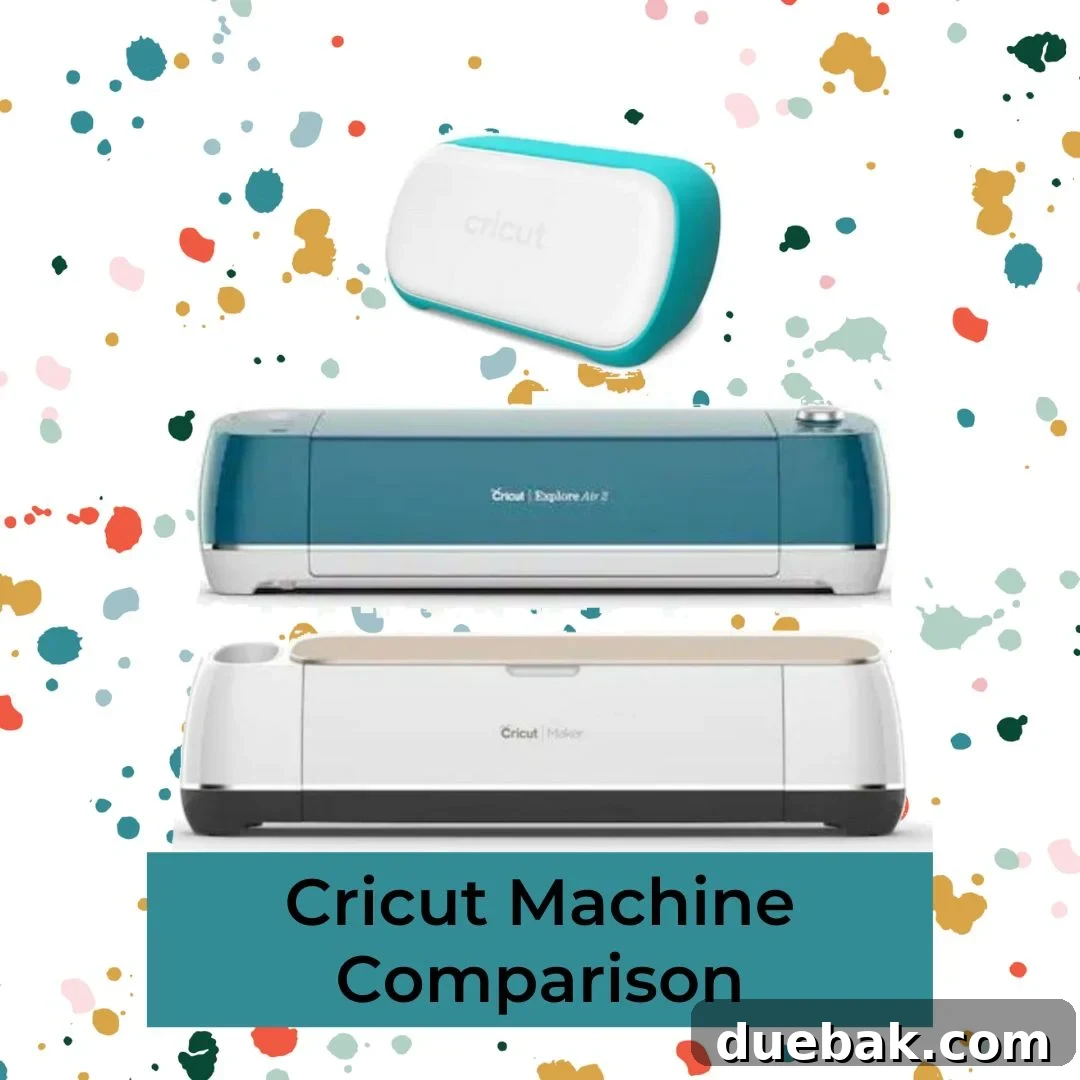
Embarking on a creative journey with a cutting machine is an exciting prospect, and for many, that journey begins with Cricut. As a leader in the DIY and crafting world, Cricut continually innovates, releasing machines with enhanced features and capabilities. This constant evolution can make choosing the right machine a challenge, especially for newcomers. Whether you’re a seasoned crafter looking to upgrade or a complete beginner eager to dive into the world of personalized projects, understanding the distinctions between each model is crucial. This comprehensive guide will update you on the latest information, highlight the biggest differences across the Cricut family, and help you make an informed decision to find the perfect machine that aligns with your creative aspirations and crafting needs.
Why Choose a Cricut Machine for Your Crafting Projects?
Cricut machines have revolutionized the crafting landscape, making professional-grade results accessible to everyone, from hobbyists to small business owners. Their widespread popularity stems from a combination of versatility, ease of use, and a robust ecosystem. With a Cricut, you gain the power to precisely cut, draw, score, and engrave hundreds of materials, transforming raw ideas into tangible creations. This opens up a world of possibilities for custom apparel, home décor, personalized gifts, intricate paper crafts, and much more. The intuitive Design Space software, coupled with a vast online community, ensures that support and inspiration are always at your fingertips, making the creative process enjoyable and rewarding.
Understanding the Cricut Ecosystem: Design Space & Materials
At the heart of every modern Cricut machine lies Cricut Design Space, a powerful and user-friendly software that serves as your creative hub. This cloud-based platform allows you to design, edit, and send projects directly to your machine from your computer or mobile device. It boasts a vast library of ready-to-make projects, images, and fonts, alongside tools for uploading your own designs. An internet connection is generally required for full functionality, though some offline features are available via the desktop app.
Cricut machines are renowned for their ability to handle an impressive array of materials. From everyday favorites like vinyl, iron-on (HTV), and cardstock to more specialized items like fabric, leather, and even balsa wood, the material possibilities are extensive. A key innovation in newer models is “Smart Materials,” which are designed to be cut without a mat, offering greater convenience and longer cutting lengths. Understanding which materials each machine can handle is crucial for selecting the best Cricut machine for your specific projects.
The Modern Cricut Lineup: A Detailed Look
Cricut Explore Family: The Versatile Workhorse for Everyday Crafting
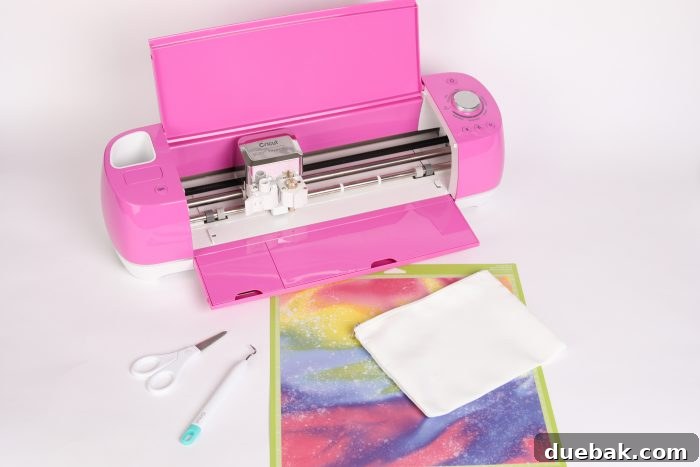
The Cricut Explore series is widely considered the workhorse of the Cricut family, striking an excellent balance between affordability, versatility, and performance. This lineup includes models like the Cricut Explore Air, Explore Air 2, and the latest iteration, the Cricut Explore 3. These machines are perfect for a wide range of popular crafting projects, making them ideal for serious hobbyists, DIY enthusiasts, and even those running small crafting businesses.
Equipped with a fine-point blade, the Explore machines excel at precision cutting of hundreds of materials such as vinyl, iron-on, cardstock, paper, and poster board. They also feature a dual carriage, allowing you to simultaneously cut and write or cut and score without changing tools. This means you can add intricate details with Cricut pens or create perfect folds with a scoring stylus or scoring wheel. Furthermore, a deep-point blade can be used to cut thicker materials like bonded fabric, felt, and some types of leather, expanding your creative horizons significantly. The Explore 3 further enhances capabilities by introducing compatibility with Smart Materials, allowing for mat-free cutting and projects up to 12 feet long, making it more efficient and faster than its predecessors. With its reliable performance and extensive material compatibility, the Explore family remains a top choice for those seeking a capable and versatile cutting machine.
Cricut Joy: Compact Powerhouse for Quick & Easy Projects
The Cricut Joy stands out as the smallest and most compact machine in the Cricut lineup, designed specifically for quick, everyday projects and maximum portability. This mini machine is perfect for crafters who have limited space, beginners looking for an easy entry point, or anyone who wants to whip up personalized items on the go. Despite its diminutive size, the Joy packs a surprising punch, offering many of the core Cricut functionalities in a streamlined package.
One of its most unique features is its specialized Card Mat, which allows you to create professional-looking insert cards with incredible ease, cutting through just the top layer of a folded card. The Cricut Joy also fully embraces Smart Materials – a range of vinyl, iron-on, and paper that can be fed directly into the machine without a cutting mat. This not only speeds up the crafting process but also enables continuous cuts up to 20 feet long, perfect for creating long banners, borders, or repetitive decals. While it uses its own smaller blades and pens, the Joy maintains the precision and quality expected from Cricut, making it an excellent choice for labels, custom cards, small decals, and quick iron-on transfers, truly embodying its name by bringing joy to small-scale crafting.
Cricut Maker Family: The Ultimate Creative Machine for Advanced Projects
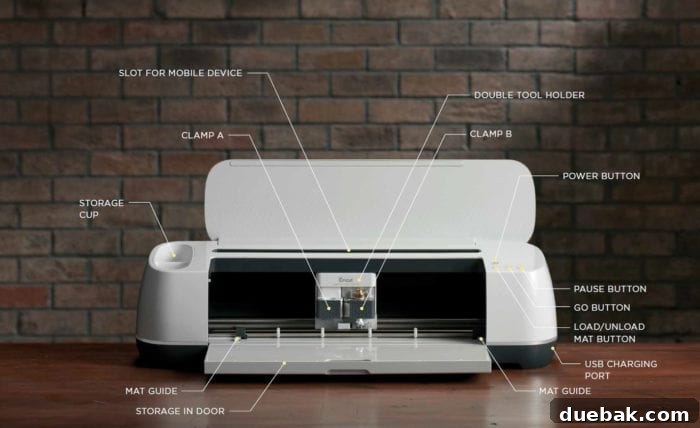
When it comes to power, versatility, and cutting-edge technology, the Cricut Maker family (including the original Maker and the Cricut Maker 3) stands unrivaled. These machines are designed for the most demanding crafters, those who push the boundaries of materials and complexity. If your creative ambitions extend beyond paper and vinyl to include delicate fabrics, thick materials like balsa wood, or intricate engraving, the Maker is your ultimate tool.
The Maker’s core innovation is its Adaptive Tool System, which intelligently controls the direction and pressure of the blade, delivering unparalleled precision and power. This system unlocks a vast array of specialized QuickSwap tools exclusive to the Maker. These include the Rotary Blade, essential for cutting unbacked fabrics (like cotton, felt, and denim) without the need for stiffeners, making it a dream for sewers. The Knife Blade effortlessly slices through thicker materials up to 2.4 mm, such as balsa wood, matboard, and heavy leather, opening doors to intricate woodworking and leathercraft projects. Beyond cutting, the Maker offers a suite of other tools like the Scoring Wheels (single and double) for crisp creases, the Engraving Tool for adding personalized touches to metal, the Debossing Tool for elegant textural designs, the Perforation Blade for tear-away lines, and the Wavy Blade for decorative edges. The Maker 3 builds on this foundation by incorporating Smart Materials compatibility, allowing for faster and mat-free cutting up to 12 feet, further solidifying its position as the most powerful and versatile smart cutting machine available. For crafters who refuse to be limited by material or complexity, the Cricut Maker is an investment in limitless creative potential.
Cricut Expression 2 vs. Cricut Explore: A Look Back at the Evolution
The journey of Cricut machines has seen significant technological leaps, and the comparison between the older Cricut Expression 2 and the modern Cricut Explore family perfectly illustrates this evolution. The Cricut Expression 2 represents an earlier generation of cutting machines from Provo Craft. It operated primarily using physical cartridges, each containing a pre-set collection of images, fonts, and designs. Crafters would select designs directly on the machine’s small screen, and any digital integration was through the now-defunct Cricut Craft Room software. This meant limited flexibility; you couldn’t easily upload your own custom images or access the vast, ever-growing digital libraries that are standard today. Furthermore, the Expression 2 was largely an offline device, lacking the internet connectivity that defines contemporary smart cutting machines.

In stark contrast, the Cricut Explore machines heralded the digital age of crafting. They are fully integrated with Cricut Design Space, a dynamic, cloud-based software that provides immense creative freedom. With an Explore machine, an internet connection is required to access Design Space, where you can design from scratch, browse millions of images, access countless fonts, and upload your own SVG files or images. This digital ecosystem allows for seamless updates, community sharing, and unparalleled flexibility in customizing projects. The transition from physical cartridges to digital design was a game-changer, making the Explore series far more versatile, user-friendly, and future-proof than its cartridge-based predecessors.
Archived Cricut Models: Why They’re Not Recommended Today
While exploring the world of Cricut, you might encounter older models available on second-hand marketplaces. These archived machines, such as the Cricut Expression, Cricut Mini, Cricut Imagine, Cake Mini, and Cricut Personal, were once popular in their prime. However, it’s generally advisable to avoid purchasing these legacy machines today, and here’s why:
- Lack of Support: These machines are no longer manufactured or officially supported by Cricut. This means no software updates, no new features, and dwindling availability of replacement parts or dedicated customer service.
- Outdated Technology: They rely on cartridge-based systems and older, often unsupported software like Cricut Craft Room. This severely limits your design capabilities, preventing you from using custom images, accessing modern design libraries, or connecting to the vibrant Design Space platform.
- Limited Functionality: Compared to modern machines, their cutting precision, speed, and material compatibility are significantly restricted. They cannot utilize Smart Materials or the advanced tools available for the Maker series.
- Connectivity Issues: Most older models lack Bluetooth or modern USB connectivity, making them difficult to integrate with contemporary computers and operating systems.
- Better Alternatives: Cricut occasionally offers trade-in programs that allow owners of legacy machines to upgrade to a new Explore or Maker series at a discounted rate. This is often a much better investment, providing a machine with full support, modern features, and vast creative potential. While direct links to these deals can be elusive, contacting Cricut customer service might reveal such opportunities.
Choosing the Right Cricut Machine for You: Key Considerations
Selecting the “best” Cricut machine isn’t about finding the most expensive or feature-rich model; it’s about identifying the one that perfectly matches your individual needs, budget, and creative ambitions. Here are the key factors to consider:
- Your Budget: Cricut machines span a range of price points. The Cricut Joy is the most budget-friendly entry, followed by the Explore series, with the Maker representing the premium, highest-capability option. Determine how much you’re willing to invest upfront, remembering to account for materials and accessories.
- Types of Projects: What do you primarily want to create?
- For cards, labels, small decals, and quick personalizations: The Cricut Joy is unparalleled for its speed and compact size.
- For vinyl decals, iron-on transfers, paper crafts, custom cards, and some fabric projects: The Cricut Explore series offers excellent versatility for a wide array of popular crafts.
- For intricate sewing patterns, woodworking, leather projects, engraving, debossing, and cutting delicate fabrics or thick materials: The Cricut Maker family with its Adaptive Tool System is the clear choice.
- Materials You Plan to Cut: This is a crucial differentiator. If you only foresee cutting paper and vinyl, an Explore or even a Joy might suffice. If you dream of working with balsa wood, chipboard, or unbacked fabrics, the Maker is essential.
- Available Space: The Cricut Joy is remarkably small and fits almost anywhere. The Explore and Maker machines are larger and require dedicated workspace. Consider your crafting area.
- Frequency of Use & Skill Level: Are you an occasional crafter, a regular hobbyist, or planning to use it for a small business? Beginners might appreciate the simplicity of the Joy or the balanced features of an Explore. Advanced crafters and professionals will benefit most from the Maker’s expanded capabilities.
- Future Needs: Think about your long-term crafting goals. Do you anticipate your skills and project complexity growing? Investing in a Maker now might save you an upgrade later if your ambitions are high.
Maximizing Your Cricut Experience
Once you’ve chosen your ideal Cricut machine, the journey has just begun! To get the most out of your investment and truly unleash your creativity, consider these tips: explore the vast library of tutorials within Cricut Design Space and on Cricut’s official website. Join online crafting communities and social media groups dedicated to Cricut; these are fantastic resources for inspiration, troubleshooting, and connecting with fellow crafters. Always invest in quality materials, as they can significantly impact the success and finish of your projects. Finally, regular maintenance, such as cleaning your machine and replacing dull blades, will ensure optimal performance and longevity for your creative companion. Embrace the learning curve, experiment with different materials and tools, and enjoy the endless possibilities that your Cricut machine brings to your DIY endeavors!
Ultimately, the “best Cricut machine” is a personal decision, reflecting your unique creative style and practical requirements. By carefully considering your projects, materials, budget, and aspirations, you can confidently select the perfect Cricut companion to help you bring your most imaginative ideas to life. Happy crafting!